This is a quick setup for connecting a mixer to a PS1 Powerstand for a Classic or L1™ Model I.
On the Mixer
Run prerecorded music into the Mixer. Set input trims (on the mixer) so that the signal is strong but not clipping.
On the R1 Remote
Set Master Level at "0". The L1™ System should be silent.
On the R1 Remote
Set Channel 1 Level at 12 o'clock (straight up)
On the Mixer
Set Output at its maximum without clipping
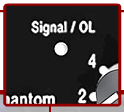
Signal/OL LEDOn the PS1 Powerstand
Set the input trim so that you get steady green on the Signal/OL. (red flickers are okay).
If you set the input trim to "0" zero, and you are getting solid red on the Signal/OL LED then use a Pad to attenuate the signal. If you reduce the output from the mixer, you will probably raise the amount of noise in the signal path.
Set the Channel 2 input trim to 0
Set the Channel 3 input level to 0
Set the Channel 4 input level to 0
As a check, the R1 Remote Channel LED should be doing the same thing as the PS1 Powerstand Signal O/L LED. Solid green, occasional red flickers.
On the R1 Remote
Bring up the Master Level to 12 o'clock (straight up)
If everything is working, you are probably hearing the System at very close to its volume limit.
Test: On the Mixer, set the master output all the way down:
If you are hearing a low frequency hum, check for a ground loops.
If you are hearing a buzz, check for sources of line noise.