T8S to One L1 Model II
Connect the ToneMatch Power Supply to the T8S ToneMatch mixer for power.
Connect the T8S to L1 Model II

The output from the T8S ToneMatch mixer is a balanced mono 1/4 inch (6.3 mm) Tip-Ring-Sleeve and the input on the L1 Model II is a balanced mono 1/4 inch (6.3 mm) Tip-Ring-Sleeve so use a cable like this.
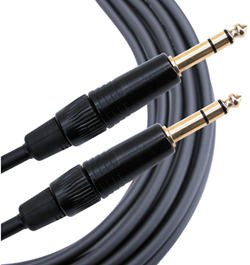 .
.
1/4" TRS Balanced Patch Cable (audiopile.net)
OR

The output from the T8S is a balanced mono XLR and the input on the L1 Model II is a balanced mono 1/4 inch (6.3 mm) Tip-Ring-Sleeve so use a cable like this.
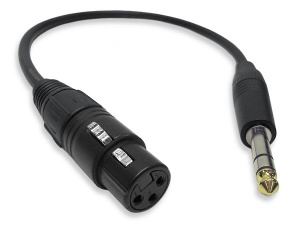 .
.
XLR Female to 1/4" Male TRS Cable
L1 Model II Analog Input
The Analog input is a ¼ inch balanced input jack.

Analog input trim (volume, or gain) control
Set the L1 Model II Analog Input trim control to match the output of the T8S ToneMatch mixer.

- Set the Trim control on the power stand to the 0 (zero) position.
- Connect the T8S ToneMatch mixer Main Output to the Analog Input
- Adjust the volume of the T8S ToneMatch mixer Main Output to the maximum output without distortion. This is probably between 10:00 o'clock and 12:00 o'clock on the Master Output
- While playing the source, increase the Trim level so that the Signal/Clip indicator glows green or yellow. This will probably be around 9:00-11:00 o'clock
- If the Signal/Clip indicator glows red, decrease the Trim level so that it glows only green or yellow.
