ToneMatch Power Supply
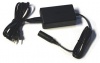
ToneMatch® Audio Engine power supply.
This is the power supply for the ToneMatch Mixer[1].
Not Required with L1 Pro[2]
The L1 Pro[2] systems have a ToneMatch port that can supply power to any ToneMatch mixer.
Required with Earlier Systems except L1 Model II
You will need this to power your ToneMatch Mixer[1] when running with an L1 Compact, S1 Pro System, L1 Classic, L1 Model I, or non-Bose equipment. You will need a one of these if you have two ToneMatch Mixer[1]s running into a single L1® Model II or L1® Model 1S. — details below the picture.
If you connect your T1 ToneMatch® Audio Engine to a L1 Model II or L1 Model 1S then the T1 ToneMatch® Audio Engine draws its power through the ToneMatch® cable.
If you connect your T1 ToneMatch® Audio Engine to an an L1 Classic, L1 Model I or L1 Compact or non-Bose equipment then you will need the T1 ToneMatch® Audio Engine power supply
If you are attaching two T1 ToneMatch® Audio Engines to a single L1® Model II then you will need this power supply to support the second T1® - the one connected to the Power Stand Analog Input.
See: Connecting Two T1®s to a Model II for details.
If you disassemble the Ethercon connector (not recommended), it's tricky to reassemble it.

Note: There are small guides on the grey piece that slide into the slots in the barrel.

Media:BDA 564 - etherCON NE8MX-1 & NE8MX-B-1 - RJ45 cable connector carrier.pdf
Close up of the connector that goes to the ToneMatch Mixer[1], just in case you damage the cable and have to replace the connector.
Note: The picture is taken with the flat side facing the camera. The release clip is on the other side.

- ↑ 1.0 1.1 1.2 1.3 T4S ToneMatch mixer or T8S ToneMatch mixer or T1 ToneMatch Audio Engine
- ↑ 2.0 2.1 L1 Pro 8, L1 Pro 16, L1 Pro 32