Category:Mixer: Difference between revisions
m Categories added |
m Mixer General Notes |
||
| Line 1: | Line 1: | ||
[[Image:AlesisMultiMix8USB.jpg|100px|Alesis MultiMix8USB]][[Image:BehringerUB1202.png|100px|Behringer UB1202]][[Image:Mackie1202VLZPro.png|100px|Mackie 1202 VLZ Pro]][[Image:NumarkCDMix-2.png|100px|Numark CD Mix-2]][[Image:SoundCraftSpiritNotepad.png|100px|Spirit Notepad]][[Image:YamahaMG82FX.png|100px|Yamaha MG82/FX]] | [[Image:AlesisMultiMix8USB.jpg|100px|Alesis MultiMix8USB]][[Image:BehringerUB1202.png|100px|Behringer UB1202]][[Image:Mackie1202VLZPro.png|100px|Mackie 1202 VLZ Pro]][[Image:NumarkCDMix-2.png|100px|Numark CD Mix-2]][[Image:SoundCraftSpiritNotepad.png|100px|Spirit Notepad]][[Image:YamahaMG82FX.png|100px|Yamaha MG82/FX]] | ||
<br> | |||
<section begin=GeneralNotes /> | |||
== Mixers == | |||
=== Model I and Classic === | |||
===== XLR to XLR ===== | |||
The XLR inputs for Channels 1 and 2 are intended for microphone level inputs. <br> | |||
*If your source (mixer or CD/DVD player) has XLR outputs, check to see if you have the option to set it to a microphone level output. If so, use that setting.<br> | |||
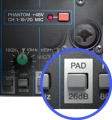
*If your source has XLR outputs at line-level (most likely) then you will probably need a [[Pad]] between the source and the [[Model I nl]] (or [[Classic nl]]) Power Stand. <br> | |||
*You may be able to make things work without the [[Pad]] by turning down the output from the source and turning down the trim at the Power Stand. If it sounds okay then you are probably fine. If you cannot get enough a good sounding signal without an excess of noise then try a [[Pad]]. | |||
===== ¼ inch jack inch to ¼ inch ===== | |||
If your mixer has ¼ inch jack outputs, these are almost certainly at line-level and should work well with any of the ¼ inch jack inputs (Channels 1, 2, 3, 4) on a {{Model I}} or {{Classic}}.<br> | |||
=== {{Model II}} === | |||
{{#lst:L1® Model II|Stereo Source to Power Stand Analog Input}} | |||
=== {{T1}} === | |||
You can probably run XLR or ¼ inch jack line level inputs to the T1® Channels 1,2,3. If you have the option to run ¼ inch to ¼ inch, you could use T1® Channels 4/5. | |||
<section end=GeneralNotes /> | |||
---- | ---- | ||
[[Category:Connections]] | |||
[[ | [[Category:Connections]] [[Category:L1™_System]] [[Category:DJ]] [[Category:VJ]] [[Category:PS1_Powerstand]] [[Category:PS1_Powerstand_Connections]] | ||
[[Category:DJ]] | |||
[[Category:VJ]] | |||
[[ | |||
[[ | |||
Revision as of 08:41, 11 December 2008


Mixers
Model I and Classic
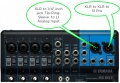
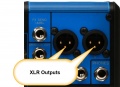
XLR to XLR
The XLR inputs for Channels 1 and 2 are intended for microphone level inputs.
- If your source (mixer or CD/DVD player) has XLR outputs, check to see if you have the option to set it to a microphone level output. If so, use that setting.
- If your source has XLR outputs at line-level (most likely) then you will probably need a Pad between the source and the Model I nl (or Classic nl) Power Stand.
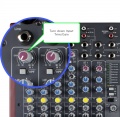
- You may be able to make things work without the Pad by turning down the output from the source and turning down the trim at the Power Stand. If it sounds okay then you are probably fine. If you cannot get enough a good sounding signal without an excess of noise then try a Pad.
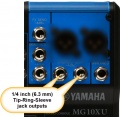
¼ inch jack inch to ¼ inch
If your mixer has ¼ inch jack outputs, these are almost certainly at line-level and should work well with any of the ¼ inch jack inputs (Channels 1, 2, 3, 4) on a L1 Model I or L1 Classic.
A ¼ inch Tip-Ring-Sleeve connector carrying a stereo signal should not be used with the analog input on the Model II.
Even though a ¼ inch Tip-Ring-Sleeve connector can carry a stereo signal this is not how this physical connection is used on the Mixer Power Stand.
The analog input on the Model II is balanced, and will therefore subtract the Left and Right signals on a stereo cable and you will hear an L-R (Left minus Right) signal in the Model II.
You cannot 'get through the gig' this way if you are a DJ or if you need to run prerecorded music or have stereo inputs.


Using a Mixer

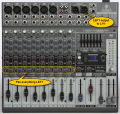
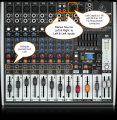
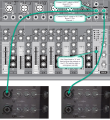
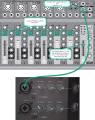
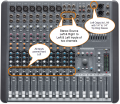
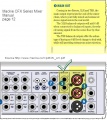
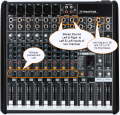
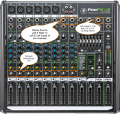
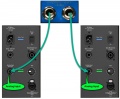
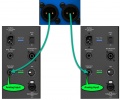
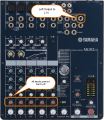
If you are using a mixer instead of a T1 ToneMatch Audio Engine use the mixer to create a mono output and send that to the Model II Power Stand Analog input.
- If there is a stereo/mono switch then use it and send the mono output to the Model II Power Stand Analog input.
- If there is a Left/mono output then use that and send it to the Model II Power Stand Analog input.
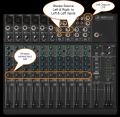
- If there is no way to create a mono output then pan all your mixer inputs all the way to one side (e.g. Left) and then take the mixer for that side (e.g. Left) output and send it to the Model II Power Stand Analog input.
You can probably run XLR or ¼ inch jack line level inputs to the T1® Channels 1,2,3. If you have the option to run ¼ inch to ¼ inch, you could use T1® Channels 4/5.
Subcategories
This category has the following 8 subcategories, out of 8 total.
A
- Alesis (7 P)
- Allen & Heath (4 P, 7 F)
B
- Behringer (13 P, 29 F)
G
- Gemini (2 P, 5 F)
M
- Mackie (19 P, 47 F)
N
- Numark (3 P, 4 F)
S
- Soundcraft (2 P, 7 F)
Y
- Yamaha (10 P, 18 F)
Pages in category "Mixer"
The following 108 pages are in this category, out of 108 total.
M
- Mackie Pro FX4 to S1 Pro System
- Mackie ProFX 12 to L1® Compact
- Mackie ProFX12V2 to T1
- Mixer
- Mixer / Alesis / MultiMix 12USB
- Mixer / Alesis / MultiMix 16USB
- Mixer / Alesis / MultiMix 6FX
- Mixer / Alesis / MultiMix 8USB
- Mixer / Allan & Heath / MixWizard WZ3
- Template:Mixer / Allen & Heath ZED Series
- Mixer / Allen & Heath ZED-12FX
- Mixer / Alto / L-12
- Mixer / Behringer / Europower / PMP6000
- Mixer / Behringer / Eurorack / MX1604A
- Mixer / Behringer / UB1002
- Mixer / Behringer / UB1002FX
- Mixer / Behringer / UB1202
- Mixer / Behringer / UB1202FX
- Mixer / Behringer / UB1222FX-Pro
- Mixer / Behringer / UB502
- Mixer / Behringer / UB802
- Mixer / Behringer / XENYX1204FX
- Mixer / Fostex / VM88
- Mixer / LEM / RD Series
- Mixer / Mackie / 1202-VLZ
- Mixer / Mackie / 1202-VLZ Pro
- Mixer / Mackie / 1402-VLZ3
- Mixer / Mackie / 1604-VLZ
- Mixer / Mackie / 802-VLZ3
- Mixer / Mackie / CFX MkII
- Mixer / Mackie / CFX Series
- Mixer / Mackie / DFX12
- Mixer / Mackie / DFX6
- Mixer / Mackie / ProFX8 and ProFX12
- Mixer / Mini Mixer
- Mixer / Numark / 5000FX
- Mixer / Numark / CDMix-2
- Mixer / Numark / PPD9000
- Mixer / Pioneer / DJM-5000
- Mixer / Pioneer / DJM-700
- Mixer / Soundcraft / EPM
- Mixer / Soundcraft / Spirit Folio Notepad
- Mixer / Yamaha / MG10 / 2
- Mixer / Yamaha / MG124 CX
- Mixer / Yamaha / MG8/2FX
- Mixer / Yamaha / MX12/4
- Mixer Left Output Only
- Mixer Outline Template
- Mixer to L1 Pro
- Template:Mixer to L1 Pro FAQ
- Mixer to S1 Pro+
- Mixer to Share Presets
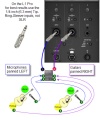
- Mixer to Share Presets on L1 Pro
- Mixer to Share Presets on S1 Pro
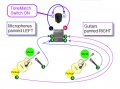
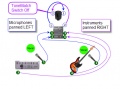
- Mixer to Share Presets on the Compact
- Mixer to ToneMatch Mixer
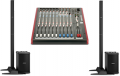
- Mixer to Two L1 Model II
P
S
- S1 Pro as Monitor with JBL EON ONE PRO
- S1 Pro as Monitor with Third Party Mixer and L1
- Template:S1 Pro Daisy Chain
- S1 Pro Daisy Chain
- S1 Pro Daisy Chain Settings
- Template:S1 Pro from Device Simple
- Template:S1 Pro Gain Staging
- Template:S1 Pro Gain Staging from Bose
- Template:S1 Pro Mixer Settings
- S1 Pro Mixer Settings
- S1 Pro system
- S1 Pro System Line Out
- S1 Pro with Behringer B1200D Subwoofer
- Template:S1 Pro with External Device
- S1 Pro with F1 Subwoofer
- S1 Pro with Harmonizer
- S1 Pro with Mixer and Behringer B1200D Pro Subwoofer
- S1 Pro with T1 and Behringer B1200D Pro Subwoofer
- S1 Pro with Vocal Processor
- Sketches / Principles
- Stereo Mixer to Mono L1®
T
- T1 ToneMatch Audio Engine Aux Out to S1 Pro system
- T1 ToneMatch Audio Engine Master Out to S1 Pro system
- T1 ToneMatch Audio Engine with Third Party Mixer
- T1 ToneMatch® Audio Engine
- T1 ToneMatch® Audio Engine / 1/4 inch Output Connections to L1® Family Members
- T1 ToneMatch® Audio Engine / Aux
- T1 ToneMatch® Audio Engine / Connections to S1 Pro
- T1® to Denon DN-X500
- T4S ToneMatch Mixer to S1 Pro system
- T4S/T8S ToneMatch® Mixer
- T8S ToneMatch Mixer Aux Output to S1 Pro
- T8S ToneMatch Mixer to S1 Pro
- ToneMatch® Mixer to S1 Pro System
Media in category "Mixer"
The following 81 files are in this category, out of 81 total.
-
 6285-02-desktopeditor.png 552 × 297; 16 KB
-
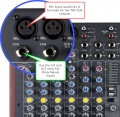 Allen Heath 60 10FX Inputs.jpg 800 × 780; 159 KB
-
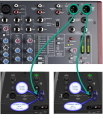 Allen Heath ZED Sixty-14FX LR Compact.png 803 × 931; 813 KB
-
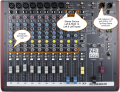 Allen Heath ZED Sixty-14FX Mono Left.png 1,024 × 783; 1.22 MB
-
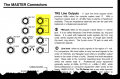 AllenHeathPA12Output.png 782 × 512; 184 KB
-
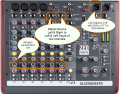 AllenHeathZFX10MonoLeft.png 805 × 631; 184 KB
-
 AllenHeathZFX10MonoPannedLeft.png 805 × 631; 184 KB
-
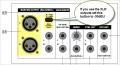 AltoL-12Output1.jpg 631 × 342; 70 KB
-
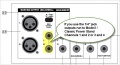 AltoL-12Outputs2.jpg 631 × 342; 65 KB
-
 AltoL-12Outputs3.jpg 631 × 342; 61 KB
-
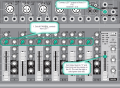 Behringer 1002B to S1 Pro mono 1 cable.png 1,024 × 749; 607 KB
-
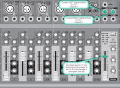 Behringer 1002B to S1 Pro mono 2 cables.png 1,024 × 749; 606 KB
-
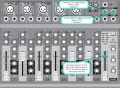 Behringer 1002B to S1 Pro Stereo.png 1,024 × 749; 605 KB
-
 Behringer 1222FX.png 700 × 665; 619 KB
-
 Behringer X1222 USB Mono.png 800 × 821; 816 KB
-
 Behringer Xenyx 1002B to 2 S1 Pro Stereo.png 1,024 × 1,119; 955 KB
-
 Behringer Xenyx 1002B to S1 Pro 2.png 1,024 × 1,292; 1.28 MB
-
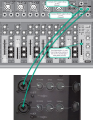 Behringer Xenyx 1002B to S1 Pro Stereo 2.png 1,024 × 1,317; 1.37 MB
-
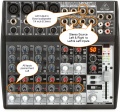 Behringer Xenyx 1202FX Mono.jpg 800 × 744; 189 KB
-
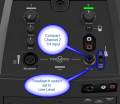 Compact Channel 2 Green.png 475 × 412; 117 KB
-
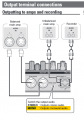 Denon DN-MC6000 Output.png 356 × 506; 58 KB
-
 Four Microphones to Four L1s.png 552 × 297; 16 KB
-
 Four Microphones to Three L1s.png 552 × 297; 16 KB
-
 Gemini CDM 4000 to L1 Compact.png 800 × 701; 315 KB
-
 L1 Pro Line Level Inputs small.jpg 537 × 490; 62 KB
-
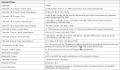 L1 Pro Mixer Section Specifications.jpg 1,382 × 808; 385 KB
-
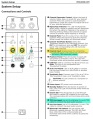 L1 Pro16 Line Level Inputs.jpg 1,524 × 1,954; 799 KB
-
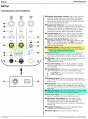 L1 Pro32 Line Level Inputs.jpg 1,493 × 2,027; 847 KB
-
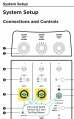 L1 Pro8-16 Line Level Inputs.jpg 646 × 1,043; 136 KB
-
 Mackie1202OutputSwitch.jpg 637 × 219; 64 KB
-
 Mackie1202VLZ4.png 739 × 671; 721 KB
-
 Mackie1402VL4PannedLeftMono.png 788 × 768; 810 KB
-
 Mackie1604LevelSettingProcedure.png 341 × 847; 121 KB
-
 MackieCFX12PannedLeftMono.png 800 × 690; 1,003 KB
-
 MackieCFXSeriesOutput.jpg 480 × 537; 119 KB
-
 MackieProFX12 Mono Output.png 800 × 768; 239 KB
-
 MackieProFX12V2 Mono Output.png 971 × 922; 1.47 MB
-
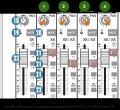 MackieProFX16-22OMRouting1.png 650 × 594; 82 KB
-
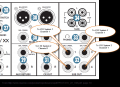 MackieProFX16-22OMRouting2.png 806 × 587; 169 KB
-
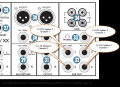 MackieProFX16-22OMRouting3.png 806 × 587; 169 KB
-
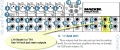 MackieProFX8-12.jpg 789 × 328; 128 KB
-
 Mixer Input Pad Switch.jpg 435 × 466; 39 KB
-
 Mixer Input Trim.jpg 800 × 780; 145 KB
-
 Mixer to L1 Model II 14trs.jpg 800 × 662; 97 KB
-
 Mixer to L1 Model II XLR.jpg 800 × 666; 94 KB
-
 Mixer to Two L1 Model II.png 299 × 190; 36 KB
-
 MixerToSharePresetsCompact.jpg 456 × 338; 51 KB
-
 MixerToSharePresetsCompact02.jpg 472 × 352; 51 KB
-
 MixerToSharePresetsL1Pro.jpg 456 × 546; 69 KB
-
 Numark5000FXOutput.jpg 643 × 385; 97 KB
-
 PioneerDJM5000p08.png 926 × 667; 252 KB
-
 PioneerDJM5000p13.png 748 × 356; 131 KB
-
 PioneerDJM5000p16.png 388 × 296; 24 KB
-
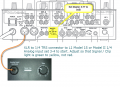 PioneerDJM700P07.png 820 × 594; 323 KB
-
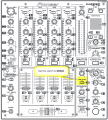 PioneerDJM700P09.png 698 × 775; 378 KB
-
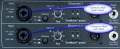 PowerStandfromNumark5000FX.jpg 800 × 324; 274 KB
-
 PreSonus24421642MonoOutput.png 671 × 399; 122 KB
-
 S1 Pro Chan 12 Mic Guitar 600.jpg 600 × 412; 117 KB
-
 S1 Pro Settings for mixer.jpg 1,024 × 686; 229 KB
-
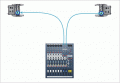 SoundcraftEPM14toModelII.gif 425 × 293; 14 KB
-
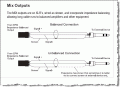 SoundCraftEPMManualMixOuts.gif 555 × 404; 24 KB
-
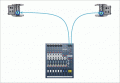 SoundcraftEPMXLRtoModelII.gif 425 × 293; 14 KB
-
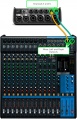 T4S from Mixer.jpg 712 × 1,100; 286 KB
-
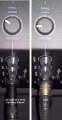 ToneMatch Mixer to S1 Pro.jpg 753 × 1,453; 312 KB
-
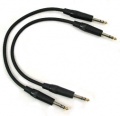 TRSMtoTRSM.jpg 253 × 245; 29 KB
-
 XLRFtoTRS.jpg 400 × 278; 14 KB
-
 XLRMtoTRSM.jpg 400 × 469; 18 KB
-
 Yamaha MG10XU L1 S1 14 XLR trs.jpg 671 × 475; 98 KB
-
 Yamaha MG10XU L1 S1 TRS.jpg 671 × 475; 103 KB
-
 Yamaha MG10XU L1 S1 XLR.jpg 669 × 464; 93 KB
-
 Yamaha mg10xu outputs 14trs.jpg 759 × 738; 94 KB
-
 Yamaha mg10xu outputs XLR.jpg 759 × 548; 69 KB
-
 Yamaha MG82CX mono output.png 800 × 920; 1.31 MB
-
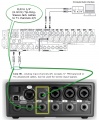 Yamaha MGP12 to T1.jpg 1,279 × 1,548; 323 KB
-
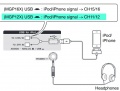 Yamaha MGP12 USB Interface.jpg 722 × 545; 71 KB
-
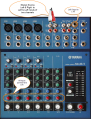 YamahaMG102PanLeft.png 800 × 1,050; 1.22 MB
-
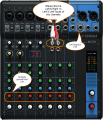 YamahaMG10PanLeft.png 800 × 932; 917 KB
-
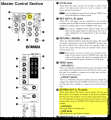 YamahaMG124 Output.png 693 × 750; 274 KB
-
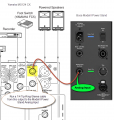 YamahaMG124 to Model II Power Stand Analog Input.png 702 × 737; 370 KB
-
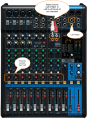 YamahaMG12XUPanLeft.png 800 × 1,097; 1.13 MB
-
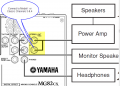 YamahaMG82CXOutputs.png 768 × 552; 92 KB


