To run stereo, connect the second powered loudspeaker to one of the {{T8S}} RIGHT Outputs (XLR or 1/4 inch (6.3 mm) Tip-Ring-Sleeve).
To run stereo, connect the second powered loudspeaker to one of the {{T8S}} RIGHT Outputs (XLR or 1/4 inch (6.3 mm) Tip-Ring-Sleeve) to the second L1 Pro Input three. DO NOT USE an XLR to XLR cable. The output of the {{T8S}} outputs is too hot for the L1 Pro XLR inputs.
[[File:XLR Female to TRS.jpg]]
;Alternate connection
;Alternate connection
* ToneMatch port on the {{T8S}} to [[ToneMatch Power Supply]] for power and use the Analog Outputs (XLR or 1/4 inch (6.3 mm) Tip-Ring-Sleeve) to the L1 Pro or other powered loudspeaker
* ToneMatch port on the {{T8S}} to [[ToneMatch Power Supply]] for power and use the Analog Outputs (XLR or 1/4 inch (6.3 mm) Tip-Ring-Sleeve) to the L1 Pro Input three. DO NOT USE an XLR to XLR cable. The output of the {{T8S}} outputs is too hot for the L1 Pro XLR inputs.
[[File:XLR Female to TRS.jpg]]
Revision as of 01:21, 28 March 2022
There is a single ToneMatch port on the T8S ToneMatch mixer. You can use this
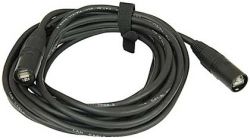
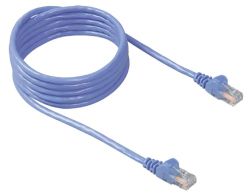
To connect to an L1 Pro[1] ToneMatch Port using a ToneMatch CableToneMatch cable or Network Cable Network cable
Note: This is the mixer LEFT output. Anything panned hard RIGHT will not be heard.
All of the Analog outputs (XLR or 1/4 inch (6.3 mm) Tip-Ring-Sleeve) still function while using the ToneMatch Port.
To run stereo, connect the second powered loudspeaker to one of the T8S ToneMatch mixer RIGHT Outputs (XLR or 1/4 inch (6.3 mm) Tip-Ring-Sleeve) to the second L1 Pro Input three. DO NOT USE an XLR to XLR cable. The output of the T8S ToneMatch mixer outputs is too hot for the L1 Pro XLR inputs.
Alternate connection
ToneMatch port on the T8S ToneMatch mixer to ToneMatch Power Supply for power and use the Analog Outputs (XLR or 1/4 inch (6.3 mm) Tip-Ring-Sleeve) to the L1 Pro Input three. DO NOT USE an XLR to XLR cable. The output of the T8S ToneMatch mixer outputs is too hot for the L1 Pro XLR inputs.