There is a single ToneMatch port on the {{T8S}}. You can use this
There is a single ToneMatch port on the {{T8S}}. You can use this
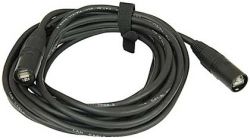
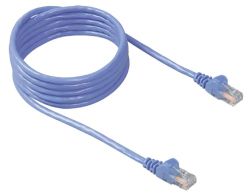
* To connect to an {{L1P}} ToneMatch Port using a [[ToneMatch Cable]] [[File:ToneMatch Cable.jpg|thumb|ToneMatch cable|link=ToneMatch_Cable]] or Network Cable [[File:Cat5.jpg|thumb|Network cable|link=ToneMatch_Cable#CAT5_or_CAT6_or_CAT7_or_CAT8_cable]]
* To connect to an {{L1P}} ToneMatch Port using a [[ToneMatch Cable]] [[File:ToneMatch Cable.jpg|thumb|ToneMatch cable|link=ToneMatch_Cable]] or Network Cable [[File:Cat5.jpg|thumb|Network cable|link=ToneMatch_Cable#CAT5_or_CAT6_or_CAT7_or_CAT8_cable]]
** Note: This is the mixer LEFT output
** Note: This is the mixer LEFT output. Anything panned hard RIGHT will not be heard.
All of the Analog outputs (XLR or 1/4 inch (6.3 mm) Tip-Ring-Sleeve) still function while using the ToneMatch Port.
All of the Analog outputs (XLR or 1/4 inch (6.3 mm) Tip-Ring-Sleeve) still function while using the ToneMatch Port.
Revision as of 20:30, 17 January 2022
There is a single ToneMatch port on the T8S ToneMatch mixer. You can use this
To connect to an L1 Pro[1] ToneMatch Port using a ToneMatch CableToneMatch cable or Network Cable Network cable
Note: This is the mixer LEFT output. Anything panned hard RIGHT will not be heard.
All of the Analog outputs (XLR or 1/4 inch (6.3 mm) Tip-Ring-Sleeve) still function while using the ToneMatch Port.
To run stereo, connect the second powered loudspeaker to one of the T8S ToneMatch mixer RIGHT Outputs (XLR or 1/4 inch (6.3 mm) Tip-Ring-Sleeve).
Alternate connection
ToneMatch port on the T8S ToneMatch mixer to ToneMatch Power Supply for power and use the Analog Outputs (XLR or 1/4 inch (6.3 mm) Tip-Ring-Sleeve) to the L1 Pro or other powered loudspeaker