T8S XLR Outputs to House System: Difference between revisions
Jump to navigation
Jump to search
m formatting |
|||
| Line 5: | Line 5: | ||
==On the house system== | ==On the house system== | ||
Most house system mixers should have one of the three options below. | Most house system mixers should have one of the three options below. | ||
# Use the input trim and lower the input sensitivity<br>[[File:Mixer Input Trim.jpg|400px]] | # Use the input trim and lower the input sensitivity<br>[[File:Mixer Input Trim.jpg|400px]]<br>On the house set system, set the input trim so you get a strong input signal without clipping. See the owners manual for the house mixer for details.<br><br> | ||
# Use the MIC/LINE or ATTENUATION switch to lower the input sensitivity to LINE LEVEL<br>[[File:Mixer Input Pad Switch.jpg|400px]]<br><br> | # Use the MIC/LINE or ATTENUATION switch to lower the input sensitivity to LINE LEVEL<br>[[File:Mixer Input Pad Switch.jpg|400px]]<br><br> | ||
# Use the 1/4 inch (6.3 mm) Tip-Ring-Sleeve LINE LEVEL input <br>[[File:Allen Heath 60 10FX Inputs.jpg|400px]]<br> | # Use the 1/4 inch (6.3 mm) Tip-Ring-Sleeve LINE LEVEL input <br>[[File:Allen Heath 60 10FX Inputs.jpg|400px]]<br><br>Use an XLR to 1/4 inch Tip-Ring-Sleeve converter<br>[[File:MP-105 600w DETAILw.jpg|400px]]><br> | ||
==Between the {{T8S}} and the house system== | ==Between the {{T8S}} and the house system== | ||
Revision as of 14:56, 24 April 2019
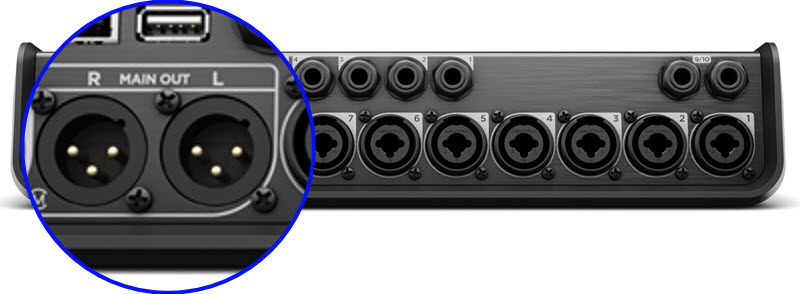
The T8S ToneMatch mixer XLR outputs are LINE LEVEL. If the house system mixer XLR inputs are MIC LEVEL, the T8S ToneMatch mixer signal from the XLR outputs will be too hot. There are several ways to get a better match for the levels.
On the house system
Most house system mixers should have one of the three options below.
- Use the input trim and lower the input sensitivity
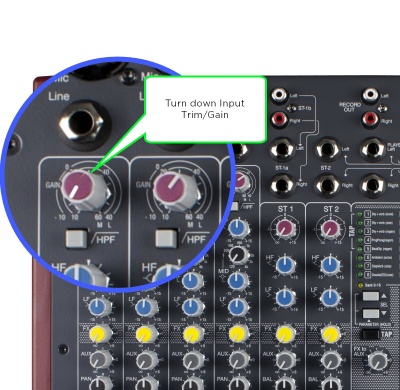
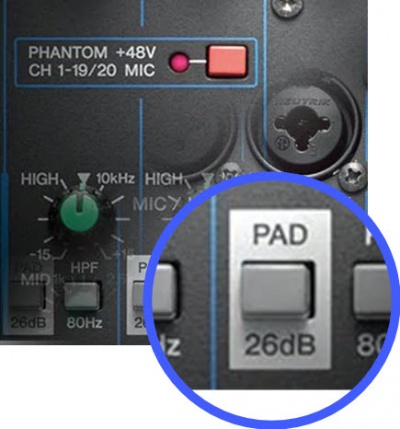
On the house set system, set the input trim so you get a strong input signal without clipping. See the owners manual for the house mixer for details. - Use the MIC/LINE or ATTENUATION switch to lower the input sensitivity to LINE LEVEL
- Use the 1/4 inch (6.3 mm) Tip-Ring-Sleeve LINE LEVEL input
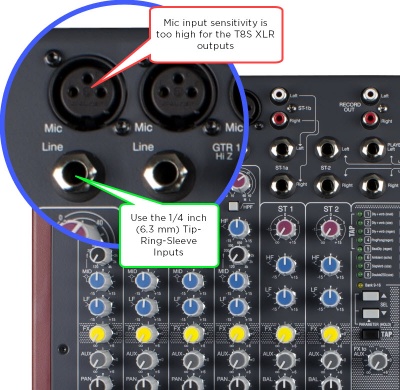
Use an XLR to 1/4 inch Tip-Ring-Sleeve converter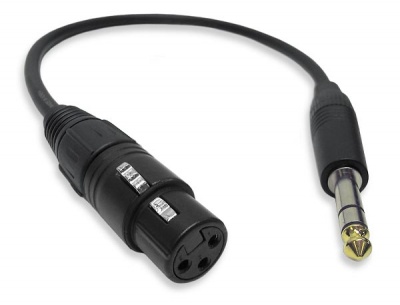 >
>


Between the T8S ToneMatch mixer and the house system
Use a -30 dB attenuation Pad to between the T8S and the house system
On the T8S ToneMatch mixer
Use the T8S ToneMatch mixer 1/4 Tip-Ring-Sleeve output