F1 Model 812 Flexible Array Loudspeaker: Difference between revisions
mNo edit summary |
|||
| Line 229: | Line 229: | ||
Typically you will want to set your source (usually a mixer or {{T1}}) to the maximum you can without clipping. On a mixer this may be shown as unity or 0. | Typically you will want to set your source (usually a mixer or {{T1}}) to the maximum you can without clipping. On a mixer this may be shown as unity or 0. | ||
When setting the Volume Control on the F1 Model 812 you can turn up the Volume Control until you see solid red, and then turn it down a little. Occasional red flickers (up to a second long) are okay. This may start to happen at -5 dB before clipping or with transient peaks. You will see these to warn you when you are approaching clipping. If you see solid red then you may be clipping. | When setting the Volume Control on the F1 Model 812 you can turn up the Volume Control until you see solid red, and then turn it down a little. Occasional red flickers (up to a second long) are okay. This may start to happen at -5 dB before clipping or with transient peaks. You will see these to warn you when you are approaching clipping. If you see solid red then you may be clipping. | ||
[[Image:F1 812 IO Clip Limiter.png]] | |||
It is completely fine to turn up the Volume well beyond 12:00 o'clock if you need to. | |||
After you have found the maximum volume available you can control the system volume at the source. You probably won't have to change this setting unless you use a different source. | After you have found the maximum volume available you can control the system volume at the source. You probably won't have to change this setting unless you use a different source. | ||
Revision as of 18:36, 2 July 2016
|
{{#Click:http://bose.com/F1%7CImage:F1 System.png}}
Introduced April 15, 2015 Dealers accepting orders August 4, 2015 Shipping date: August 31 2015 (North America) Tools and InformationInteractive Product Overview and Interactive Tour DocumentationF1 Flexible Array Loudspeaker System Owners Guide.pdf F1 Systems Overview F1 Model 812 Technical Data
Video
|
F1 Model 812 Photos
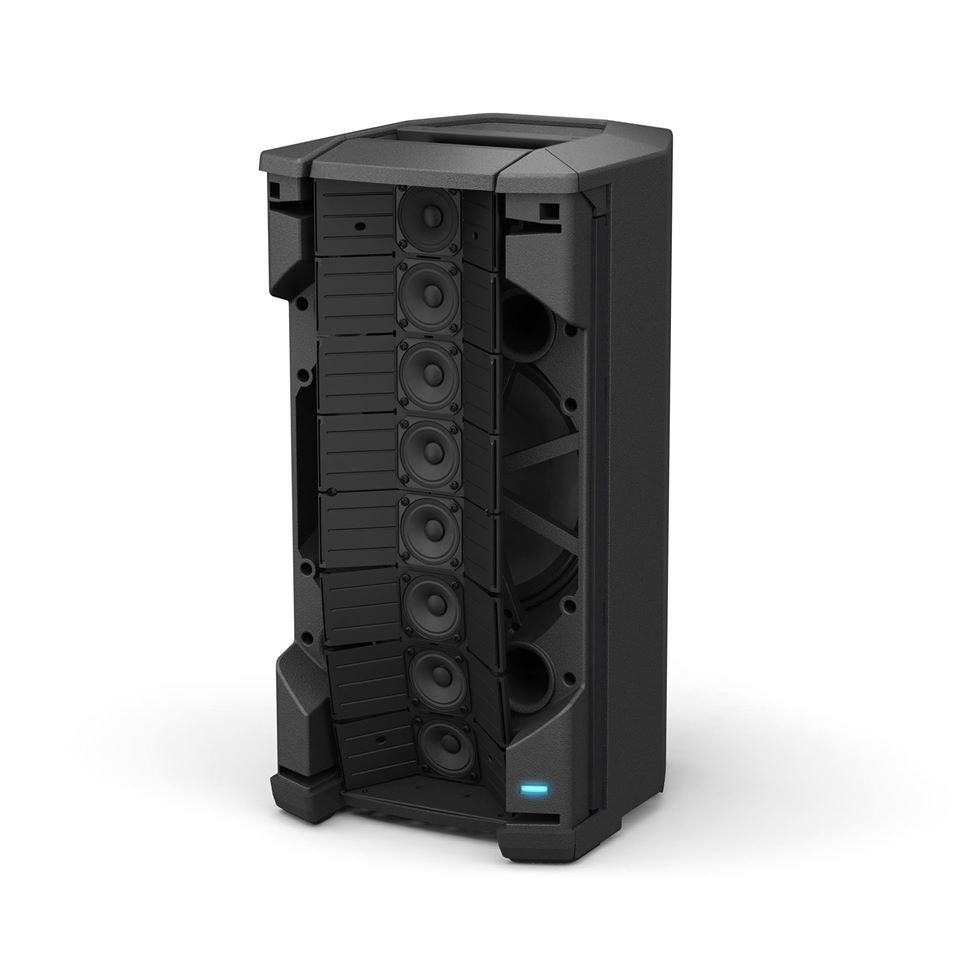
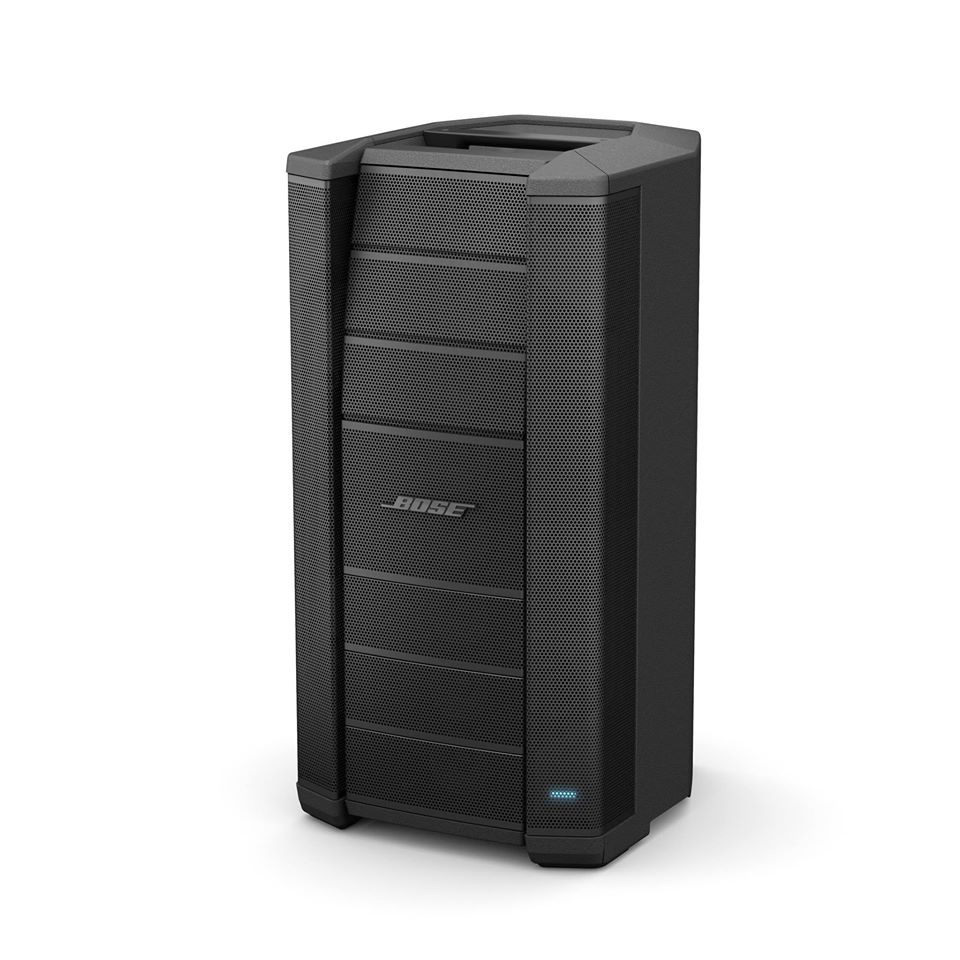
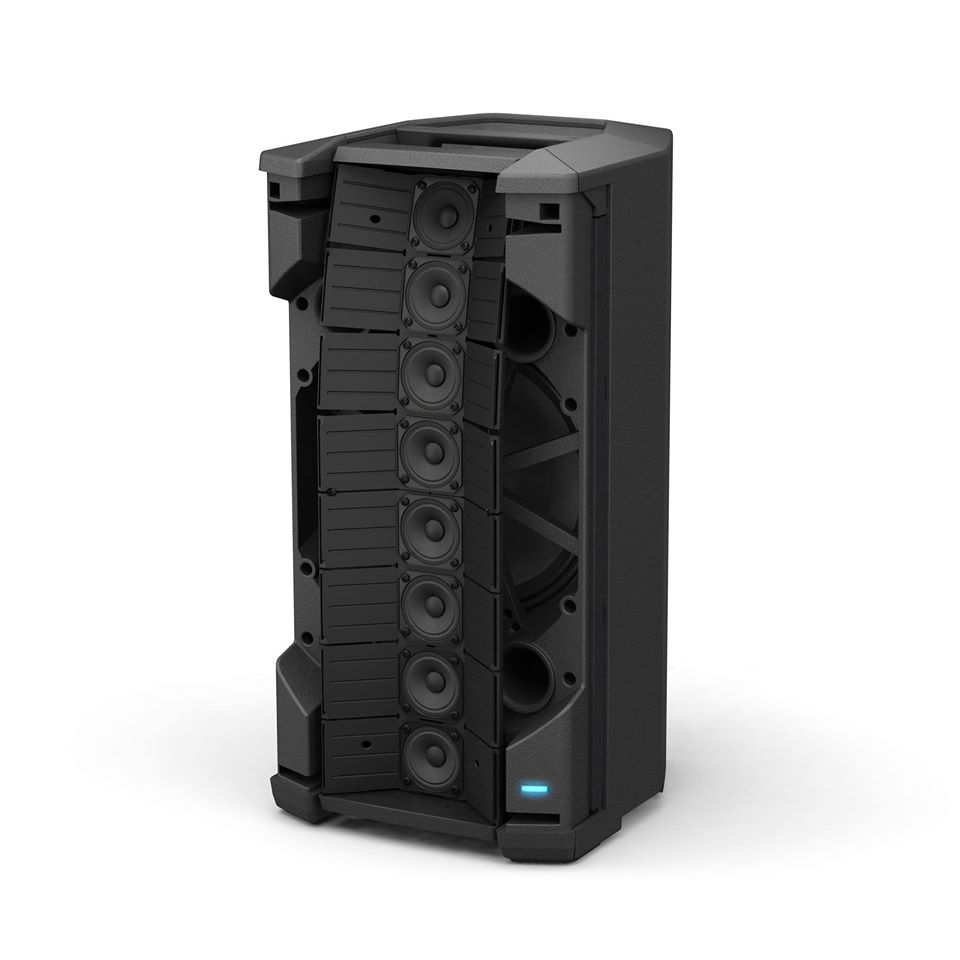
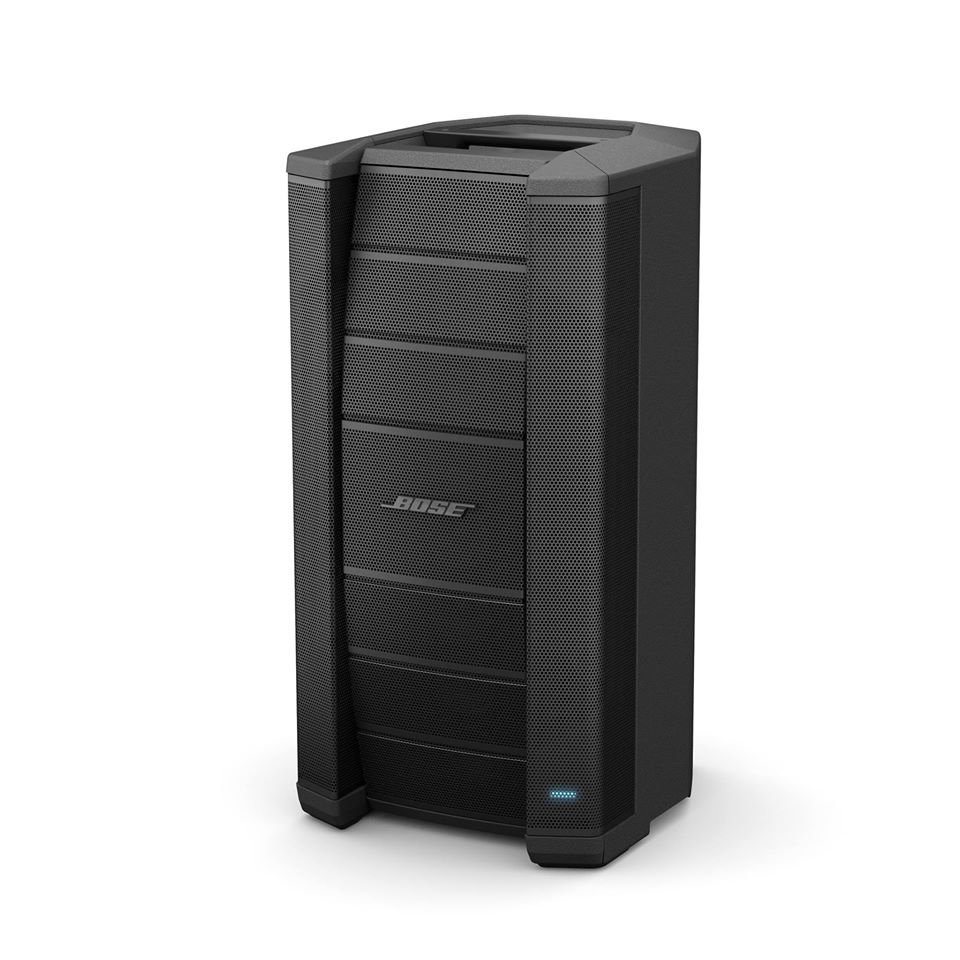
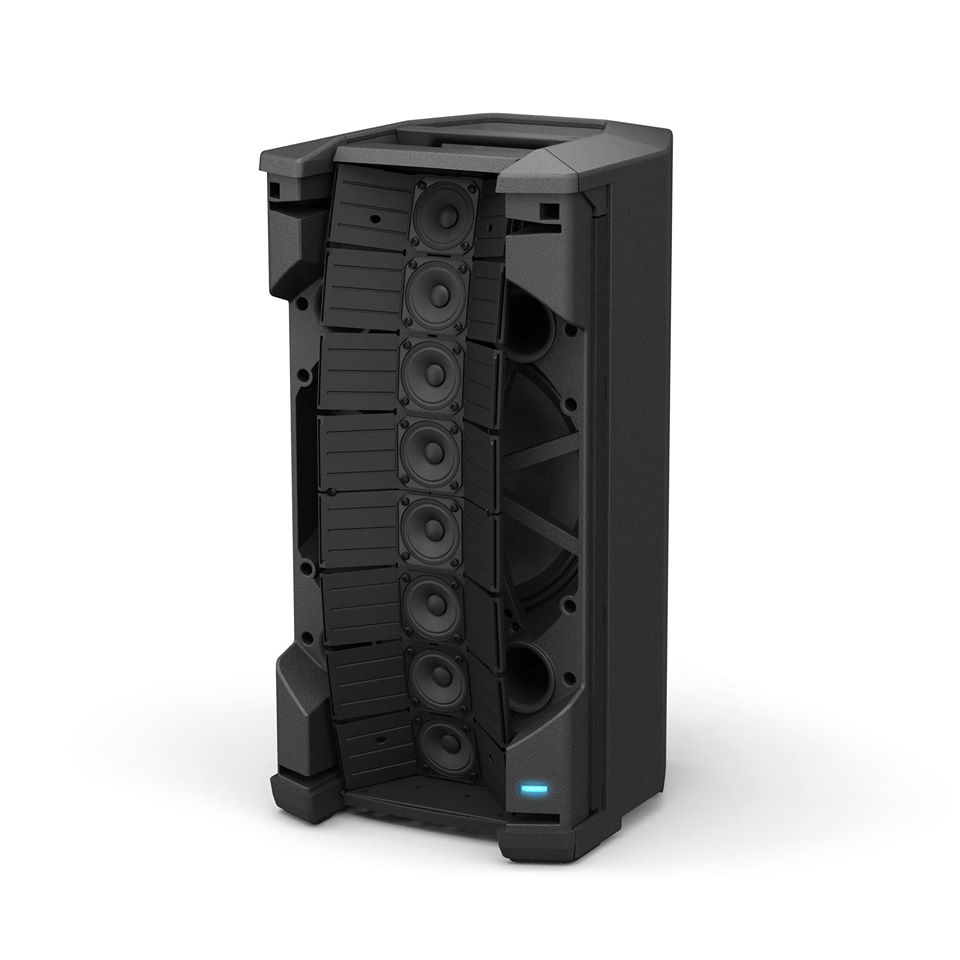
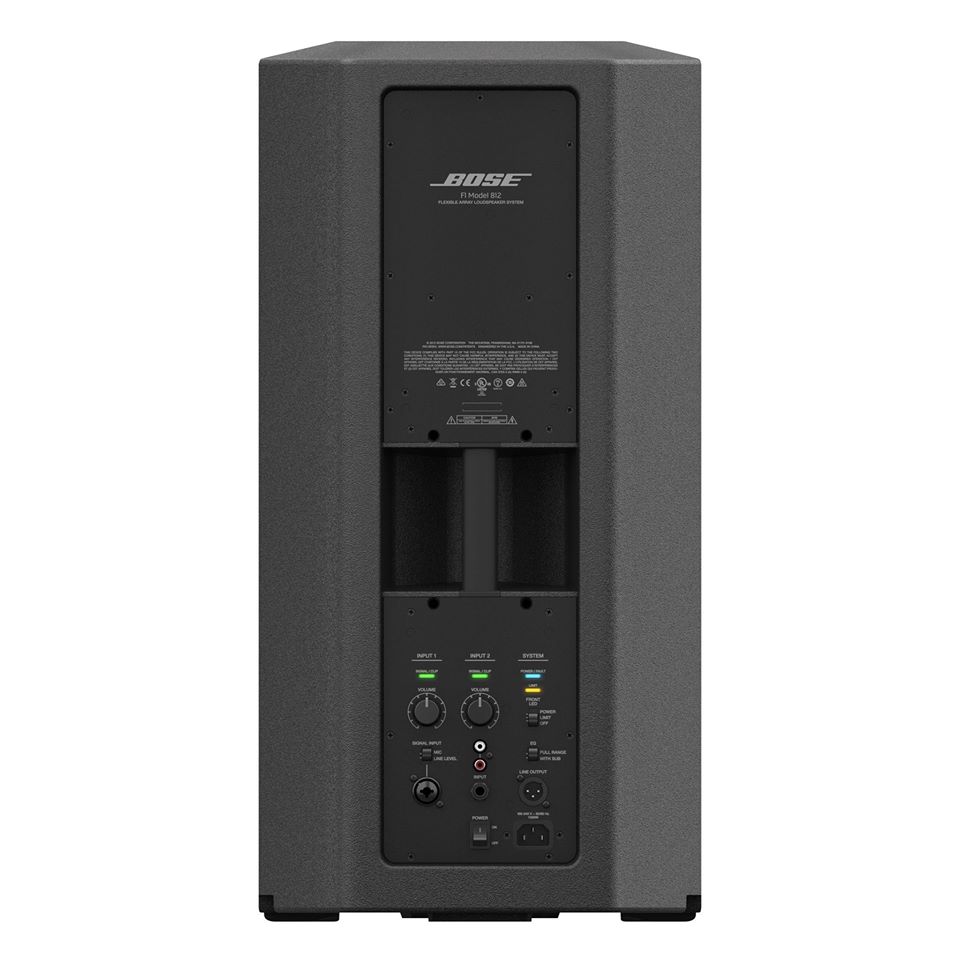
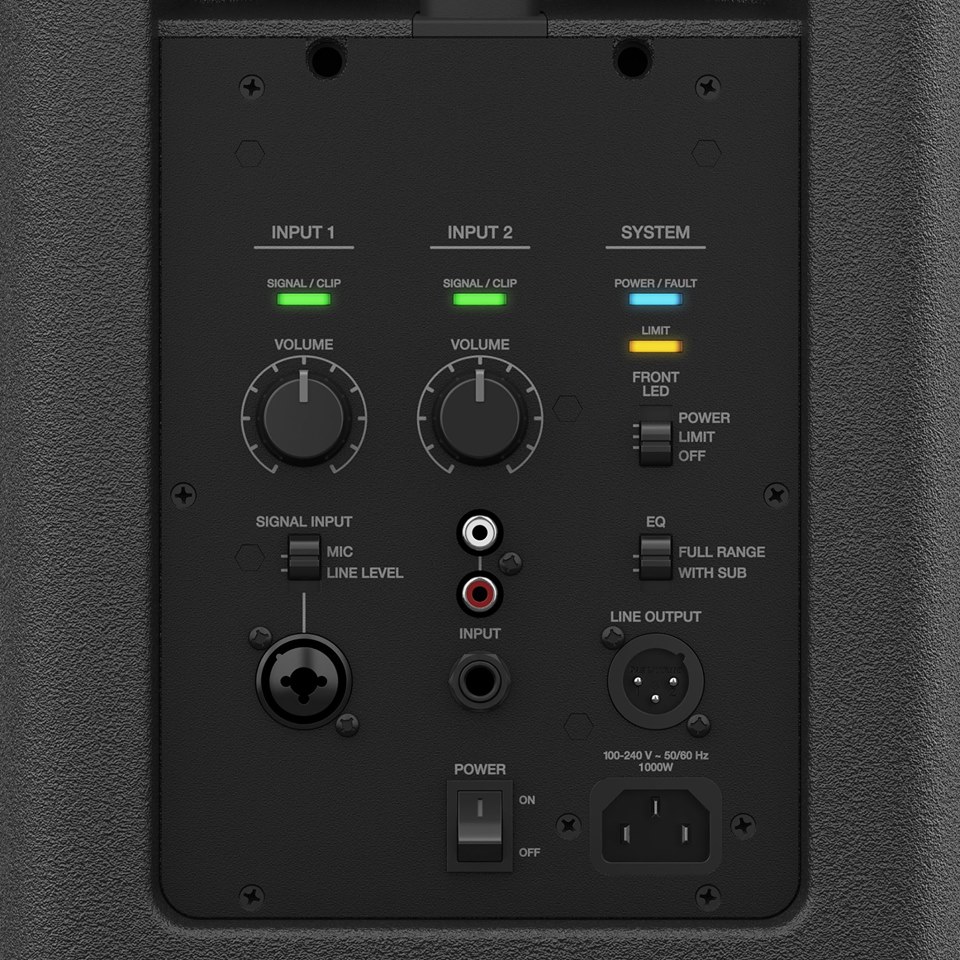
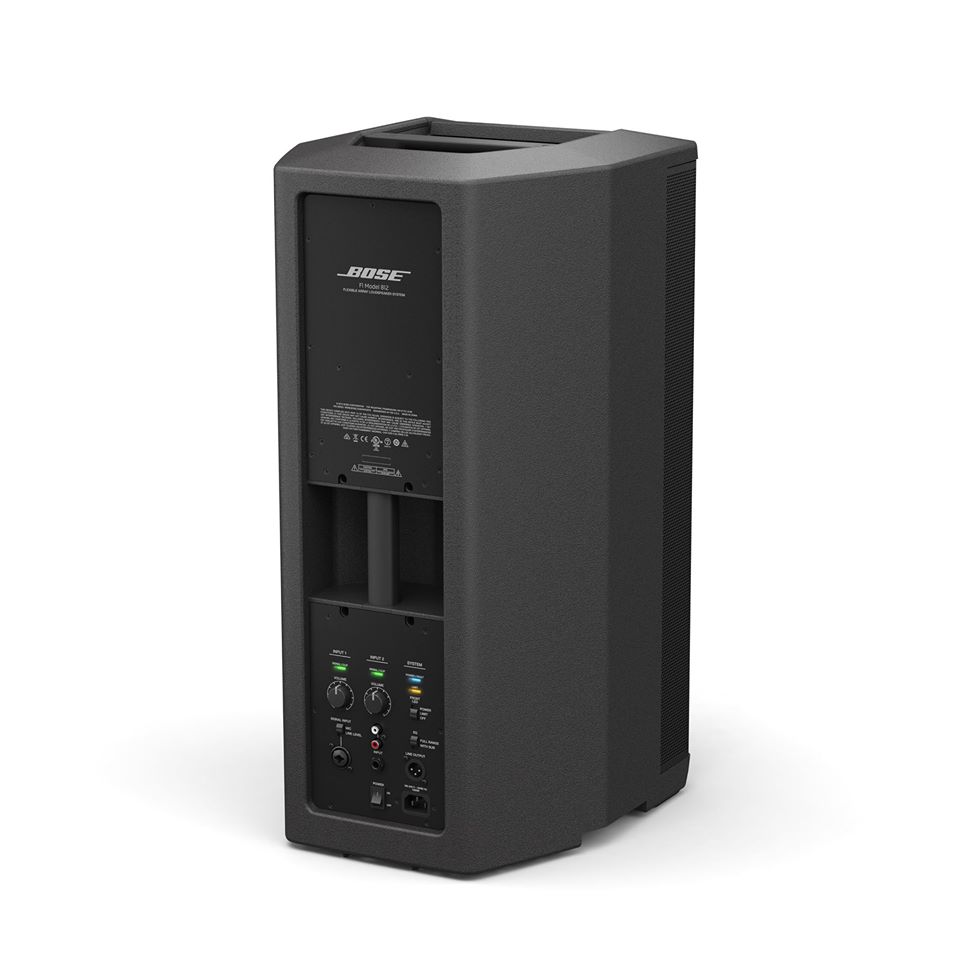
Coverage Patterns
Straight Array

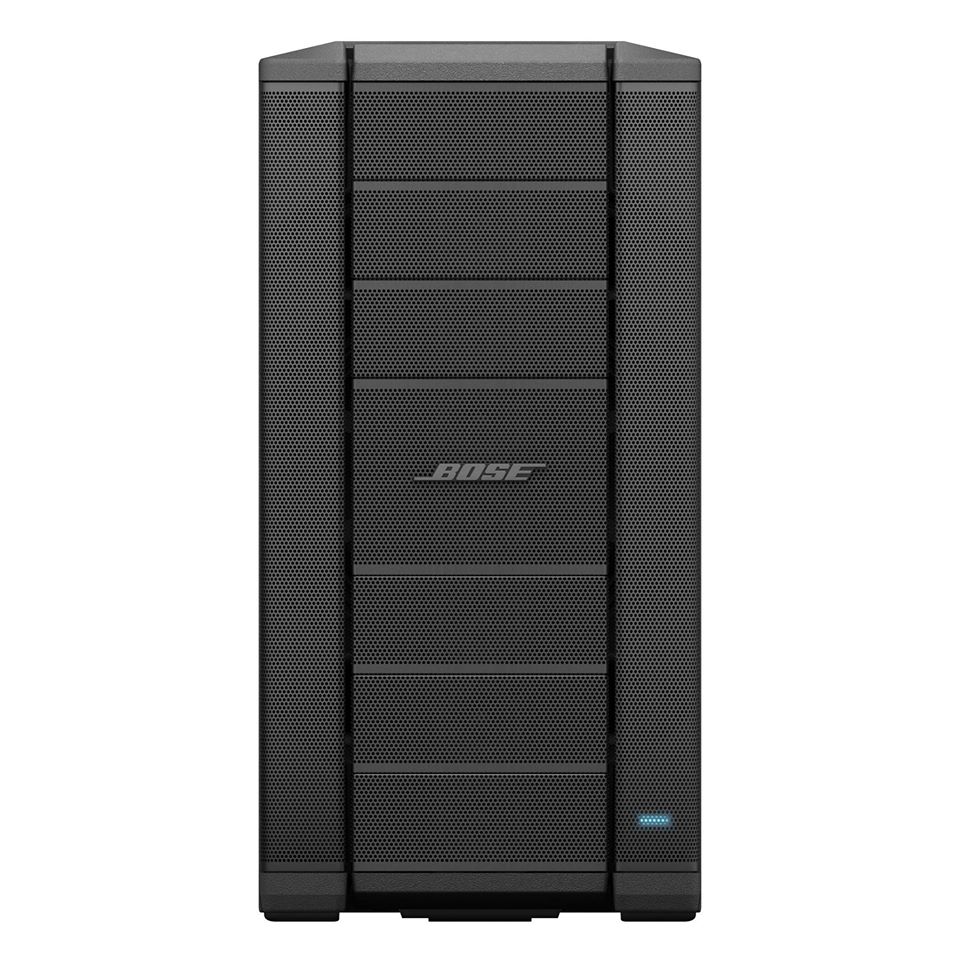
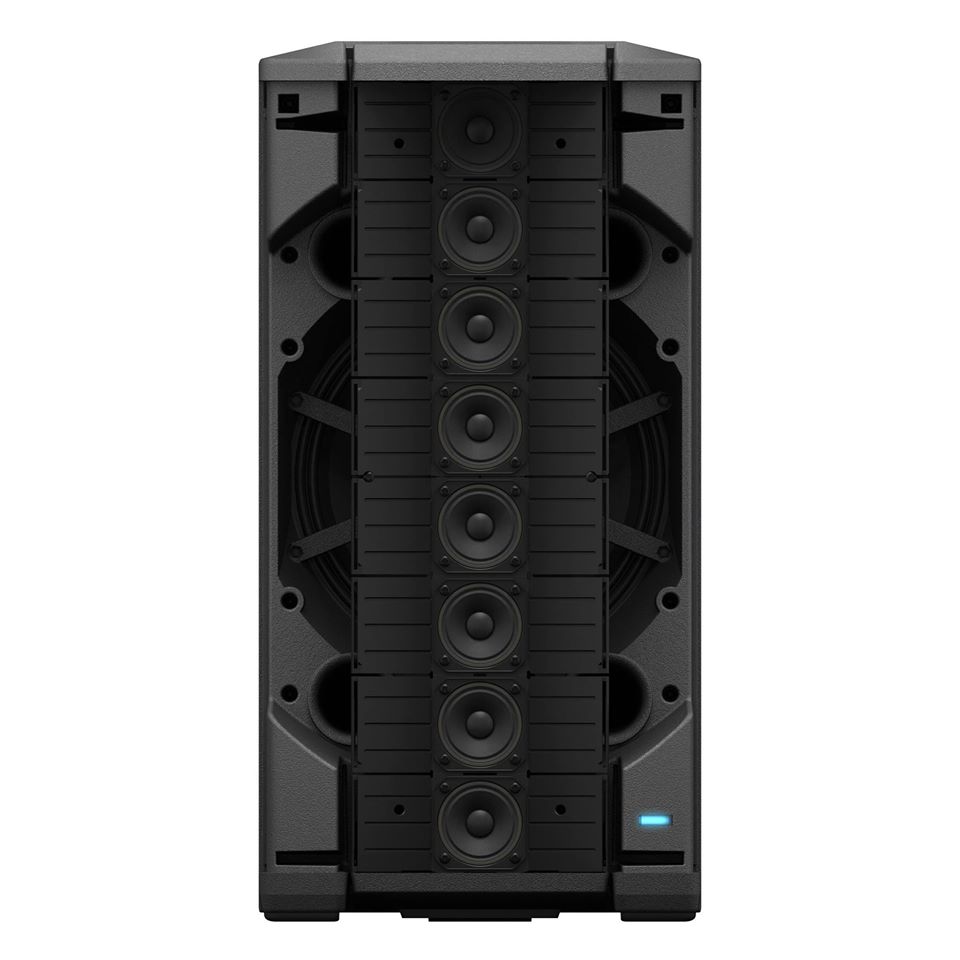
J Array

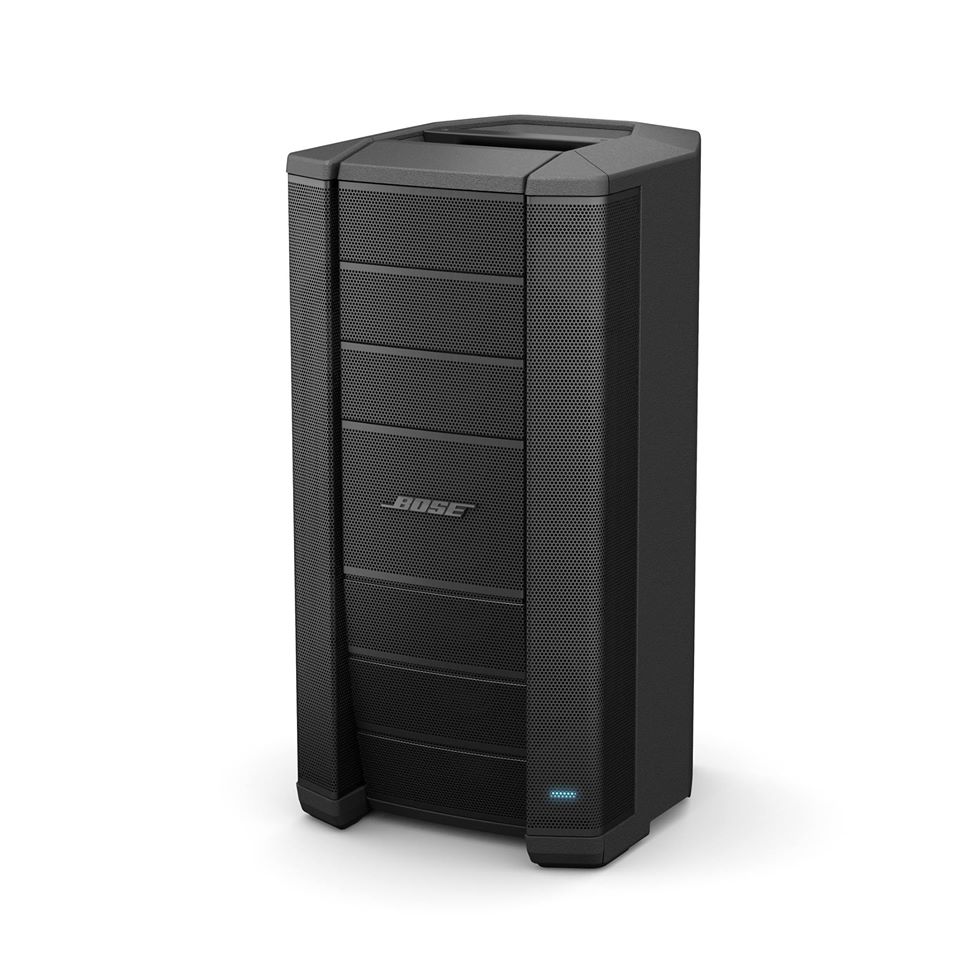
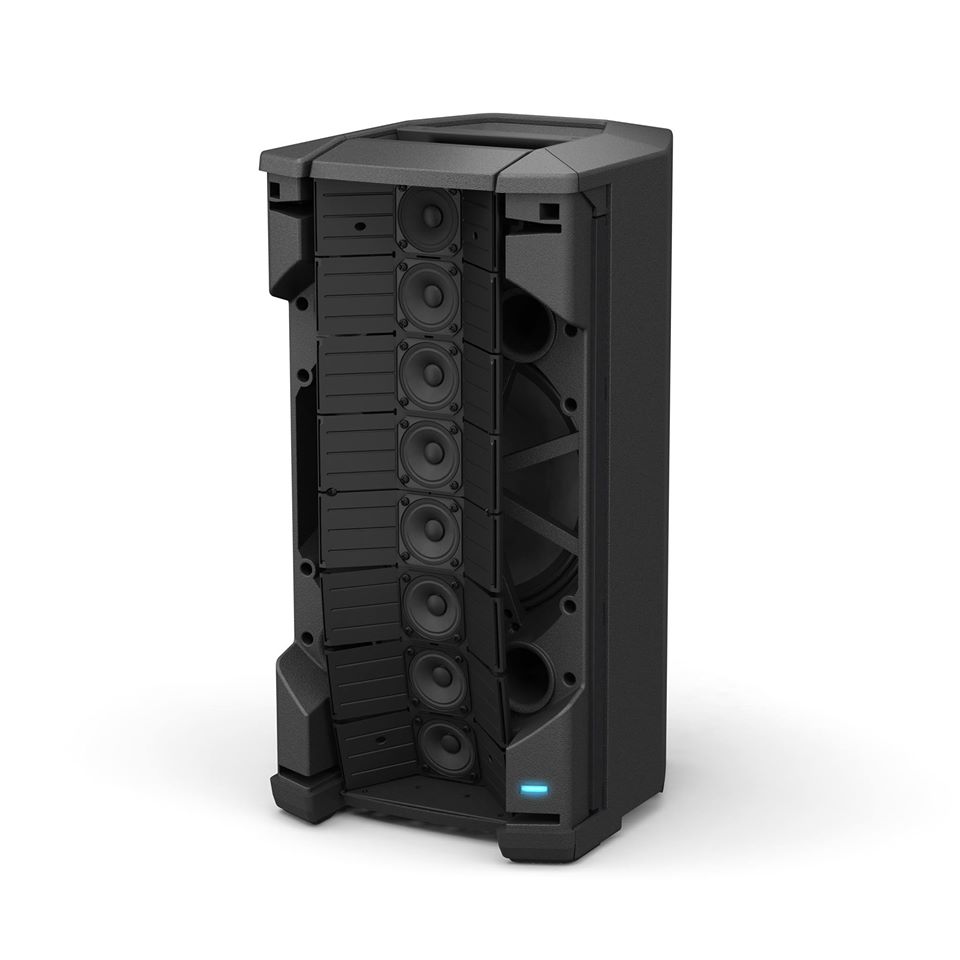
Reverse J Array

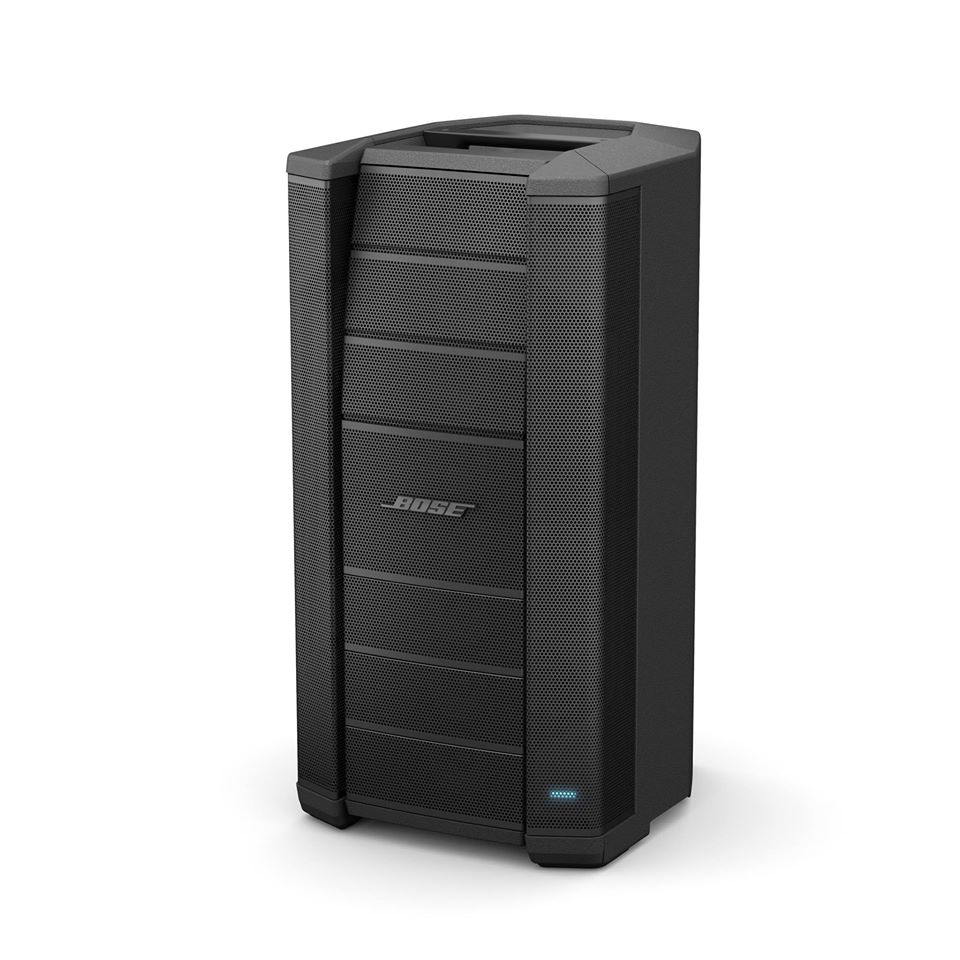
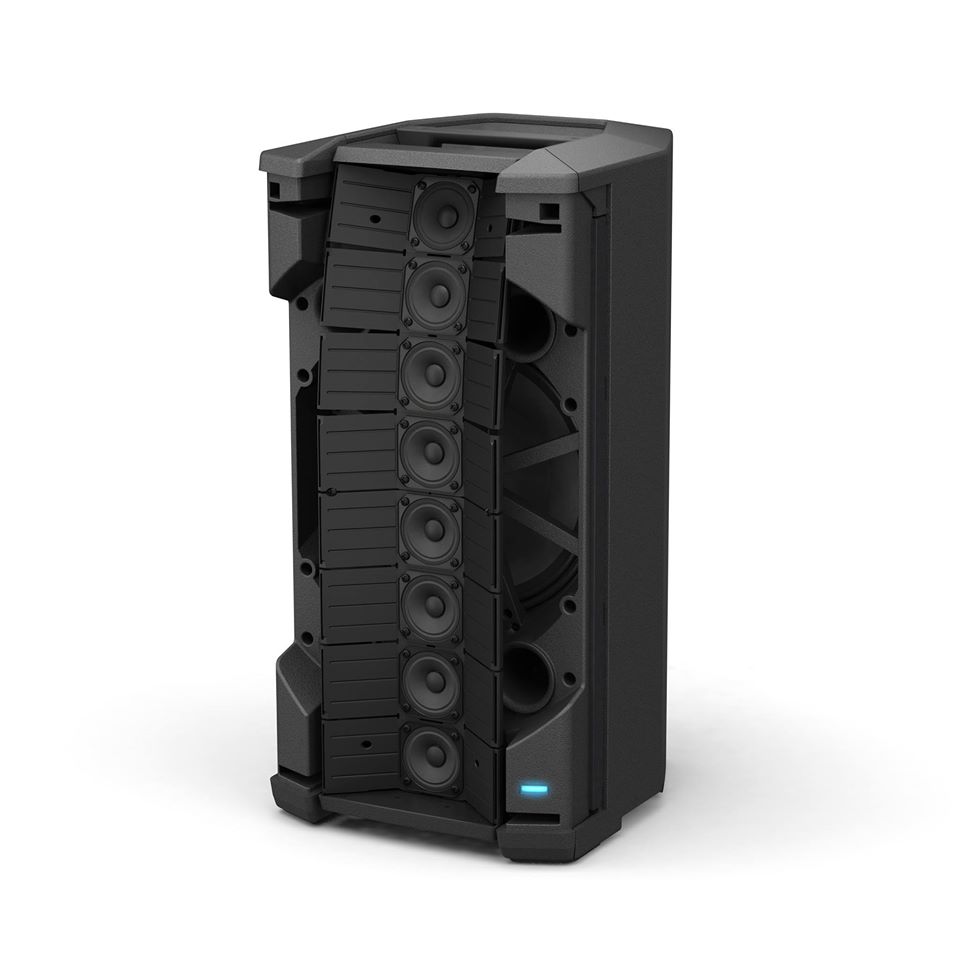
C Array

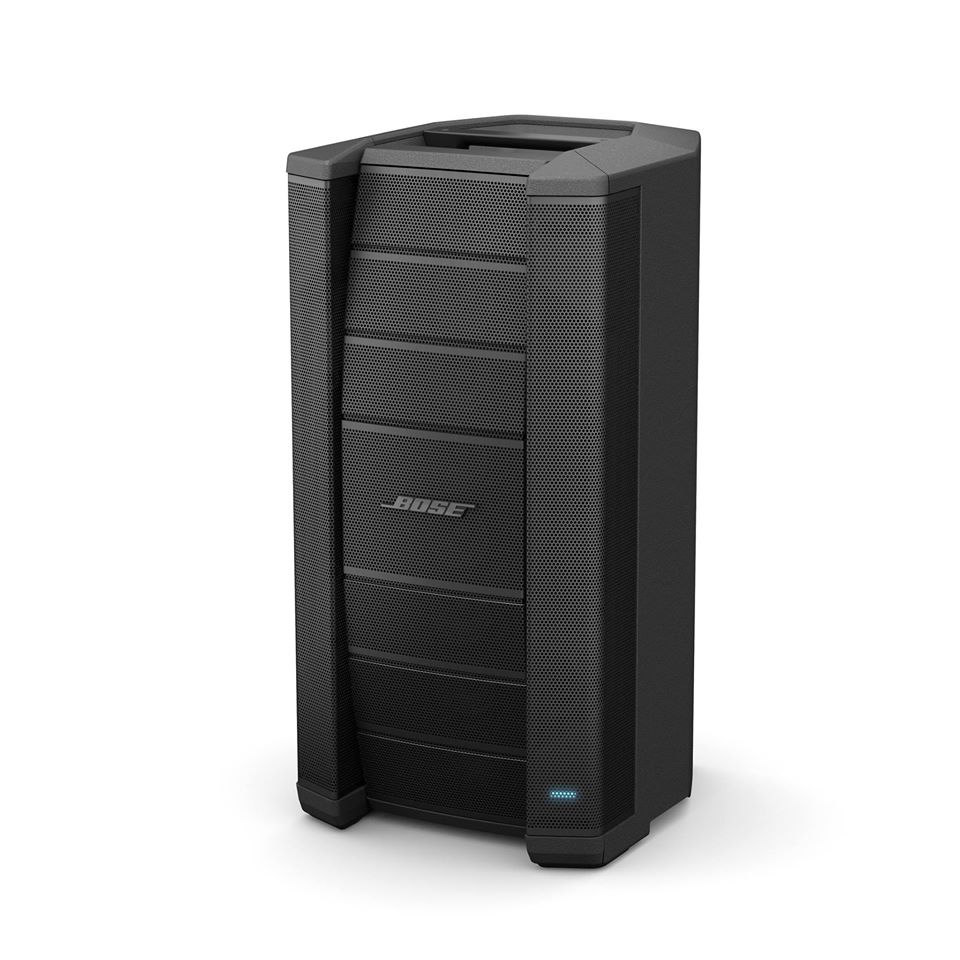
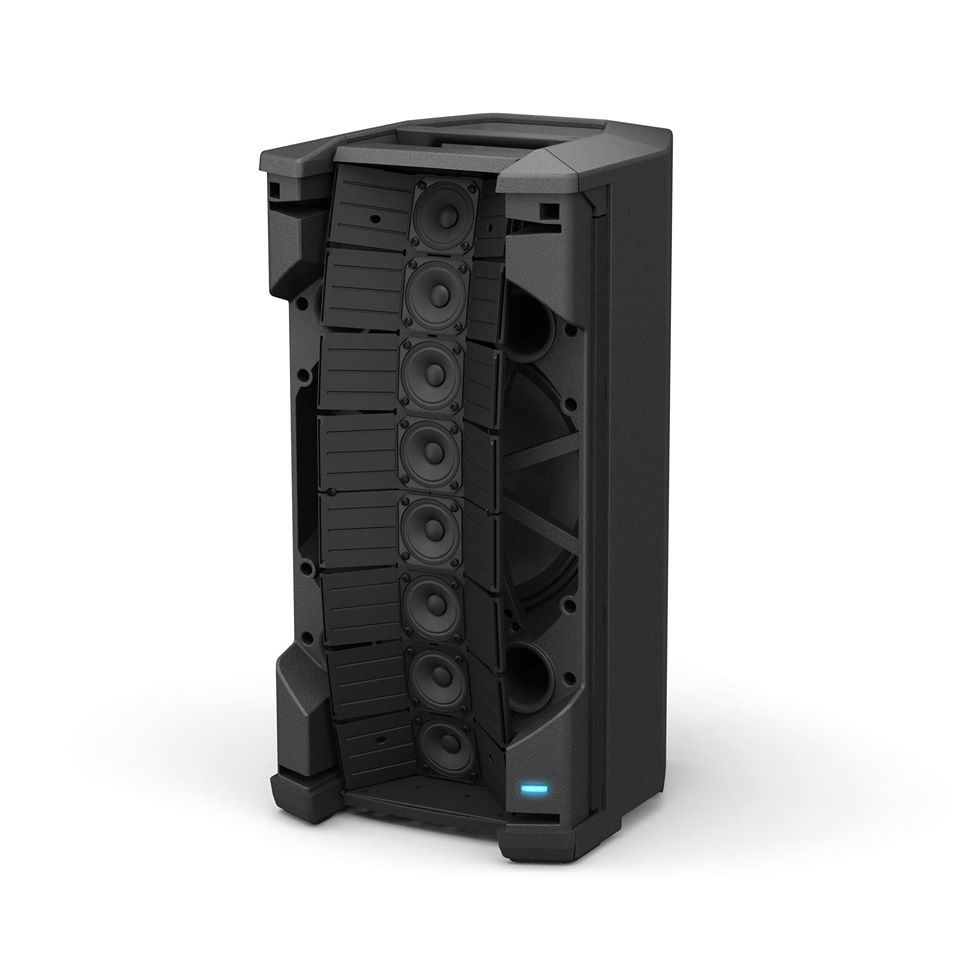
Bottom / Top
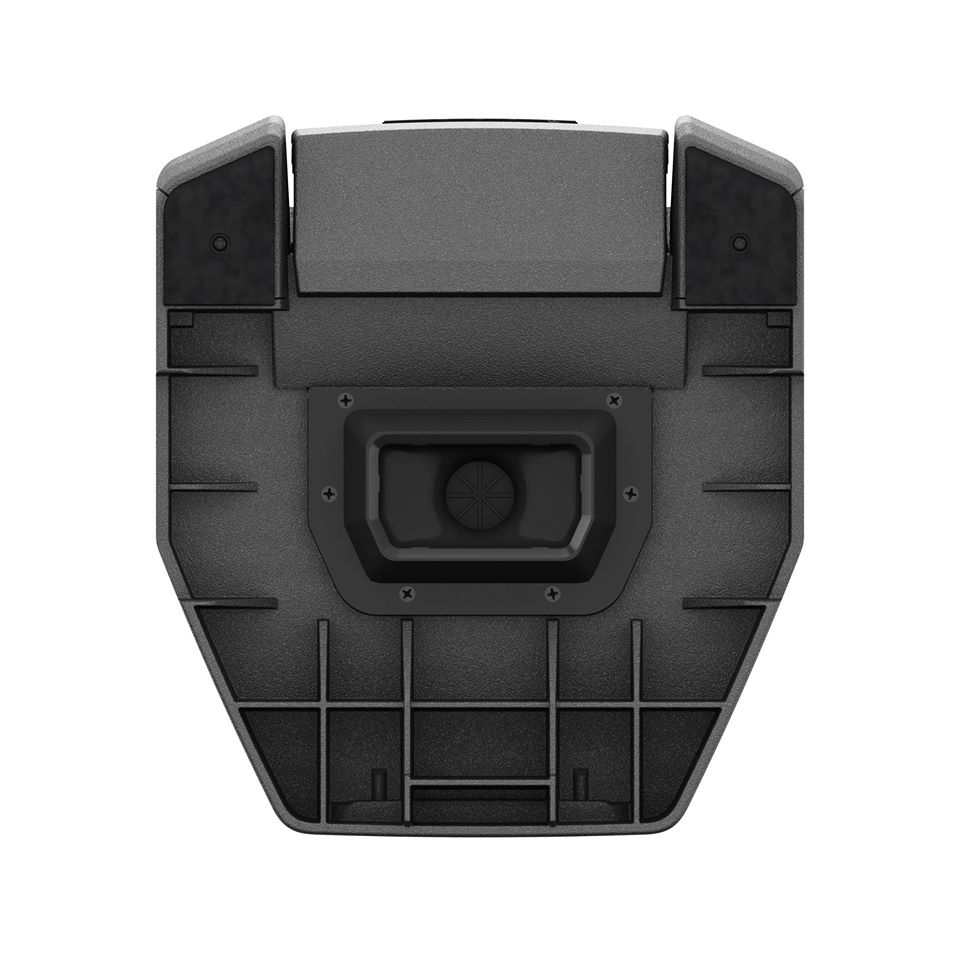
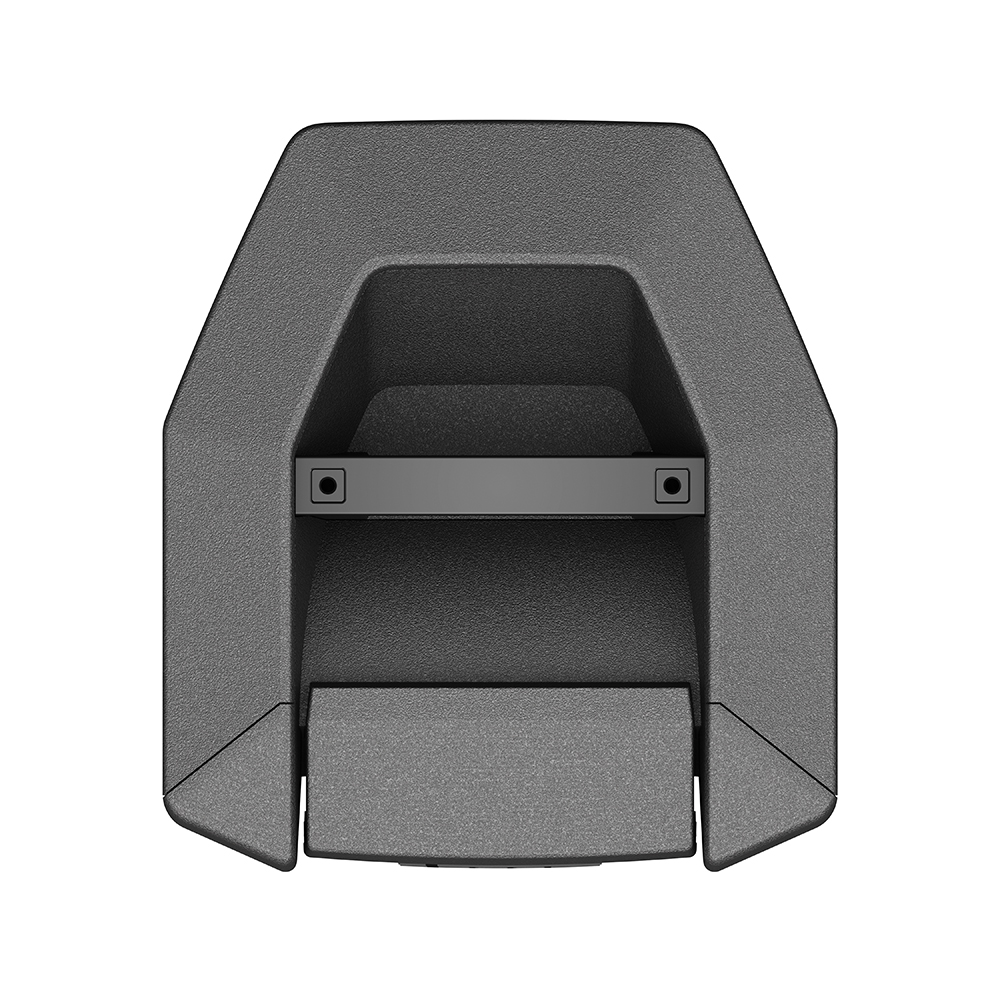
Rear Panel IO
{{#Click:http://toonz.ca/bose/wiki/images/e/ef/F1_Model_812_Rear_IO.jpg | Image: F1 Model 812 Rear IO.jpg | 600px | F1 IO Panel}}
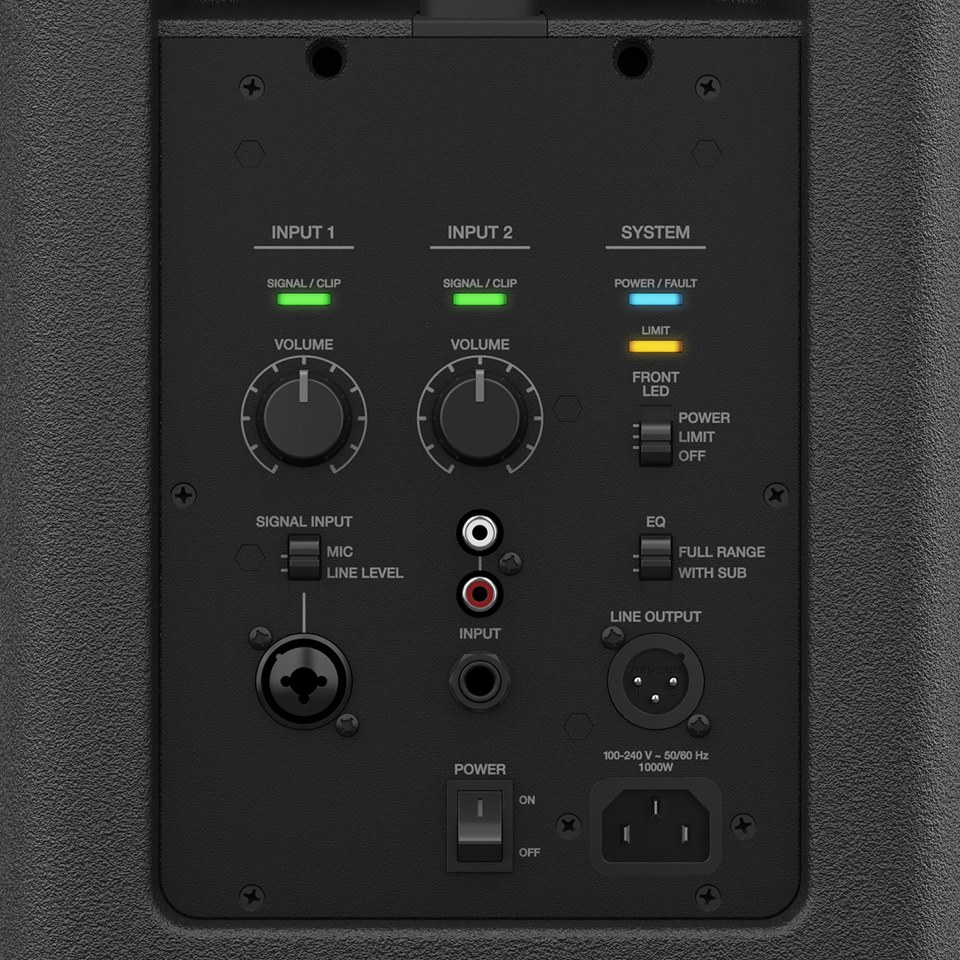
Volume Controls and Signal / Clip lights
Typically you will want to set your source (usually a mixer or T1 ToneMatch Audio Engine) to the maximum you can without clipping. On a mixer this may be shown as unity or 0.
When setting the Volume Control on the F1 Model 812 you can turn up the Volume Control until you see solid red, and then turn it down a little. Occasional red flickers (up to a second long) are okay. This may start to happen at -5 dB before clipping or with transient peaks. You will see these to warn you when you are approaching clipping. If you see solid red then you may be clipping.

It is completely fine to turn up the Volume well beyond 12:00 o'clock if you need to.
After you have found the maximum volume available you can control the system volume at the source. You probably won't have to change this setting unless you use a different source.
You won't damage the system if the red lights are visible. The internal limiter will protect the system. You can tell when the limiter is working. The yellow limiter light will come on.
Input 1
The SIGNAL INPUT switch sets the input sensitivity. The MIC setting does not apply any microphone specific EQ. In this way, it is different from the L1 Compact Channel 1 input.

Input 2 Volume Control / Mute
Turning the Volume Controls all the way down sets the input to its lowest level but a strong signal may still be audible. This does not indicate a malfunction.
Use Case Scenarios
Quick Start Guide

Stereo + Mixer

Stereo + Mixer + 1 Sub

Stereo + DJ Mixer + 2 Subs

Single Stand-alone

Please see: T1 ToneMatch® Audio Engine to F1 System
{{#Click:T1 ToneMatch® Audio Engine to F1 System|T1 to F1 Model 812 Mono 600.png|T1 to F1}}
--== Please click the picture above to see the full article ==--
Frequently Asked Questions
F1 Model 812 and F1 Subwoofer
F1 Model 812 FAQ
What is the F1 Model 812 system?
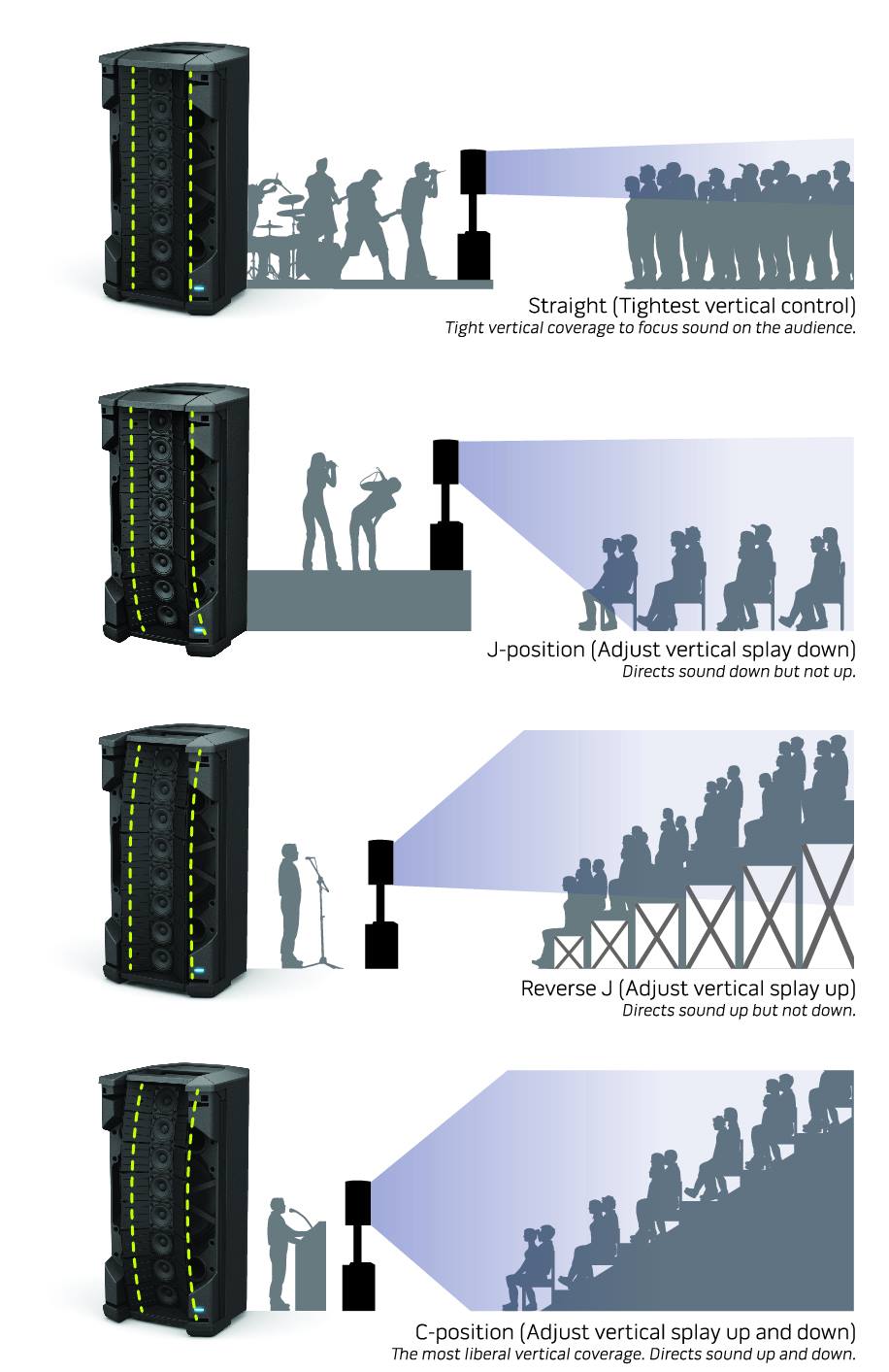
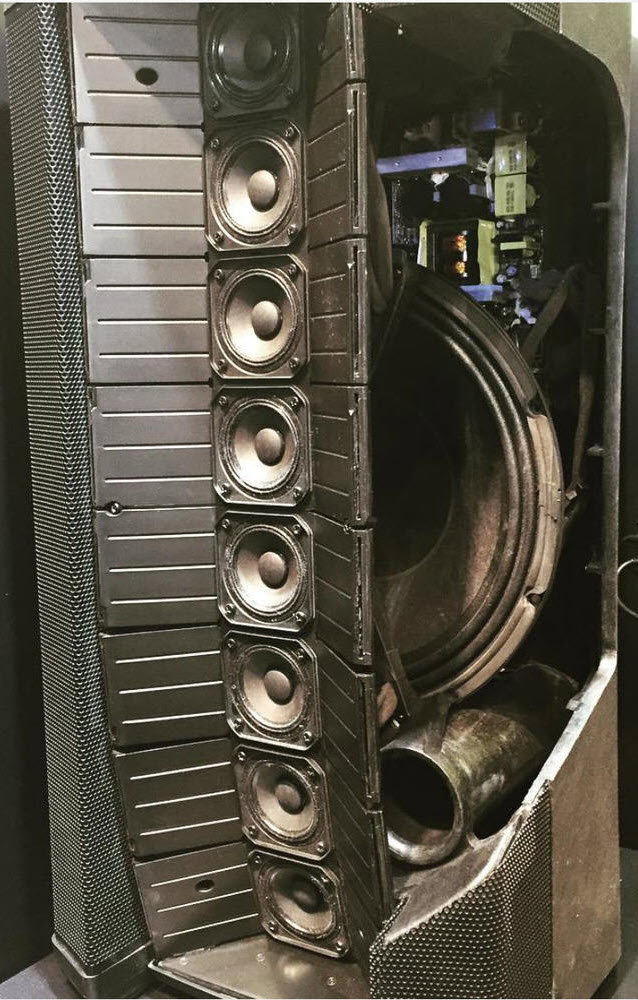
The Bose F1 Model 812 flexible array loudspeaker is the first powered loudspeaker that delivers the benefits of an adjustable array in a portable system package. Its unique flexible baffle allows you to tailor the loudspeaker’s vertical coverage to a wide variety of listening environments. Simply push or pull the array into position to create “Straight,” “C,” “J” or “Reverse J” coverage patterns. Once set, the system automatically updates the EQ to maintain optimum tonal balance for each coverage pattern. So whether you’re playing at floor level, on a stage, or facing raked seats or bleachers, you can adapt your PA to the room.
Engineered with an array of eight high-output drivers, a high-powered 12-inch woofer and a lower crossover point, the loudspeaker delivers full-range, high-SPL performance while maintaining vocal and midrange clarity that’s dramatically better than conventional loudspeakers.
The Bose F1 subwoofer packs all the power of a larger bass box into a more compact design that’s easier to carry and fits in a car. A mounting stand for the loudspeaker is stored right in the body of the subwoofer, making setup fast and easy. The stand even includes cable channels to neatly hide wires.
The loudspeaker and subwoofer combined deliver 2,000 watts of power, so you can fill nearly any room with sound.
And now getting there is easier, too. The loudspeaker and subwoofer feature strategically-placed handles for easy transportation.
How is the F1 Model 812 different from a conventional PA?
Current popular powered loudspeakers are standard two-way designs consisting of a single horn-loaded compression driver for high-frequency reproduction and a single woofer for mid- and low-mid-frequency output.
Since the Bose F1 Model 812 loudspeaker has an array of eight high-output drivers, mid/high-frequency response is much cleaner and less harsh sounding when compared to a traditional horn.
Characteristically, horns have a fixed output pattern that isn’t adaptable to typical performance spaces. These fixed-pattern loudspeakers are commonly positioned on pole mount stands where high-frequency content is projected over listeners’ heads, making vocal intelligibility difficult.
The Bose F1 Model 812 flexible array is quite useful for quickly and easily adjusting the loudspeaker’s coverage for a variety of performance and listening spaces, ensuring quality reproduction without the need for complex placement.
How does the flexible array work?
The eight drivers on the F1 Model 812 flexible array are mounted on a specially designed flexible baffle that is hinged in two locations. When the array position is changed, the loudspeaker’s internal EQ automatically changes according to the array’s position: “Straight,” “C,” “J” or “Reverse J.” This allows the loudspeaker to maintain tonal balance no matter which position is used.
Does the F1 Model 812 have a woofer?
Yes. The high-output 12-inch woofer is mounted behind the flexible array.
Can I use the F1 Model 812 with a standard speaker stand?
Yes, there is a pole cup on the bottom of the enclosure that accepts common tripod speaker stands.
What is the recommended subwoofer?
For best performance, we recommend using the Bose F1 subwoofer. However, other powered subs can be connected to the F1 Model 812 loudspeaker.
What is the F1 subwoofer?
The F1 subwoofer is a compact bass module designed for use with the F1 Model 812 loudspeaker. Its powerful amplifier and dual drivers produce bass as much as subs nearly double its size.
The F1 subwoofer features:
- 2 X 10" high-excursion drivers
- 1,000 watts
- 2 x input channel with XLR, 0.25-inch combo connector
- 2 x XLR balanced line out
- Polarity reverse switch
- HPF enable
How many F1 subwoofers can you connect to an F1 Model 812 loudspeaker?
We recommend one sub per F1 Model 812 loudspeaker. However, you can connect as many as needed.
Can the F1 systems be used with Bose L1® systems?
Yes. Bose L1® systems can be used in conjunction with the F1 Model 812 loudspeaker as a supplemental fill or stage monitor.
Can it be used with the T1 ToneMatchⓇ audio engine?
Yes. The F1 system is compatible with the ToneMatch audio engine. The T1 engine is a powerful multichannel audio device designed for musicians to use Bose portable pro loudspeaker systems. It includes our largest library of ToneMatch presets, proprietary EQ, a complete suite of studio-class effects and processing, and five channel inputs.
What sources can I plug into the mid/high?
The rear panel of the F1 Model 812 loudspeaker is equipped with XLR/TS combo jacks, a 0.25-inch instrument jack and stereo RCA inputs. When an external mixer is not used, a wide variety of instruments or sources can be connected directly. Common sources include:
- A dynamic microphone
- An acoustic instrument with a pickup system
- Electronic keyboard
- Electric bass guitar
- CD or MP3 player
What are the weights and dimensions of the F1 Model 812 system?
F1 Model 812 loudspeaker
44.5 lbs. (20.18 kg)
26.1" H x 13.1" W x 14.6" D (664.66 x 334.3 x 372.5mm)
Shipping Weight: 54.5 lbs (24.72 kg)
F1 subwoofer
55 lbs. (24.9 kg)
27" H x 16.1" W x 17.6" D (688 x 410.16 x 448.5mm)
Shipping Weight: 65 lbs (29.4 kg)
F1 system stack
99.5 lbs (45.7 kg)
73.5" H x 16.1" W x 17.6" D (1868 x 410.16 x 448.5mm)
Does the system ship with carrying bags/covers?
Bags and covers are available as optional accessories.
Are hard shell cases available for the products?
Bose does not offer any hard shell cases.
What is included in the F1 Model 812 box?
- F1 Model 812 loudspeaker
- AC power cord
- F1 Model 812 Owner’s Guide
What accessories are available?
- Brackets
- Bags and covers
- Full-range padded bag with zipper
- Subwoofer padded bag with zipper
- Subwoofer slipcover
Can the F1 Model 812 system be used outdoors?
Yes. The system can be used inside or outside. However, it must never be exposed to precipitation or extended periods of direct sunlight. In cases of light rain, take precautions to cover the back panel of the loudspeaker. Water must not get into the air inlet slits inside the back I/O panel, handle recess or front grille.
The system has been tested to operate in temperatures from 0° – 50° C (32° – 122° F), and be stored in temperatures from -30° – 70° C (-22° – 158° F).
Where can the F1 Model 812 system be used?
The F1 Model 812 loudspeaker and F1 subwoofer combination is suitable for bands of all musical styles, DJs and voice-only applications. Due to the versatility of the flexible array, the system also can be used in a wide range of locations.
What kinds of musical performers (singers, bands, DJs, etc.) can use the new technology?
There are no restrictions in this regard. Any single voice, instrument and group size will benefit from the advantages of hearing themselves better, of being in complete control of their performance, of having audiences hear them better and of being able to set up and perform in just minutes.
Can DJs use this system?
Yes. The F1 Model 812 loudspeaker and F1 sub are ideal for DJs that want high power and sonic clarity in a portable system. The F1 subwoofer’s compact design and high capability eliminate the need for transporting subwoofers twice their size. Plus, the integrated stand eliminates ugly tripod bases that expose hanging wires and create tripping hazards.
Can acoustic instruments be amplified with the F1 Model 812 system?
Yes. When an external mixer is not in use, an acoustic instrument equipped with a pickup system may connect directly into the F1 Model 812 system.
Where can I purchase F1 flexible array systems in the United States?
You can purchase F1 flexible array systems directly from Bose through one of the following methods:
- Call our Sales Solutions Team at 800-444-2673.
- Purchase on the web at Bose.com. Click on “Shop Online,” then “Speakers” and then “Portable PA.”
- Visit select Bose Stores that carry the F1 system.
All Bose direct purchases include a 45-day Better Music Guarantee. This means you can test any F1 flexible array system in your own environment and return it for a credit within 45 days of purchase. You are only responsible for the return shipping to Bose.
You can also purchase F1 flexible array systems at Bose authorized resellers, such as:
- Guitar Center
- Musician’s Friend
- Sweetwater
- American Musical Supply
- zZounds
- Specialty dealers
What is the warranty period on the F1 Model 812 system?
The F1 Model 812 and F1 sub both carry a two-year limited warranty on electronics and a five-year warranty on transducers. Both warranties are transferable with the product even if the ownership changes.
What is the 45-day Better Music Guarantee?
At Bose, we recognize that customers may want to experience the F1 flexible array system in their own environment with their specific gear. That is why we allow you to purchase and use the system in your specific application for up to 45 days. If for any reason you are not satisfied, you may return it for a refund. This offer is exclusive to Bose direct sales channels.
Where can I collaborate with Bose staff and existing owners to learn more about how the F1 Model 812 system can work for my specific application?
We host a public forum that allows our helpful user community to share their experiences and collaborate in real time on topics that are important to them. You will find extensive, application-specific documentation and helpful hints. The forum is fully searchable and can be accessed at http://Bose.infopop.cc.
You may also contact our product support team and speak with our knowledgeable staff of musicians. They may be reached at 877-335-2673.
Are the products repairable? What are the replacement costs?
Yes. Certain products are replaceable or repairable to an extent. U.S. customers may call 877-335-2673 or email [email protected] for further details. Customers outside of the U.S. should refer to their local Bose website.
Physical Data
F1 Model 812
Enclosure
F1 Model 812: High impact composite materials
Dimensions
F1 Model 812 loudspeaker: 26.1" H x 13.1" W x 14.6" D (664.66 x 334.3 x 372.5mm)
F1 system stack: 73.5" H x 16.1" W x 17.6" D (1868 x 410.16 x 448.5mm)
Net Weight F1 Model 812 loudspeaker: 44.5 lbs (20.18 kg) F1 system stack: 99.5 lbs (45.7 kg)
Color
Black
Package Contents
1 F1 Model 812
1 IEC Line Cord
1 Owner’s Guide
F1 Subwoofer
Pictures
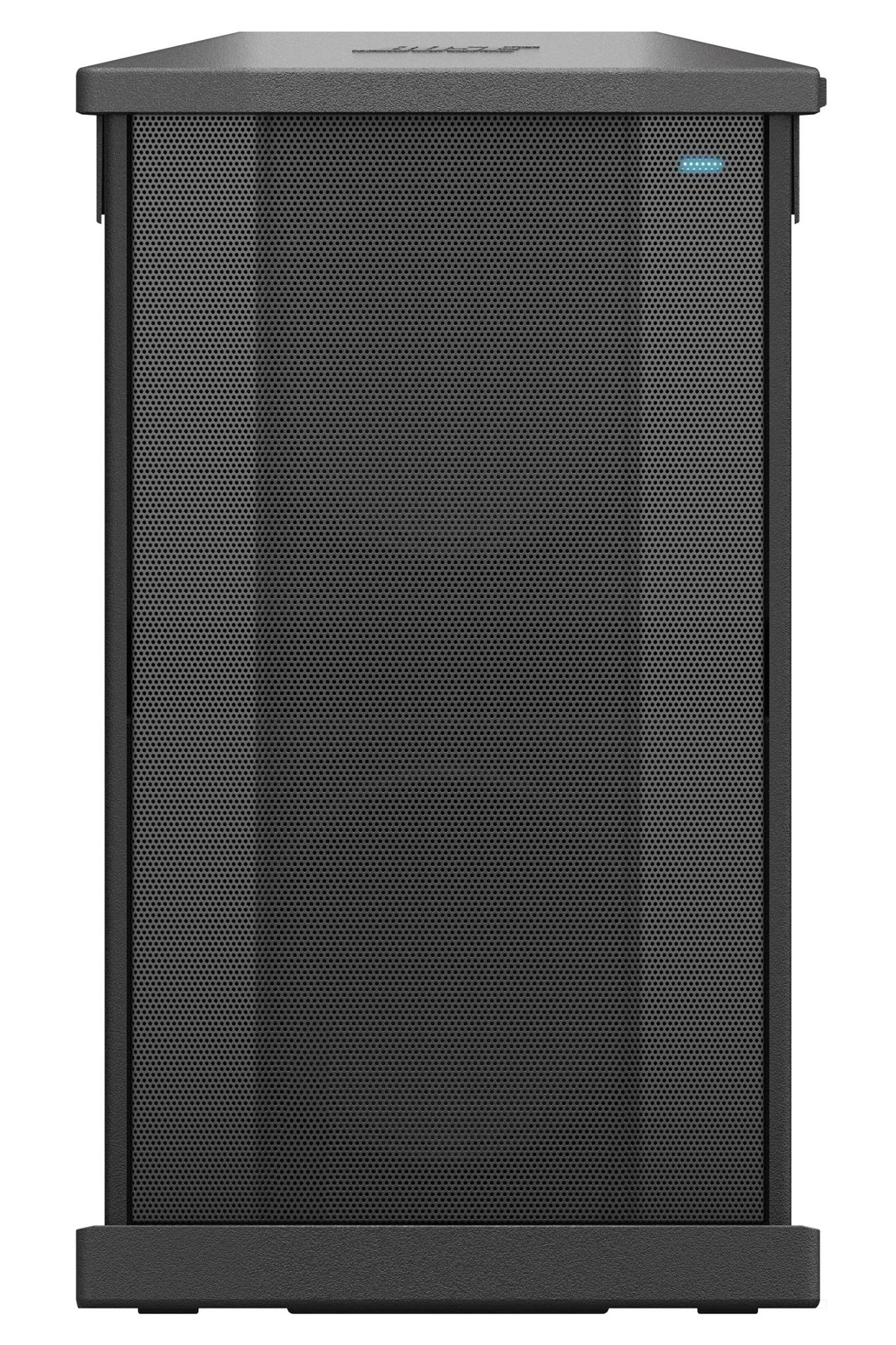
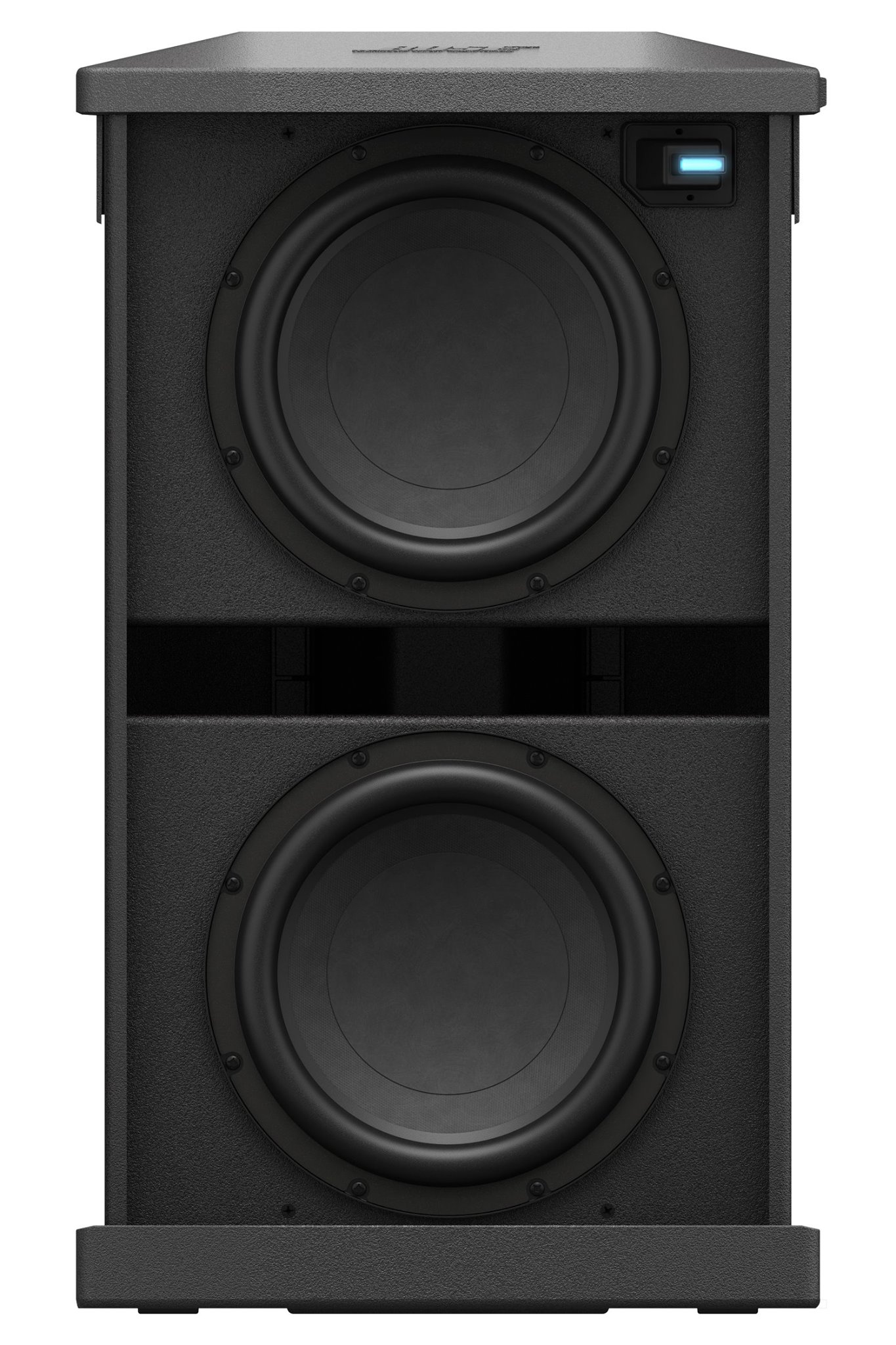
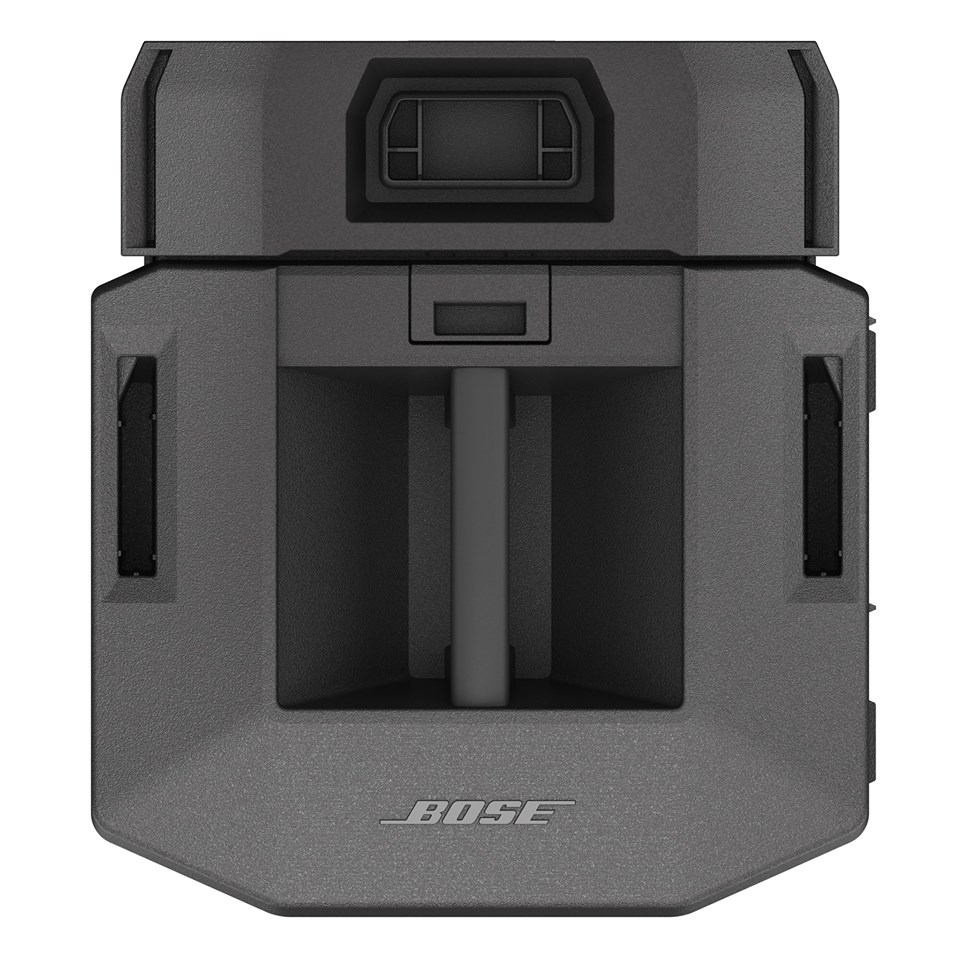
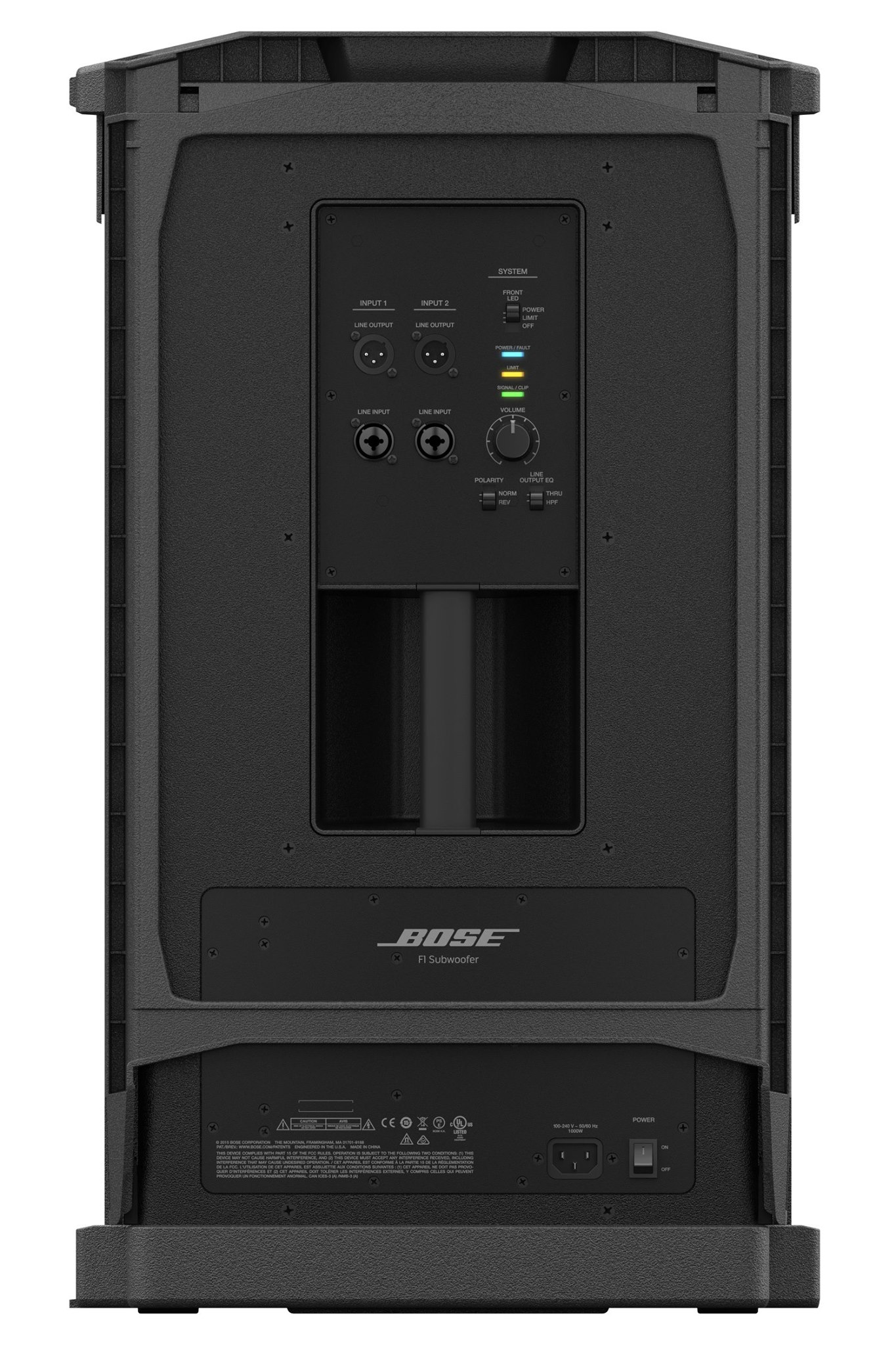
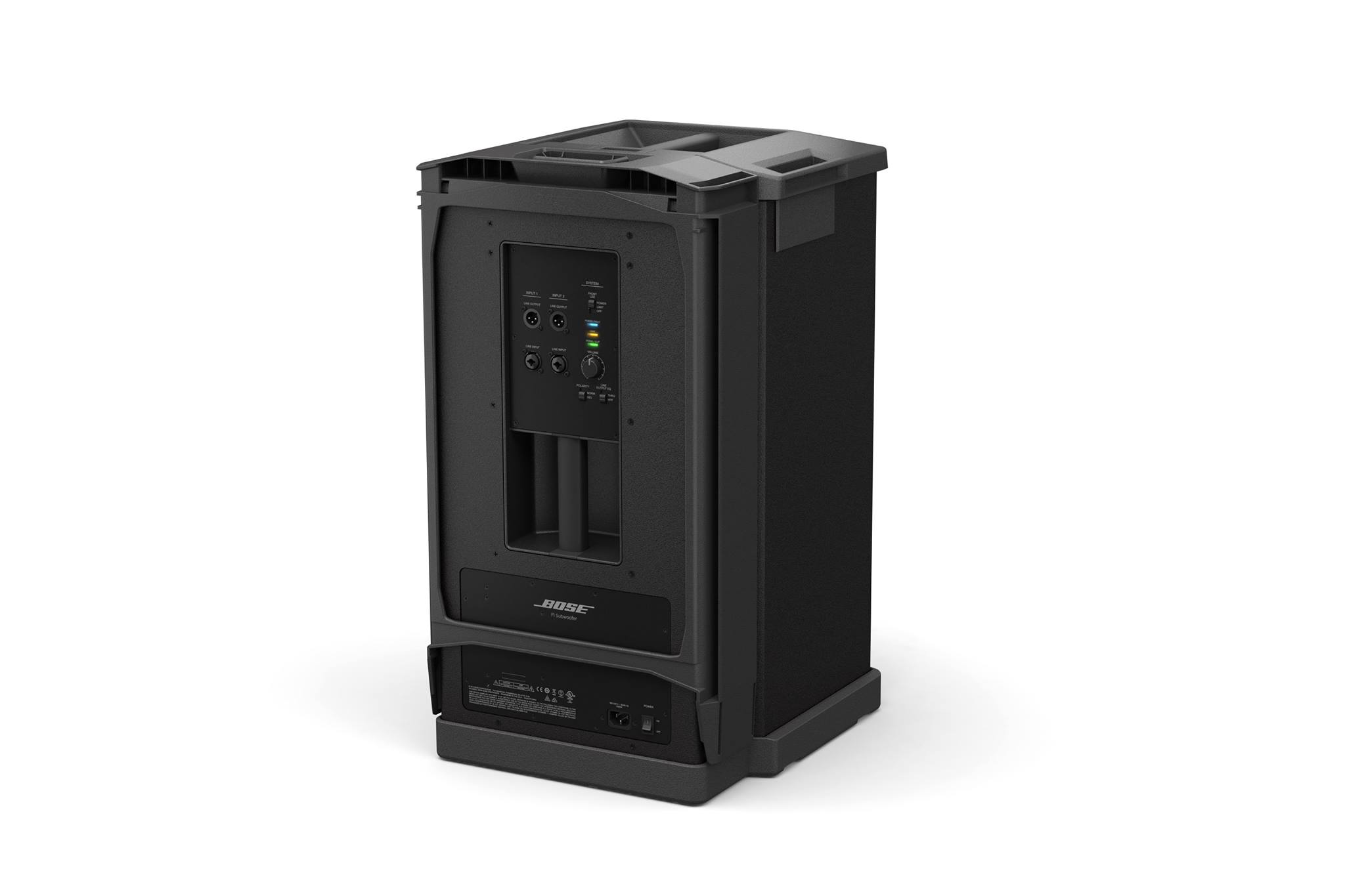
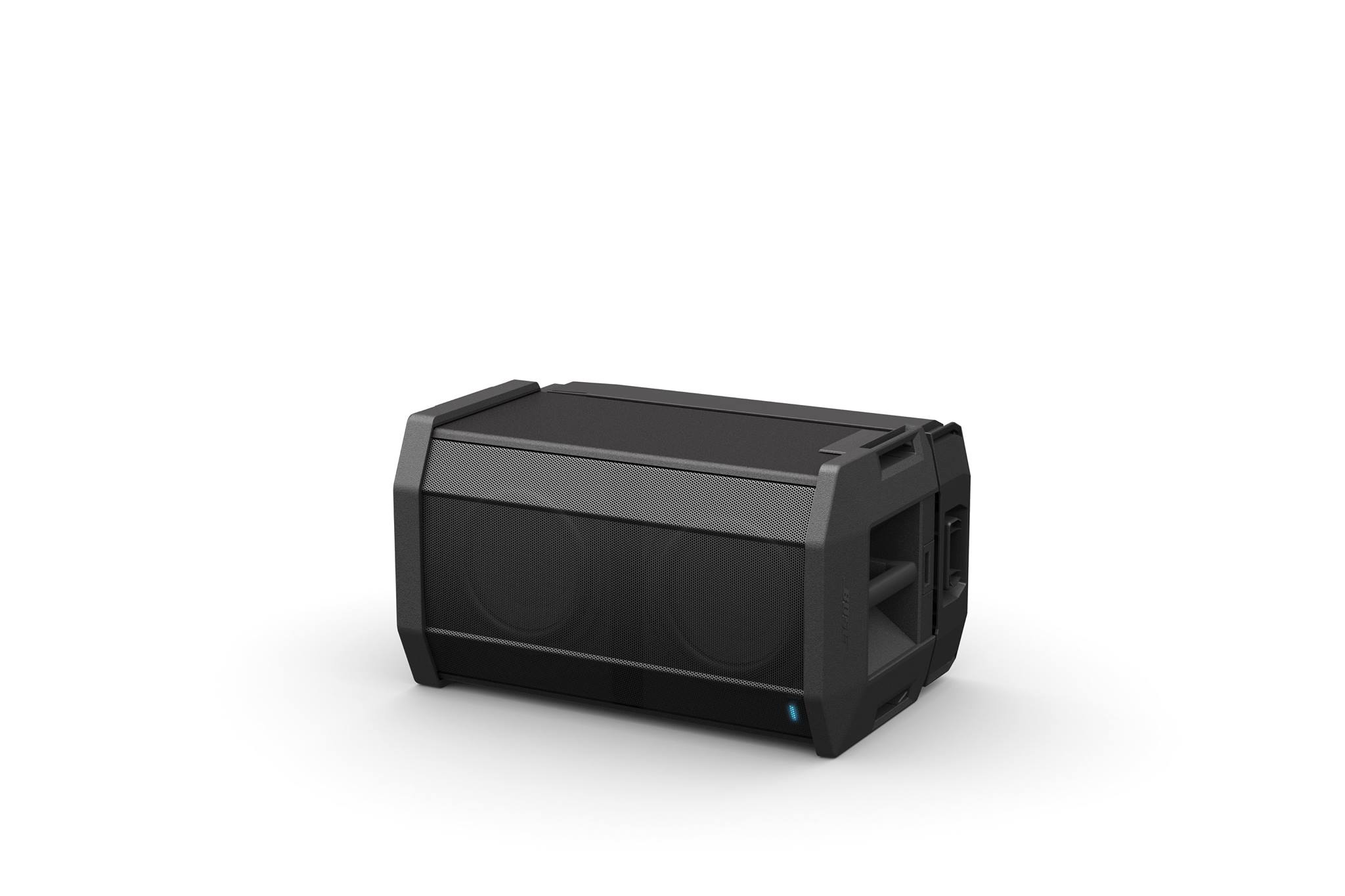
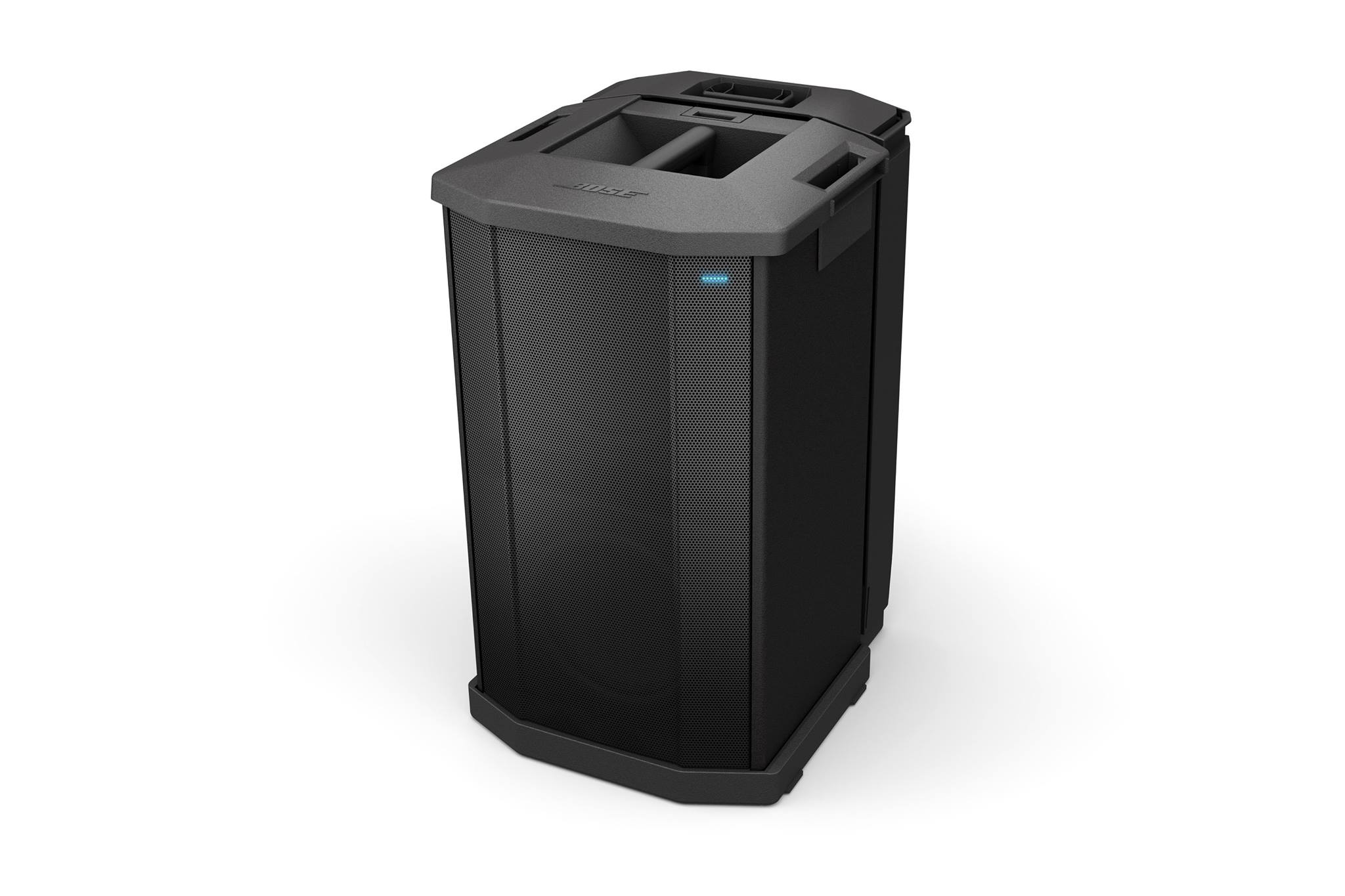
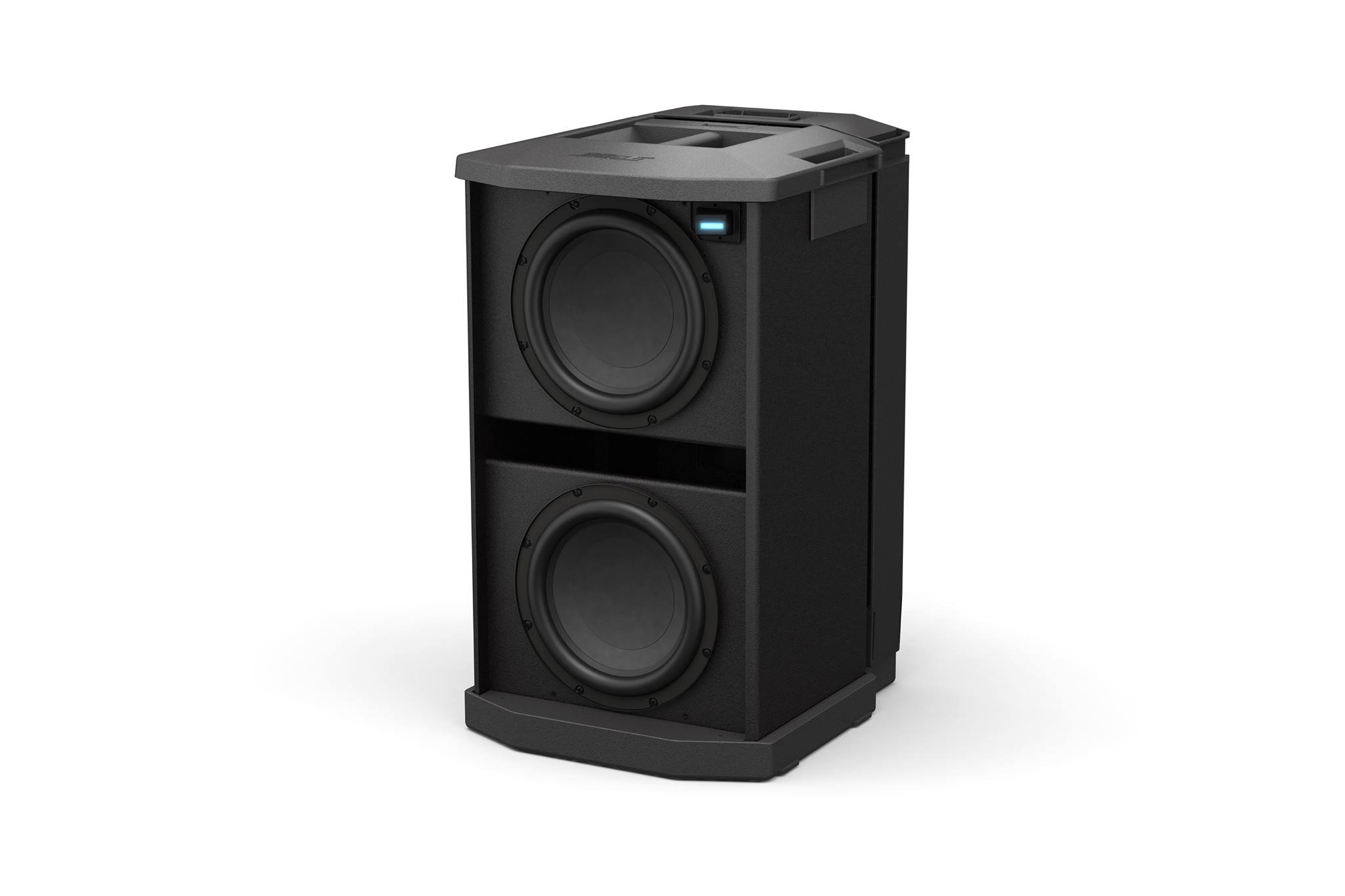
Enclosure
F1 Subwoofer: Wood cabinet with high impact composite end caps
Dimensions
F1 Subwoofer: 27" H x 16.1" W x 17.6" D (688 x 410.16 x 448.5mm)
F1 system stack: 73.5" H x 16.1" W x 17.6" D (1868 x 410.16 x 448.5mm)
Net Weight
F1 Subwoofer: 55 lbs (24.9 kg)
F1 system stack: 99.5 lbs (45.7 kg)
Color
Black
Package Contents
1 F1 Subwoofer
1 F1 Subwoofer stand
1 IEC Line Cord
1 Owner’s Guide
F1 Subwoofer FAQ
What is the F1 Model 812 system?
The Bose F1 Model 812 flexible array loudspeaker is the first powered loudspeaker that delivers the benefits of an adjustable array in a portable system package. Its unique flexible baffle allows you to tailor the loudspeaker’s vertical coverage to a wide variety of listening environments. Simply push or pull the array into position to create “Straight,” “C,” “J” or “Reverse J” coverage patterns. Once set, the system automatically updates the EQ to maintain optimum tonal balance for each coverage pattern. So whether you’re playing at floor level, on a stage, or facing raked seats or bleachers, you can adapt your PA to the room.
Engineered with an array of eight high-output drivers, a high-powered 12-inch woofer and a lower crossover point, the loudspeaker delivers full-range, high-SPL performance while maintaining vocal and midrange clarity that’s dramatically better than conventional loudspeakers.
The Bose F1 subwoofer packs all the power of a larger bass box into a more compact design that’s easier to carry and fits in a car. A mounting stand for the loudspeaker is stored right in the body of the subwoofer, making setup fast and easy. The stand even includes cable channels to neatly hide wires.
The loudspeaker and subwoofer combined deliver 2,000 watts of power, so you can fill nearly any room with sound.
And now getting there is easier, too. The loudspeaker and subwoofer feature strategically-placed handles for easy transportation.
How is the F1 Model 812 different from a conventional PA?
Current popular powered loudspeakers are standard two-way designs consisting of a single horn-loaded compression driver for high-frequency reproduction and a single woofer for mid- and low-mid-frequency output.
Since the Bose F1 Model 812 loudspeaker has an array of eight high-output drivers, mid/high-frequency response is much cleaner and less harsh sounding when compared to a traditional horn.
Characteristically, horns have a fixed output pattern that isn’t adaptable to typical performance spaces. These fixed-pattern loudspeakers are commonly positioned on pole mount stands where high-frequency content is projected over listeners’ heads, making vocal intelligibility difficult.
The Bose F1 Model 812 flexible array is quite useful for quickly and easily adjusting the loudspeaker’s coverage for a variety of performance and listening spaces, ensuring quality reproduction without the need for complex placement.
How does the flexible array work?
The eight drivers on the F1 Model 812 flexible array are mounted on a specially designed flexible baffle that is hinged in two locations. When the array position is changed, the loudspeaker’s internal EQ automatically changes according to the array’s position: “Straight,” “C,” “J” or “Reverse J.” This allows the loudspeaker to maintain tonal balance no matter which position is used.
Does the F1 Model 812 have a woofer?
Yes. The high-output 12-inch woofer is mounted behind the flexible array.
Can I use the F1 Model 812 with a standard speaker stand?
Yes, there is a pole cup on the bottom of the enclosure that accepts common tripod speaker stands.
What is the recommended subwoofer?
For best performance, we recommend using the Bose F1 subwoofer. However, other powered subs can be connected to the F1 Model 812 loudspeaker.
What is the F1 subwoofer?
The F1 subwoofer is a compact bass module designed for use with the F1 Model 812 loudspeaker. Its powerful amplifier and dual drivers produce bass as much as subs nearly double its size.
The F1 subwoofer features:
- 2 X 10" high-excursion drivers
- 1,000 watts
- 2 x input channel with XLR, 0.25-inch combo connector
- 2 x XLR balanced line out
- Polarity reverse switch
- HPF enable
How many F1 subwoofers can you connect to an F1 Model 812 loudspeaker?
We recommend one sub per F1 Model 812 loudspeaker. However, you can connect as many as needed.
Can the F1 systems be used with Bose L1® systems?
Yes. Bose L1® systems can be used in conjunction with the F1 Model 812 loudspeaker as a supplemental fill or stage monitor.
Can it be used with the T1 ToneMatchⓇ audio engine?
Yes. The F1 system is compatible with the ToneMatch audio engine. The T1 engine is a powerful multichannel audio device designed for musicians to use Bose portable pro loudspeaker systems. It includes our largest library of ToneMatch presets, proprietary EQ, a complete suite of studio-class effects and processing, and five channel inputs.
What sources can I plug into the mid/high?
The rear panel of the F1 Model 812 loudspeaker is equipped with XLR/TS combo jacks, a 0.25-inch instrument jack and stereo RCA inputs. When an external mixer is not used, a wide variety of instruments or sources can be connected directly. Common sources include:
- A dynamic microphone
- An acoustic instrument with a pickup system
- Electronic keyboard
- Electric bass guitar
- CD or MP3 player
What are the weights and dimensions of the F1 Model 812 system?
F1 Model 812 loudspeaker
44.5 lbs. (20.18 kg)
26.1" H x 13.1" W x 14.6" D (664.66 x 334.3 x 372.5mm)
Shipping Weight: 54.5 lbs (24.72 kg)
F1 subwoofer
55 lbs. (24.9 kg)
27" H x 16.1" W x 17.6" D (688 x 410.16 x 448.5mm)
Shipping Weight: 65 lbs (29.4 kg)
F1 system stack
99.5 lbs (45.7 kg)
73.5" H x 16.1" W x 17.6" D (1868 x 410.16 x 448.5mm)
Does the system ship with carrying bags/covers?
Bags and covers are available as optional accessories.
Are hard shell cases available for the products?
Bose does not offer any hard shell cases.
What is included in the F1 Model 812 box?
- F1 Model 812 loudspeaker
- AC power cord
- F1 Model 812 Owner’s Guide
What accessories are available?
- Brackets
- Bags and covers
- Full-range padded bag with zipper
- Subwoofer padded bag with zipper
- Subwoofer slipcover
Can the F1 Model 812 system be used outdoors?
Yes. The system can be used inside or outside. However, it must never be exposed to precipitation or extended periods of direct sunlight. In cases of light rain, take precautions to cover the back panel of the loudspeaker. Water must not get into the air inlet slits inside the back I/O panel, handle recess or front grille.
The system has been tested to operate in temperatures from 0° – 50° C (32° – 122° F), and be stored in temperatures from -30° – 70° C (-22° – 58° F).
Where can the F1 Model 812 system be used?
The F1 Model 812 loudspeaker and F1 subwoofer combination is suitable for bands of all musical styles, DJs and voice-only applications. Due to the versatility of the flexible array, the system also can be used in a wide range of locations.
What kinds of musical performers (singers, bands, DJs, etc.) can use the new technology?
There are no restrictions in this regard. Any single voice, instrument and group size will benefit from the advantages of hearing themselves better, of being in complete control of their performance, of having audiences hear them better and of being able to set up and perform in just minutes.
Can DJs use this system?
Yes. The F1 Model 812 loudspeaker and F1 sub are ideal for DJs that want high power and sonic clarity in a portable system. The F1 subwoofer’s compact design and high capability eliminate the need for transporting subwoofers twice their size. Plus, the integrated stand eliminates ugly tripod bases that expose hanging wires and create tripping hazards.
Can acoustic instruments be amplified with the F1 Model 812 system?
Yes. When an external mixer is not in use, an acoustic instrument equipped with a pickup system may connect directly into the F1 Model 812 system.
Where can I purchase F1 flexible array systems in the United States?
You can purchase F1 flexible array systems directly from Bose through one of the following methods:
- Call our Sales Solutions Team at 800-444-2673.
- Purchase on the web at Bose.com. Click on “Shop Online,” then “Speakers” and then “Portable PA.”
- Visit select Bose Stores that carry the F1 system.
All Bose direct purchases include a 45-day Better Music Guarantee. This means you can test any F1 flexible array system in your own environment and return it for a credit within 45 days of purchase. You are only responsible for the return shipping to Bose.
You can also purchase F1 flexible array systems at Bose authorized resellers, such as:
- Guitar Center
- Musician’s Friend
- Sweetwater
- American Musical Supply
- zZounds
- Specialty dealers
What is the warranty period on the F1 Model 812 system?
The F1 Model 812 and F1 sub both carry a two-year limited warranty on electronics and a five-year warranty on transducers. Both warranties are transferable with the product even if the ownership changes.
What is the 45-day Better Music Guarantee?
At Bose, we recognize that customers may want to experience the F1 flexible array system in their own environment with their specific gear. That is why we allow you to purchase and use the system in your specific application for up to 45 days. If for any reason you are not satisfied, you may return it for a refund. This offer is exclusive to Bose direct sales channels.
Where can I collaborate with Bose staff and existing owners to learn more about how the F1 Model 812 system can work for my specific application?
We host a public forum that allows our helpful user community to share their experiences and collaborate in real time on topics that are important to them. You will find extensive, application-specific documentation and helpful hints. The forum is fully searchable and can be accessed at http://Bose.infopop.cc.
You may also contact our product support team and speak with our knowledgeable staff of musicians. They may be reached at 877-335-2673.
Are the products repairable? What are the replacement costs?
Yes. Certain products are replaceable or repairable to an extent. U.S. customers may call 877-335-2673 or email [email protected] for further details. Customers outside of the U.S. should refer to their local Bose website.
F1 Passive FAQ
What are the main differences between active and passive?
The active is a self-powered product with a built-in amplifier. The F1 passive requires outside amplification. The F1 Active and F1 Passive have the same inserts, share the same accessories and brackets and can be used in both portable and installed applications.
Can the F1 Passive be bi-amped?
The F1 Passive cannot be Bi-amped. It has an internal crossover to distribute audio between its mid/high drivers and woofer.
Why does it require Active EQ?
The F1 Passive requires active equalization to achieve the full frequency response and tonal balance. There are four loudspeaker equalization presets available for each of the four array positions. These can be used in both Bose and 3rd Party processors.
Is it compatible with the F1 sub?
The F1 Passive speaker is not compatible with the F1 Sub speaker stand. For installed applications, we recommend using the MB4, MB12 and MB24 sub.
What accessories are available?
F1 Active and Passive share the same accessories, these include the U-Bracket, Yoke Bracket, Pan-and-Tilt brackets and carry bags.
Which subwoofers are compatible with the F1 Passive?
For installed applications, we recommend the MB4, MB12 and MB24.
Can I install this outdoors?
F1 Passive is intended for indoor installations.
Does the system ship with carrying bags/covers?
No. F1 Bags and covers are available as optional accessories.
What are the weights and dimensions of the F1 Model 812 system?
47 lbs (21.32 kg) 26.1" H x 13.1" W x 14.6" D (664.66 x 334.3 x 372.5mm)
What ships in the box?
F1 Model 812 loudspeaker, Installation Guide