T1® to Denon DN-X500: Difference between revisions
| Line 13: | Line 13: | ||
[[Image:DN-X500Input4T1.png]] | [[Image:DN-X500Input4T1.png]] | ||
==== Notes that apply to all three approaches ==== | |||
You'll need a [[T1_ToneMatch%C2%AE_Audio_Engine_power_supply|T1 ToneMatch%C2%AE Audio Engine power supply]][IMG]http://toonz.ca/bose/wiki/images/d/d8/T1_power_supplyThumb.jpg[/IMG] | |||
The T1® Master Output is a line level output. You can raise and lower that with the Master Volume control to get a good level match to the input that you use on the Denon-DNX500. | |||
Make the connection with a ¼ inch jack Tip-Ring-Sleeve cable. | |||
[[Image:TrsMtrsM.png]] | |||
==== {{T1}} to Denon DN-X500 microphone input ==== | ==== {{T1}} to Denon DN-X500 microphone input ==== | ||
Start with the master output of the T1® all the way off and bring it up slowly. You will also want to have the DN-X500 microphone input level set quite low to start until you figure out the levels so that you don't have any clipping. | |||
The Denon DN-X500 has level controls for both the Main Mic and Aux Mic inputs. | The Denon DN-X500 has level controls for both the Main Mic and Aux Mic inputs. | ||
Start with the master output of the T1® all the way off and bring it up slowly. You will also want to have the DN-X500 microphone input level set quite low to start until you figure out the levels so that you don't have any clipping. | Start with the master output of the T1® all the way off and bring it up slowly. You will also want to have the DN-X500 microphone input level set quite low to start until you figure out the levels so that you don't have any clipping. | ||
This is a screen shot of English page 3 with an overlay of the back of the T1® ΞΘ∞∋-- | |||
[[Image:DN-X500Input4T1-Aux.png]] | [[Image:DN-X500Input4T1-Aux.png]] | ||
==== {{T1}} to Denon DN-X500 Effects Return ==== | ==== {{T1}} to Denon DN-X500 Effects Return ==== | ||
This could give you a better match for levels and impedance, but you will have to control everything with the T1®. Start with the master output of the T1® all the way off and bring it up slowly. | This could give you a better match for levels and impedance, but you will have to control everything with the T1®. Start with the master output of the T1® all the way off and bring it up slowly. | ||
Revision as of 07:39, 17 May 2014
T1® to Denon DN-X500
Connection an T1 ToneMatch Audio Engine to a Denon DN-X500
There are three connections on the Denon DN-X500 where you could connect a T1 ToneMatch Audio Engine Master or Aux output.
T1 ToneMatch Audio Engine to Denon DN-X500 microphone input
The T1® Master Output is a line level output. You can raise and lower that with the Master Volume control.
The Denon DN-X500 has level controls for both the Main Mic and Aux Mic inputs.
Start with the master output of the T1® all the way off and bring it up slowly. You will also want to have the DN-X500 microphone input level set quite low to start until you figure out the levels so that you don't have any clipping.

Notes that apply to all three approaches
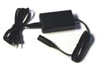
You'll need a T1 ToneMatch%C2%AE Audio Engine power supply[IMG]http://toonz.ca/bose/wiki/images/d/d8/T1_power_supplyThumb.jpg[/IMG]
The T1® Master Output is a line level output. You can raise and lower that with the Master Volume control to get a good level match to the input that you use on the Denon-DNX500.
Make the connection with a ¼ inch jack Tip-Ring-Sleeve cable.

T1 ToneMatch Audio Engine to Denon DN-X500 microphone input
Start with the master output of the T1® all the way off and bring it up slowly. You will also want to have the DN-X500 microphone input level set quite low to start until you figure out the levels so that you don't have any clipping.
The Denon DN-X500 has level controls for both the Main Mic and Aux Mic inputs.
Start with the master output of the T1® all the way off and bring it up slowly. You will also want to have the DN-X500 microphone input level set quite low to start until you figure out the levels so that you don't have any clipping.
This is a screen shot of English page 3 with an overlay of the back of the T1® ΞΘ∞∋--

T1 ToneMatch Audio Engine to Denon DN-X500 Effects Return
This could give you a better match for levels and impedance, but you will have to control everything with the T1®. Start with the master output of the T1® all the way off and bring it up slowly.

Reference Notes: Denon DN-X500 User Manual
http://usa.d-mpro.com/DocumentMaster/US/f1160bc969bf42e0bc5e90b6600c5207.pdf