Template:TC-Helicon to L1®: Difference between revisions
mNo edit summary |
mNo edit summary |
||
| Line 20: | Line 20: | ||
[[Image:Compact Channel 2 Balanced.png]] | [[Image:Compact Channel 2 Balanced.png]] | ||
There's MIX button the {{{TCH}}} that brings up a screen where it's easy to control the relative volumes (voice and guitar) on the {{{TCH}}} so I don't have to touch the Compact once I'm set up. And it's nice to use just one cable from the {{{TCH}}} to the {{{L1}}}. This also keeps the {{{Model parameter 1|Compact Channel 1}}} free in case I need to plug in another microphone. | There's MIX button on the {{{TCH}}} that brings up a screen where it's easy to control the relative volumes (voice and guitar) on the {{{TCH}}} so I don't have to touch the Compact once I'm set up. And it's nice to use just one cable from the {{{TCH}}} to the {{{L1}}}. This also keeps the {{{Model parameter 1|Compact Channel 1}}} free in case I need to plug in another microphone. | ||
I use an adapter like this | I use an adapter like this | ||
Revision as of 10:11, 10 February 2014
Usage:
{{TC-Helicon to L1®
|L1=[[Compact]]
|Model parameter 1= [[Compact#Channel_1|Compact Channel 1]]
|Model parameter 2= [[Compact#Channel_2|Compact Channel 2]]
|TCH=[http://www.tc-helicon.com/products/voicelive-play-gtx/ VoiceLive Play GTX]
|TCH Image=[[Image:Voicelive-play-gtx_top.jpg|300px|right]]
}}


The {{{TCH}}} has two outputs available (Vocal and Guitar) but I choose the LEFT output and run MONO so that I can make the connection with one cable. I don't use Compact Channel 1 when I'm using the {{{TCH}}}.
I prefer to use an adapter (XLR to ¼ inch jack) from the {{{TCH}}} left out - to Compact Channel 2. That way you don't have to work around the {{{L1}}}'s internal microphone Preset.

There's MIX button on the {{{TCH}}} that brings up a screen where it's easy to control the relative volumes (voice and guitar) on the {{{TCH}}} so I don't have to touch the Compact once I'm set up. And it's nice to use just one cable from the {{{TCH}}} to the {{{L1}}}. This also keeps the Compact Channel 1 free in case I need to plug in another microphone.
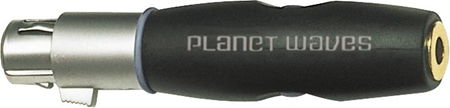
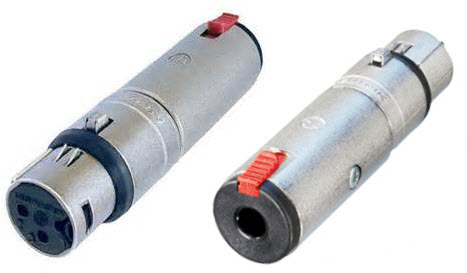
I use an adapter like this
- xlr female to 1/4 female adapter
- NA3FJ Neutrik 3 Pin XLR Female to 1/4" TRS Female Locking Barrel Adapter


using a ¼ inch jack Tip-Ring-Sleeve cable
TO
{{{Model parameter 2}}}
