L1® Model II: Difference between revisions
Starting to bring into corresondence with work on Classic and Model I articles |
Continuing |
||
| Line 26: | Line 26: | ||
== Input/Output Panel== | == Input/Output Panel== | ||
=== Overview === | |||
[[Image:ModelIIInputPanel.png]] | [[Image:ModelIIInputPanel.png]] | ||
== ToneMatch® Port == | === ToneMatch® Port === | ||
{{:ToneMatch® Port | |||
For connecting the {{T1}} to the {{Model II}}. The port sends electrical power to the T1 and accepts digital audio from the T1. | |||
[[Image:ModelIIToneMatchPort.png|ToneMatch® Port on the Model II]] | |||
Close up | |||
[[Image:ModelIIToneMatchPortCloseUp.png|ToneMatch® Port on the Model II close up]] | |||
The connecting cable has a male Ethercon connection at each end that looks like this. | |||
== Analog Input == | [[Image:EtherconMale.jpg]] | ||
For details about the cable see: [[T1_ToneMatch%C2%AE Audio Engine#Cables|T1® Cables]] | |||
=== Analog Input === | |||
[[Image:ModelIIInputPanelAnalog.png|right|L1® Model II Input Panel]] | [[Image:ModelIIInputPanelAnalog.png|right|L1® Model II Input Panel]] | ||
The Analog input is a ¼ inch balanced input jack. There is a trim control. | The Analog input is a ¼ inch balanced input jack. There is a trim control for this input. | ||
==== Properly setting the analog input trim (volume, or gain) control ==== | |||
With the audio on the input signal at or near its most intense, adjust the trim level on the Model II analog input until the LED begins to turn from yellow to red. Then reduce the trim level until the signal LED is predominantly yellow with only brief changes to red. | |||
=== | ==== Can a stereo signal be used with the analog input? ==== | ||
<section begin="Stereo Source to Power Stand Analog Input" /> | <section begin="Stereo Source to Power Stand Analog Input" /> | ||
Revision as of 19:55, 13 January 2009
|
Introduced March 29, 2007.. The L1 Model II is RoHS compliant for release in Europe.
| ||||||||||||||||||||||||||||||||||||||||||||||||||||||||||||||||||||||||||
How to Tell the Difference Between Bose Portable PA ModelsThis is how to tell which L1®, S1 Pro, or F1 unit you have.
Documentation
Downloads
| ||||||||||||||||||||||||||||||||||||||||||||||||||||||||||||||||||||||||||

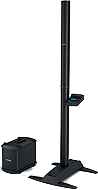


Input/Output Panel
Overview

ToneMatch® Port
For connecting the T1 ToneMatch Audio Engine to the L1 Model II. The port sends electrical power to the T1 and accepts digital audio from the T1.

Close up

The connecting cable has a male Ethercon connection at each end that looks like this.

For details about the cable see: T1® Cables
Analog Input

The Analog input is a ¼ inch balanced input jack. There is a trim control for this input.
Properly setting the analog input trim (volume, or gain) control
With the audio on the input signal at or near its most intense, adjust the trim level on the Model II analog input until the LED begins to turn from yellow to red. Then reduce the trim level until the signal LED is predominantly yellow with only brief changes to red.
Can a stereo signal be used with the analog input?
Q: Can I run a stereo signal with a ¼ inch Tip-Ring-Sleeve connection to the L1 Model II Analog Input?
A: This is not recommended, and may result in very little sound.
MikeZ-at-Bose [1]
- A bit more clarification - if you plug a true stereo TRS into a model II analog input you'll actually get VERY little sound.
- Since the analog input is balanced, it actually will subtract the Left from the Right (this is how balanced inputs have less noise...I could explain more if anyone is interested). For many recordings, this ends up being very little sound.
- Just wanted to clarify - you cannot 'get through the gig' this way if you're a DJ or needing to run prerecorded music.
Analog Input for Second T1 ToneMatch Audio Engine
The L1 Model II will support two T1 ToneMatch Audio Engines. See T1 ToneMatch™ Audio Engine / Connections to Model II for details.
Start Up / Cycle Time
The model II takes a few seconds to fully boot up and then turn the audio on. Make sure you are waiting the right amount of time.
Secondly, if you do reset the system for some reason, be sure to wait a full two or three seconds between turning it off and turning it back on.
- MikeZ-at-Bose[2]
Fan Noise
Q: The fan in the Power Stand comes on when I strike a chord on my Guitar. Is this normal? A: Your unit is functioning properly - no problem.
The fan in the Model II Power Stand comes on when the input signal level goes over a certain limit, regardless of what the internal temperature of the unit is. That way, the unit never gets too hot to where a fan needs to be on constantly.
Whatever you do, please don't cover up the fan port.[3]
There is a Firmware Update that addresses the fan behaviour. See: L1® Model II Power Stand Firmware Updates#Fan_Behavior
Height
The fully assembled height of the L1 Model II is 84 inches. (213.36 cm)
Clearance required to assemble is approximately 87.5 inches. (222.25 cm)
Input Panel

- Analog input, trim control and signal/clip LED
- Line-level analog input accepts 1/4" TRS phone cable. Can be used for instruments or other audio sources like DJ mixers, MP3 players, computers or DVD systems. Trim control lets you adjust the level of analog input signal. Signal/clip LED indicates status of analog input signal.
- Bass module out
- Delivers amplified bass output signal to one or two B1 bass modules. L1 system automatically adjusts equalization appropriately when bass modules are connected.
- ToneMatch™ port
- Digital audio and power connection for ToneMatch audio engine. Use with included ToneMatch cable.
- Bass line out
- Post-DSP bass signal output. Accepts 1/4" TRS phone cable. Use to connect PackLite® amplifier with up to two additional bass modules. Can also be used to connect powered subwoofer or additional amplification system.
No Speakers Attached
If you want to record using USB without using the L1 Cylindrical Radiator® loudspeaker or B1 Bass Module ...
You can certainly run the L1 with all, some, or none of the speakers connected. With no speakers connected it will happily serve as a big power supply for the T1. You are in no way risking damage to the unit by doing this.[4]
L1™ Model II Power Stand/Bass Line Out
Articulated Array®
Articulated Array
 The articulated array was introduced with the L1 Model II announced March 29, 2007. This is a collection of notes and quotes about the articulated array, primarily from people-at-Bose. (alphabetical order by author) |
Chris-at-Bose
When Cliff invented the first L1 , we all agreed it was a stunning solution to a terrible problem. The strong consensus on this forum over several years agrees with that. Making it into a product involved countless design decisions, many of them very hard to make. But one thing was clear--the array was a solution that worked; it didn't need "fixing", compared to all the other open questions whose answers were so obscure. So we worked on the murky questions, not on the array.
Once we had the product on the market, we began to learn how it could be even better, mostly from all of you on this forum. We told you we were listening and the L1 Model II is the result of that. When articulating the array was suggested by us, we were all pretty sure it would not work well in this kind of array. It was a long shot, but we tried it anyway and it worked better than any of us expected. Another theory in the dustbin. Breakthroughs sometimes happen and this was one of them, albeit a small one. So now we bring you the L1 Model II, with all our latest knowledge.
-- Chris-at-Bose, July 17, 2007
Cliff-at-Bose
At full chat, the L1 Model II is about as loud as the L1 Classic in front but definitely louder off to the side, due to the extra bit of spectrum wrap we got with the articulated array. Plus, we did all this with less power by the application of Real Science: a far better impedance match to the amp, a better amp, better power control processing and an improvement in the acoustical package. As a result, the new Power Stand is lighter. Sort of like the car engines from the 1930's can't touch today's lighter-weight EFI engines. The new unit is a real engineering achievement.
-- Cliff-at-Bose, April 3, 2007
Jesse-at-Bose
"Articulated" refers to the fact that the individual drivers in the Model II are angled slightly to the sides in an alternating pattern. (In the L1 classic, they're all facing straight ahead.) So both the L1 classic and Model II have extremely wide coverage (nearly 180 degrees,) but the M II gives you the most consistent tone as you move side to side.
We've all been impressed with the off-axis performance of the L1 Classic - the articulated array in the M II takes that even further.
-- Jesse-at-Bose, March 29, 2007
MikeZ-at-Bose
The array has been improved to give the widest, most even sound coverage across the room that we can deliver.
BUT, I want to establish that the difference between the two arrays is not like the difference between conventional gear and the L1 model I.
With the L1 Model I, if an *experienced* listener closed their eyes and walked around the room, they could tell approximately how far 'off axis' (what angle they were standing relative to the speaker) they were. With the model II, the listener cannot tell what angle they are relative to the speaker array.
-- MikeZ-at-Bose, March 29, 2007
- Question Does the articulated array of the Model II have as long of a throw as the original L-1? I seem to recall hearing the the Classic maintained a cylindrical pattern out to around 85 or 90 feet.
Yes. The basic cylindrical wavefront properties of the L1 Model II are unchanged from the L1 Classic / L1 Model I. I have not measured or audibly noticed any difference in the speakers 'throw ability'.
-- MikeZ-at-Bose, July 5, 2007
Identifying this Model
- Retractable legs
- Provide stability for streamlined L1 Model II power stand and loudspeaker. Four retractable legs fold out of power stand simultaneously for quick setup and compact transport. Small footprint also frees up room on tight stages.
- Light weight (23.7 lbs (10.7 kg)
Compatibility
Compatible with
- L1 Model II Cylindrical Radiator® loudspeaker
- T1 ToneMatch™ audio engine
- B1 Bass Module
- PackLite® power amplifier model A1
Related Documents
Design Team
In 23 years at Bose, the L1 Model II and T1 ToneMatch Audio Engine are the most lovingly designed products I have ever had the fortune to work on. More care by more experienced people went into this than anything I've been involved in.
The most minute details were studiously created. As one tiny but important example, a propriety light pipe was designed so that the light from volume knob indicators smoothly wrapped around the knob from top to side, giving the musician a clear indication of volume from any angle. The color and intensity of the light was carefully designed so that it was visible in an extraordinarily wide range of stage lighting conditions.
Here is a picture of some members of the design team when we reached the point in May of 2006 of having the proprietary folding mechanism for the Model II power stand and industrial design for the new Articulated Array speaker finally finished.
Ken-at-Bose[5]

- ↑ MikeZ-at-Bose talks about L1® Model II and Analog mixers
- ↑ MikeZ-at-Bose talks about Start Up and Cycle times with the L1® Model II
- ↑ MikeZ-at-Bose Model II Fan Noise
- ↑ MikeZ-at-Bose talks about Using the L1™ Model II Power Stand without any speakers attached
- ↑ Ken-at-Bose April 4, 2007 Help choosing between the Model I and the Model II