Category:Mixer: Difference between revisions
Jump to navigation
Jump to search
m Mixer General Notes |
mNo edit summary |
||
| Line 1: | Line 1: | ||
[[Image:AlesisMultiMix8USB.jpg|100px|Alesis MultiMix8USB]][[Image:BehringerUB1202.png|100px|Behringer UB1202]][[Image:Mackie1202VLZPro.png|100px|Mackie 1202 VLZ Pro]][[Image:NumarkCDMix-2.png|100px|Numark CD Mix-2]][[Image:SoundCraftSpiritNotepad.png|100px|Spirit Notepad]][[Image:YamahaMG82FX.png|100px|Yamaha MG82/FX]] | [[Image:AlesisMultiMix8USB.jpg|100px|Alesis MultiMix8USB]][[Image:BehringerUB1202.png|100px|Behringer UB1202]][[Image:Mackie1202VLZPro.png|100px|Mackie 1202 VLZ Pro]][[Image:NumarkCDMix-2.png|100px|Numark CD Mix-2]][[Image:SoundCraftSpiritNotepad.png|100px|Spirit Notepad]][[Image:YamahaMG82FX.png|100px|Yamaha MG82/FX]] | ||
For notes about working with mixers see: [[Mixer]] | |||
Use this category for any documentation you have about using specific mixers with the {{L1}} System. | |||
---- | ---- | ||
[[Category:Connections]] [[Category:L1™_System]] [[Category:DJ]] [[Category:VJ]] [[Category:PS1_Powerstand]] [[Category:PS1_Powerstand_Connections]] | [[Category:Connections]] [[Category:L1™_System]] [[Category:DJ]] [[Category:VJ]] [[Category:PS1_Powerstand]] [[Category:PS1_Powerstand_Connections]] | ||
Revision as of 08:49, 11 December 2008


For notes about working with mixers see: Mixer
Use this category for any documentation you have about using specific mixers with the L1 System.
Subcategories
This category has the following 8 subcategories, out of 8 total.
A
- Alesis (7 P)
- Allen & Heath (4 P, 7 F)
B
- Behringer (13 P, 29 F)
G
- Gemini (2 P, 5 F)
M
- Mackie (19 P, 47 F)
N
- Numark (3 P, 4 F)
S
- Soundcraft (2 P, 7 F)
Y
- Yamaha (10 P, 18 F)
Pages in category "Mixer"
The following 108 pages are in this category, out of 108 total.
M
- Mackie Pro FX4 to S1 Pro System
- Mackie ProFX 12 to L1® Compact
- Mackie ProFX12V2 to T1
- Mixer
- Mixer / Alesis / MultiMix 12USB
- Mixer / Alesis / MultiMix 16USB
- Mixer / Alesis / MultiMix 6FX
- Mixer / Alesis / MultiMix 8USB
- Mixer / Allan & Heath / MixWizard WZ3
- Template:Mixer / Allen & Heath ZED Series
- Mixer / Allen & Heath ZED-12FX
- Mixer / Alto / L-12
- Mixer / Behringer / Europower / PMP6000
- Mixer / Behringer / Eurorack / MX1604A
- Mixer / Behringer / UB1002
- Mixer / Behringer / UB1002FX
- Mixer / Behringer / UB1202
- Mixer / Behringer / UB1202FX
- Mixer / Behringer / UB1222FX-Pro
- Mixer / Behringer / UB502
- Mixer / Behringer / UB802
- Mixer / Behringer / XENYX1204FX
- Mixer / Fostex / VM88
- Mixer / LEM / RD Series
- Mixer / Mackie / 1202-VLZ
- Mixer / Mackie / 1202-VLZ Pro
- Mixer / Mackie / 1402-VLZ3
- Mixer / Mackie / 1604-VLZ
- Mixer / Mackie / 802-VLZ3
- Mixer / Mackie / CFX MkII
- Mixer / Mackie / CFX Series
- Mixer / Mackie / DFX12
- Mixer / Mackie / DFX6
- Mixer / Mackie / ProFX8 and ProFX12
- Mixer / Mini Mixer
- Mixer / Numark / 5000FX
- Mixer / Numark / CDMix-2
- Mixer / Numark / PPD9000
- Mixer / Pioneer / DJM-5000
- Mixer / Pioneer / DJM-700
- Mixer / Soundcraft / EPM
- Mixer / Soundcraft / Spirit Folio Notepad
- Mixer / Yamaha / MG10 / 2
- Mixer / Yamaha / MG124 CX
- Mixer / Yamaha / MG8/2FX
- Mixer / Yamaha / MX12/4
- Mixer Left Output Only
- Mixer Outline Template
- Mixer to L1 Pro
- Template:Mixer to L1 Pro FAQ
- Mixer to S1 Pro+
- Mixer to Share Presets
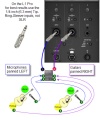
- Mixer to Share Presets on L1 Pro
- Mixer to Share Presets on S1 Pro
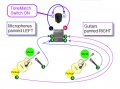
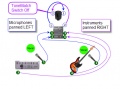
- Mixer to Share Presets on the Compact
- Mixer to ToneMatch Mixer
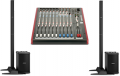
- Mixer to Two L1 Model II
P
S
- S1 Pro as Monitor with JBL EON ONE PRO
- S1 Pro as Monitor with Third Party Mixer and L1
- Template:S1 Pro Daisy Chain
- S1 Pro Daisy Chain
- S1 Pro Daisy Chain Settings
- Template:S1 Pro from Device Simple
- Template:S1 Pro Gain Staging
- Template:S1 Pro Gain Staging from Bose
- Template:S1 Pro Mixer Settings
- S1 Pro Mixer Settings
- S1 Pro system
- S1 Pro System Line Out
- S1 Pro with Behringer B1200D Subwoofer
- Template:S1 Pro with External Device
- S1 Pro with F1 Subwoofer
- S1 Pro with Harmonizer
- S1 Pro with Mixer and Behringer B1200D Pro Subwoofer
- S1 Pro with T1 and Behringer B1200D Pro Subwoofer
- S1 Pro with Vocal Processor
- Sketches / Principles
- Stereo Mixer to Mono L1®
T
- T1 ToneMatch Audio Engine Aux Out to S1 Pro system
- T1 ToneMatch Audio Engine Master Out to S1 Pro system
- T1 ToneMatch Audio Engine with Third Party Mixer
- T1 ToneMatch® Audio Engine
- T1 ToneMatch® Audio Engine / 1/4 inch Output Connections to L1® Family Members
- T1 ToneMatch® Audio Engine / Aux
- T1 ToneMatch® Audio Engine / Connections to S1 Pro
- T1® to Denon DN-X500
- T4S ToneMatch Mixer to S1 Pro system
- T4S/T8S ToneMatch® Mixer
- T8S ToneMatch Mixer Aux Output to S1 Pro
- T8S ToneMatch Mixer to S1 Pro
- ToneMatch® Mixer to S1 Pro System
Media in category "Mixer"
The following 81 files are in this category, out of 81 total.
-
 6285-02-desktopeditor.png 552 × 297; 16 KB
-
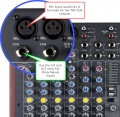 Allen Heath 60 10FX Inputs.jpg 800 × 780; 159 KB
-
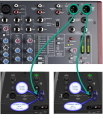 Allen Heath ZED Sixty-14FX LR Compact.png 803 × 931; 813 KB
-
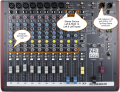 Allen Heath ZED Sixty-14FX Mono Left.png 1,024 × 783; 1.22 MB
-
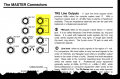 AllenHeathPA12Output.png 782 × 512; 184 KB
-
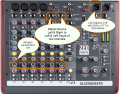 AllenHeathZFX10MonoLeft.png 805 × 631; 184 KB
-
 AllenHeathZFX10MonoPannedLeft.png 805 × 631; 184 KB
-
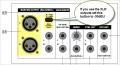 AltoL-12Output1.jpg 631 × 342; 70 KB
-
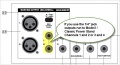 AltoL-12Outputs2.jpg 631 × 342; 65 KB
-
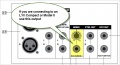 AltoL-12Outputs3.jpg 631 × 342; 61 KB
-
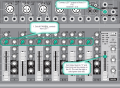 Behringer 1002B to S1 Pro mono 1 cable.png 1,024 × 749; 607 KB
-
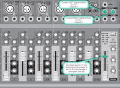 Behringer 1002B to S1 Pro mono 2 cables.png 1,024 × 749; 606 KB
-
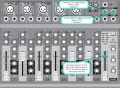 Behringer 1002B to S1 Pro Stereo.png 1,024 × 749; 605 KB
-
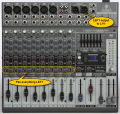 Behringer 1222FX.png 700 × 665; 619 KB
-
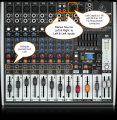 Behringer X1222 USB Mono.png 800 × 821; 816 KB
-
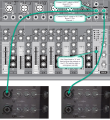 Behringer Xenyx 1002B to 2 S1 Pro Stereo.png 1,024 × 1,119; 955 KB
-
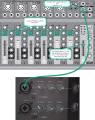 Behringer Xenyx 1002B to S1 Pro 2.png 1,024 × 1,292; 1.28 MB
-
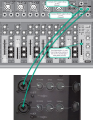 Behringer Xenyx 1002B to S1 Pro Stereo 2.png 1,024 × 1,317; 1.37 MB
-
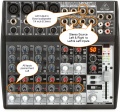 Behringer Xenyx 1202FX Mono.jpg 800 × 744; 189 KB
-
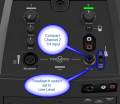 Compact Channel 2 Green.png 475 × 412; 117 KB
-
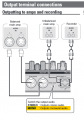 Denon DN-MC6000 Output.png 356 × 506; 58 KB
-
 Four Microphones to Four L1s.png 552 × 297; 16 KB
-
 Four Microphones to Three L1s.png 552 × 297; 16 KB
-
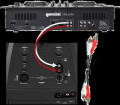 Gemini CDM 4000 to L1 Compact.png 800 × 701; 315 KB
-
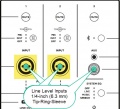 L1 Pro Line Level Inputs small.jpg 537 × 490; 62 KB
-
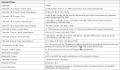 L1 Pro Mixer Section Specifications.jpg 1,382 × 808; 385 KB
-
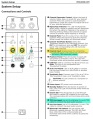 L1 Pro16 Line Level Inputs.jpg 1,524 × 1,954; 799 KB
-
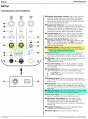 L1 Pro32 Line Level Inputs.jpg 1,493 × 2,027; 847 KB
-
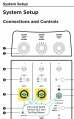 L1 Pro8-16 Line Level Inputs.jpg 646 × 1,043; 136 KB
-
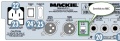 Mackie1202OutputSwitch.jpg 637 × 219; 64 KB
-
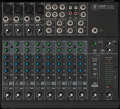 Mackie1202VLZ4.png 739 × 671; 721 KB
-
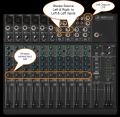 Mackie1402VL4PannedLeftMono.png 788 × 768; 810 KB
-
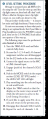 Mackie1604LevelSettingProcedure.png 341 × 847; 121 KB
-
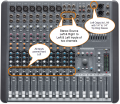 MackieCFX12PannedLeftMono.png 800 × 690; 1,003 KB
-
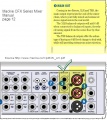 MackieCFXSeriesOutput.jpg 480 × 537; 119 KB
-
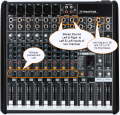 MackieProFX12 Mono Output.png 800 × 768; 239 KB
-
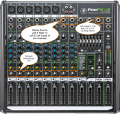 MackieProFX12V2 Mono Output.png 971 × 922; 1.47 MB
-
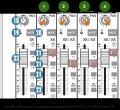 MackieProFX16-22OMRouting1.png 650 × 594; 82 KB
-
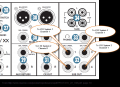 MackieProFX16-22OMRouting2.png 806 × 587; 169 KB
-
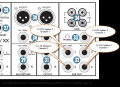 MackieProFX16-22OMRouting3.png 806 × 587; 169 KB
-
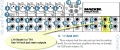 MackieProFX8-12.jpg 789 × 328; 128 KB
-
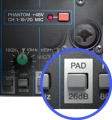 Mixer Input Pad Switch.jpg 435 × 466; 39 KB
-
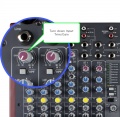 Mixer Input Trim.jpg 800 × 780; 145 KB
-
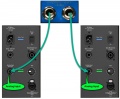 Mixer to L1 Model II 14trs.jpg 800 × 662; 97 KB
-
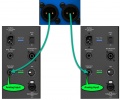 Mixer to L1 Model II XLR.jpg 800 × 666; 94 KB
-
 Mixer to Two L1 Model II.png 299 × 190; 36 KB
-
 MixerToSharePresetsCompact.jpg 456 × 338; 51 KB
-
 MixerToSharePresetsCompact02.jpg 472 × 352; 51 KB
-
 MixerToSharePresetsL1Pro.jpg 456 × 546; 69 KB
-
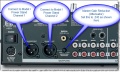 Numark5000FXOutput.jpg 643 × 385; 97 KB
-
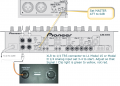 PioneerDJM5000p08.png 926 × 667; 252 KB
-
 PioneerDJM5000p13.png 748 × 356; 131 KB
-
 PioneerDJM5000p16.png 388 × 296; 24 KB
-
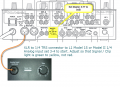 PioneerDJM700P07.png 820 × 594; 323 KB
-
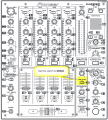 PioneerDJM700P09.png 698 × 775; 378 KB
-
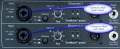 PowerStandfromNumark5000FX.jpg 800 × 324; 274 KB
-
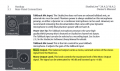 PreSonus24421642MonoOutput.png 671 × 399; 122 KB
-
 S1 Pro Chan 12 Mic Guitar 600.jpg 600 × 412; 117 KB
-
 S1 Pro Settings for mixer.jpg 1,024 × 686; 229 KB
-
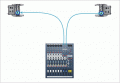 SoundcraftEPM14toModelII.gif 425 × 293; 14 KB
-
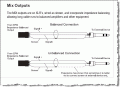 SoundCraftEPMManualMixOuts.gif 555 × 404; 24 KB
-
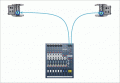 SoundcraftEPMXLRtoModelII.gif 425 × 293; 14 KB
-
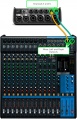 T4S from Mixer.jpg 712 × 1,100; 286 KB
-
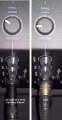 ToneMatch Mixer to S1 Pro.jpg 753 × 1,453; 312 KB
-
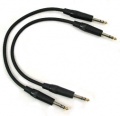 TRSMtoTRSM.jpg 253 × 245; 29 KB
-
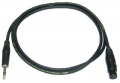 XLRFtoTRS.jpg 400 × 278; 14 KB
-
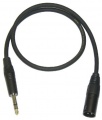 XLRMtoTRSM.jpg 400 × 469; 18 KB
-
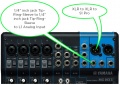 Yamaha MG10XU L1 S1 14 XLR trs.jpg 671 × 475; 98 KB
-
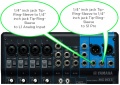 Yamaha MG10XU L1 S1 TRS.jpg 671 × 475; 103 KB
-
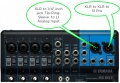 Yamaha MG10XU L1 S1 XLR.jpg 669 × 464; 93 KB
-
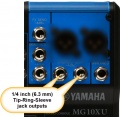 Yamaha mg10xu outputs 14trs.jpg 759 × 738; 94 KB
-
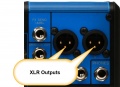 Yamaha mg10xu outputs XLR.jpg 759 × 548; 69 KB
-
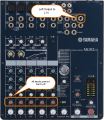 Yamaha MG82CX mono output.png 800 × 920; 1.31 MB
-
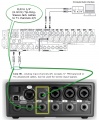 Yamaha MGP12 to T1.jpg 1,279 × 1,548; 323 KB
-
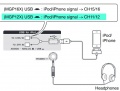 Yamaha MGP12 USB Interface.jpg 722 × 545; 71 KB
-
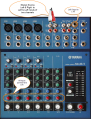 YamahaMG102PanLeft.png 800 × 1,050; 1.22 MB
-
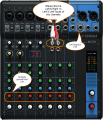 YamahaMG10PanLeft.png 800 × 932; 917 KB
-
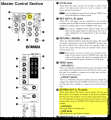 YamahaMG124 Output.png 693 × 750; 274 KB
-
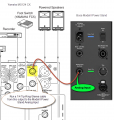 YamahaMG124 to Model II Power Stand Analog Input.png 702 × 737; 370 KB
-
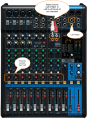 YamahaMG12XUPanLeft.png 800 × 1,097; 1.13 MB
-
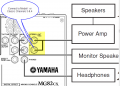 YamahaMG82CXOutputs.png 768 × 552; 92 KB


