Kemper Profiler: Difference between revisions
mNo edit summary |
|||
| Line 1: | Line 1: | ||
[[Image:KemperProfilingAmpWhite800x500.jpg| | {{Kemper icon}} | ||
<div class="tocdiv"> | |||
<div>__TOC__</div> | |||
<div><h2>Kemper Profiling Amp</h2> | |||
This article is a collection of snippets of information about the [http://kemperamps.com Kemper Profiling Amp]. | |||
</div> | |||
</div> | |||
[[Image:KemperProfilingAmpWhite800x500.jpg|250px|Kemper Profiling Amp (white)|right]] | |||
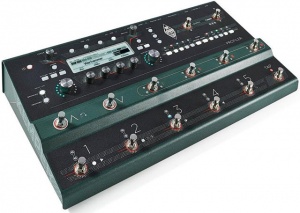
[[File:Kemper Profiler Stage.jpg|link=https://www.kemper-amps.com/stage|300px|right|Kemper Profiler Stage]] | [[File:Kemper Profiler Stage.jpg|link=https://www.kemper-amps.com/stage|300px|right|Kemper Profiler Stage]] | ||
== Documentation == | |||
[http://www.kemper-amps.com/page/render/lang/en/p/221/id/27/cat/30/do/Kemper_Profiling_Amplifier___Downloads.html Documentation] | |||
== Specifications == | |||
[https://www.kemper-amps.com/profiler/technical-specifications Technical Specifications] | |||
=== Power Consumption=== | |||
[https://www.kemper-amps.com/stage Kemper Profiler Stage] | [https://www.kemper-amps.com/stage Kemper Profiler Stage] | ||
* Approximate draw 12 watts | * Approximate draw 12 watts | ||
| Line 8: | Line 23: | ||
The Kemper Profiler with Remote | The Kemper Profiler with Remote | ||
* Approximate draws approximately 17 watts | * Approximate draws approximately 17 watts | ||
== Factory Reset == | == Factory Reset == | ||
| Line 44: | Line 46: | ||
=== Kemper Export/Import Performances === | === Kemper Export/Import Performances === | ||
[[Kemper Export/Import Performances]] | [[Kemper Export/Import Performances]] | ||
== Profiling Overview == | |||
[[Image:KPA Profiling 1.png]] | |||
[[Image:KPA Profiling 2.png]] | |||
[[Image:KPA Profiling 3.png]] | |||
---- | ---- | ||
[[Category:Kemper]] | [[Category:Kemper]] | ||
[[Category:Guitar]] | [[Category:Guitar]] | ||
[[Category:ST]] | [[Category:ST]] | ||
Revision as of 06:00, 2 December 2020

Kemper Profiling Amp
This article is a collection of snippets of information about the Kemper Profiling Amp.

Documentation
Specifications
Power Consumption
- Approximate draw 12 watts
The Kemper Profiler with Remote
- Approximate draws approximately 17 watts
Factory Reset
From Kemper support:
1. First, consider creating a backup as this process will delete all user data and reset all global settings.
2. Upgrade to the current PROFILER operating system release software. If your Profiler is currently running a version older than 7.3.2 you need to update to that version first. You can find it here
https://www.kemper-amps.com/do…8/Older-Software-Versions
3. Switch the PROFILER Head or Rack model off and press and hold soft button 1 (left above the display) while powering it on into tuner mode. If you are a STAGE user press the soft button 1 and the SYSTEM button and power the unit on.
4. Keep holding the soft button until "System Maintenance " appears on the display.
5. In maintenance mode press "Recovery", "Init&Factory Content", "Yes", "Ok".
6. Then press the Reboot soft button and reboot or simply restart the PROFILER with the chicken-head knob.
Kemper Recovery Options
Kemper Profiler Recovery Options
Kemper Export/Import Performances
Kemper Export/Import Performances
Profiling Overview


