T4S ToneMatch Mixer Monitor Outputs: Difference between revisions
mNo edit summary |
mNo edit summary |
||
| Line 16: | Line 16: | ||
#* Panned Hard Left will give you all of the sound in the monitor mix and not the L1 | #* Panned Hard Left will give you all of the sound in the monitor mix and not the L1 | ||
#* Panned Slightly Left will give more of the sound in the monitor mix and than the L1 | #* Panned Slightly Left will give more of the sound in the monitor mix and than the L1 | ||
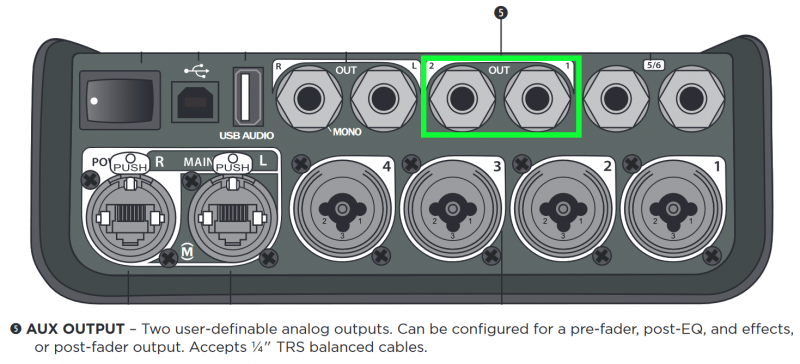
# Use the [[T4S Aux|channel Aux settings]] to set up a monitor mix. <br>[[File:T4S Monitor Outputs Aux Out.png|400px]] | # Use the [[T4S Pan Aux|channel Aux settings]] to set up a monitor mix. <br>[[File:T4S Monitor Outputs Aux Out.png|400px]] | ||
{{T4S Pan Aux}} | |||
Revision as of 16:26, 25 February 2019


|

You have several options for creating a monitor mix.
- The same sound as you are sending to the L1 system
- If you have connected the L1 to ToneMatch Port
connect your monitor to the Main Right Output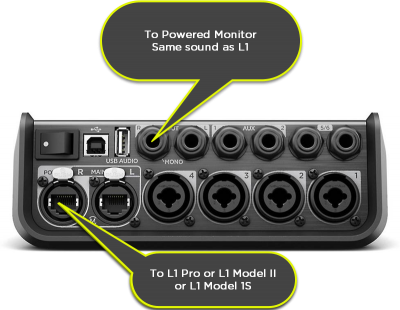
- If you have connected the L1 to ToneMatch Port
- Use the channel pan controls to set up a monitor mix.
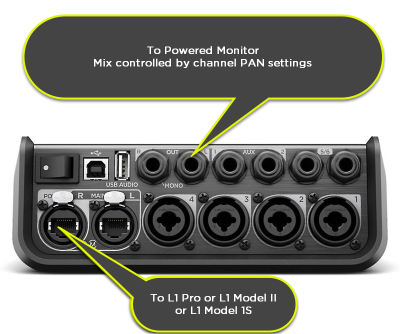
- Panned center will give you the same sound as you are sending to the L1
- Panned Hard Left will give you all of the sound in the monitor mix and not the L1
- Panned Slightly Left will give more of the sound in the monitor mix and than the L1
- Use the channel Aux settings to set up a monitor mix.
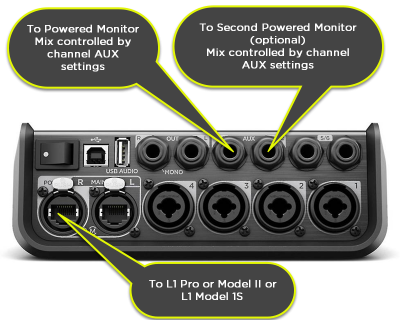


This is an overview of using the Aux Outputs on the T4S and T8S ToneMatch® mixers. You can use the Aux outputs for monitors, remote speakers, or recording.
The steps are the same for the T4S and T8S.
- Notes about the PAN/AUX display
The default view for PAN/AUX on the rotary selector is PAN. As a result:
- When you turn the rotary selector away from PAN/AUX, when you turn back, the display will show PAN. But the Aux settings haven't changed.
- When you change channels with the CH Edit buttons, the display will show PAN. But the Aux settings haven't changed.
- For both cases above, to return to the AUX display, press the MENU button (left most button under the display) and rotate to AUX. Your previous settings for PAN are preserved.
- Setting up monitors example
Connect your monitors to the T4S Aux Outputs. On the T4S you have two Aux Outputs. You can direct any channel to one of the Aux Outputs to create a monitor mix. As you assign a channel to an Aux Output, you can set the level and make the Aux send from the channel:
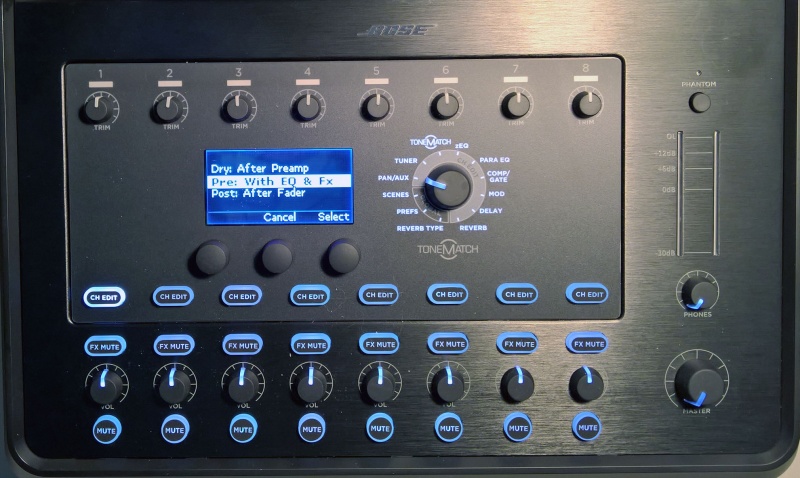
- Dry : After Preamp
- The only control that has an effect on the signal is the channel trim.
- Pre : With EQ and FX
- All settings for Preset, zEQ, ParaEQ, effects are sent through to the Aux output. The volume is controlled by the Level setting in this menu. Volume is not affected by the channel volume control. Reverb available for Aux 1 output only.
- Post : After Fader
- The volume is controlled by the channel volume control.
Select a Channel you want to direct to one of the Aux outputs. Note: You can send up more than one Channel to each Aux output
In the image below the Channel 1 CH Edit button is selected.
Turn the Rotary Selector to PAN/AUX
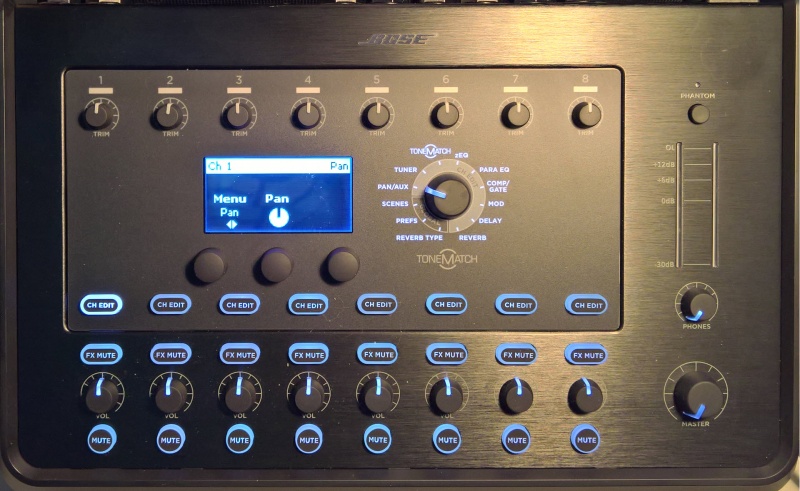
Turn the leftmost button under the display Menu to see your options. You can choose Pan, Aux Input, or one of the Aux Outputs
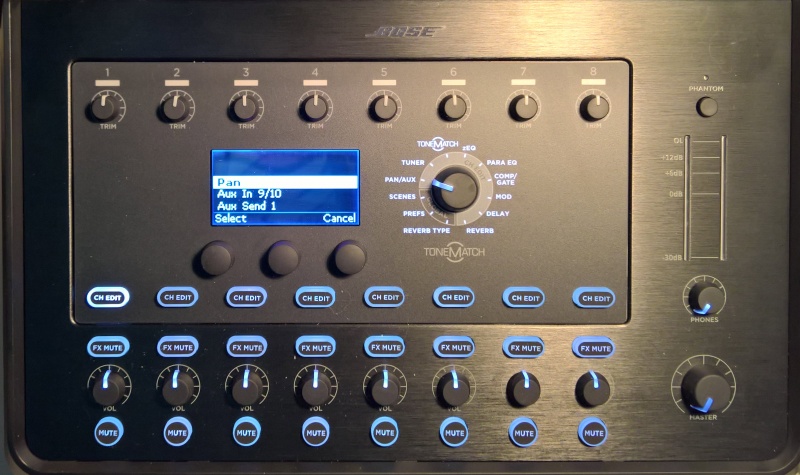
This is how it looks on the T8S when you turn the menu far enough to see all four Aux Outputs. On the T4S there are two Aux Outputs.
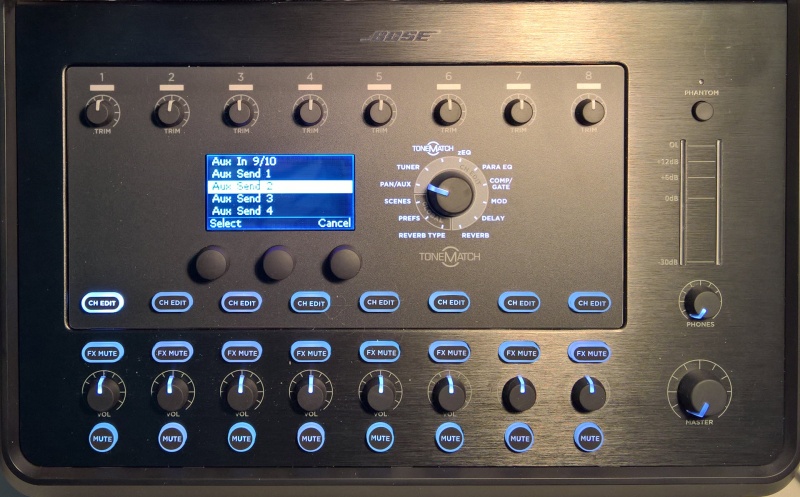
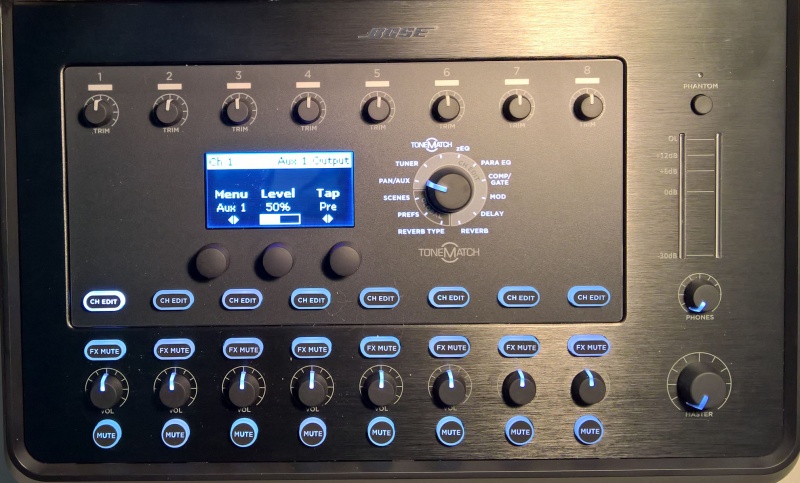
In this picture we have chosen to direct Channel 1 to Aux 1. The level is 50% and the Tap is set to Pre
In this picture, Aux 1 is selected and you can choose if you want the Tap point to be Dry, Pre, or Post
- Example - Create a Monitor Mix using Aux1
- How do I send the performance mix to the Master Outputs and a different mix (different levels) to a monitor (Aux1).
In this example, we will send:
- Channel 1 (Microphone) to Aux 1
- Channel 2 (Guitar) to Aux 1
- Initially the mix will be the same for Aux1 as to the Master Output (ToneMatch port or Master Output(s)
- Then we will change the relative levels of the Channel 1 and Channel 2