Template:T1® Prefs Input Level: Difference between revisions
Jump to navigation
Jump to search
mNo edit summary |
mNo edit summary |
||
| Line 1: | Line 1: | ||
# Turn the Rotary Selector to Global section and Prefs <br>[[Image:T1PrefsInput01.png|345px]] | # Turn the Rotary Selector to Global section and Prefs | ||
# | #* <br>[[Image:T1PrefsInput01.png|345px]] | ||
# | # Turn the Menu to Input Level. Press <br>[[Image:T1PrefsInput02.png|345px]] | ||
# View the Input Levels<br>[[Image:T1PrefsInput03.png|345px]] | |||
---- | ---- | ||
Revision as of 00:13, 14 February 2014
- Turn the Rotary Selector to Global section and Prefs
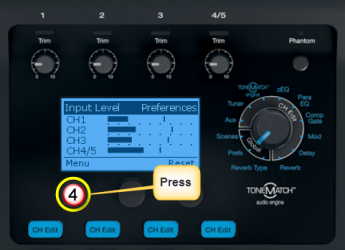
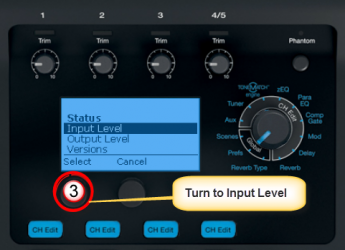
- Turn the Menu to Input Level. Press
- View the Input Levels