(8 intermediate revisions by the same user not shown)
Line 1:
Line 1:
{{Model I icon}}{{Model II icon}}{{Compact icon}}{{L1 Pro icon}}
<big>'''Gain Staging'''</big>
<big>'''Gain Staging'''</big>
<!--
<table><tr>
<table><tr>
<td valign="top" width="250">__TOC__</td>
<td valign="top" width="250">__TOC__</td>
Line 5:
Line 7:
For Vocal Microphones try this short video tutorial.
For Vocal Microphones try this short video tutorial.
{{T1 Gain Microphone}}
{{Get Plugged In Microphone}}
{{Get Plugged In Microphone}}
Line 11:
Line 16:
</tr></table>
</tr></table>
== Ken-at-Bose ==
-->
== L1 Pro /S1 Pro(+) / Model II / Compact / F1 ==
=== All models except the ToneMatch Mixers ===
On the [[L1 Pro]], S1 Pro(+), {{Model II}}, the {{Compact}}, and the {{F1}}, Volume (Compact/F1), these controls are actually trim controls. The L1 Model II/L1 Model 1S have a trim control.
There is no master volume control later in the signal chain. The amps are running at full output. '''There is no need to "add a little extra" for headroom'''. If you do, you are unnecessarily amplifying noise (e.g. audible hiss/hum) during quiet moments and raising the likelihood of distortion when you get loud.
=== Setting the levels ===
For the [[L1 Pro]], run the source at the highest output and set the volume so you see solid green and occasional flickers of red.
For the L1 Model II, run the source at the highest output and set the trim so that you see solid green and occasional flickers of yellow.
For the L1 Compact, run the source at the highest output and set the volume so that you see solid green, and no red.
For the F1 Model 812 or F1 Subwoofer, run the source at the highest output and set the volume so that you see solid green, and no red.
== Gain Staging Notes from the Bose Team ==
=== Ken-at-Bose ===
{{Model I icon}} {{Classic icon}}
{{Model I icon}} {{Classic icon}}
[[Image:THELinemenLibrary---004.jpg|200px|right|Tony Sarno of THE Linemen eats the mic]]
[[Image:THELinemenLibrary---004.jpg|200px|right|Tony Sarno of THE Linemen eats the mic]]
Line 22:
Line 45:
This technique is true for ANY live amplification system, not just ours.
This technique is true for ANY live amplification system, not just ours.
== Bill-at-Bose ==
=== Bill-at-Bose ===
{{T1 icon}} {{Model II icon}}
{{T1 icon}} {{Model II icon}}
Bill-at-Bose <ref>[http://bose.infopop.cc/eve/forums?a=tpc&f=7521050644&m=9821050644&r=7191052284#7191052284 Bill-at-Bose Talks about Gain Staging in the Bose® Musicians Community Message Boards]</ref> talks about setting the gain on a {{T1}}.
Bill-at-Bose <ref>[http://bose.infopop.cc/eve/forums?a=tpc&f=7521050644&m=9821050644&r=7191052284#7191052284 Bill-at-Bose Talks about Gain Staging in the Bose® Musicians Community Message Boards]</ref> talks about setting the gain on a {{T1}}.
Line 34:
Line 57:
A really helpful feature on the T1 is to go to the Prefs/Output Level menu, and see where you are relative to maximum output.
A really helpful feature on the T1 is to go to the Prefs/Output Level menu, and see where you are relative to maximum output.
=== Bose FAQs Classic / Model I ===
== Bose FAQs ==
This is an excerpt from the Bose FAQs<ref>[http://www.bose.com/controller?event=VIEW_STATIC_PAGE_EVENT&url=/musicians/support/product_faqs.jsp&ck=0#question32 What is the proper method for setting the gain on the PS1 Power Stand?]</ref>
This is an excerpt from the Bose FAQs<ref>[http://www.bose.com/controller?event=VIEW_STATIC_PAGE_EVENT&url=/musicians/support/product_faqs.jsp&ck=0#question32 What is the proper method for setting the gain on the PS1 Power Stand?]</ref>
There are three gain settings for the primary channels (1 and 2) and two gain settings for the secondary channels (3 and 4).
There are three gain settings for the primary channels (1 and 2) and two gain settings for the secondary channels (3 and 4).
=== Channels 1 or 2 ===
==== Channels 1 or 2 ====
To set the gain for the primary channels (1 or 2):
To set the gain for the primary channels (1 or 2):
Line 47:
Line 69:
# Lastly, the R1 Remote Control MASTER knob is the last stage of gain. This knob gives you control over all 4 channels of the PS1 Power Stand.
# Lastly, the R1 Remote Control MASTER knob is the last stage of gain. This knob gives you control over all 4 channels of the PS1 Power Stand.
=== Channels 3 or 4 ===
==== Channels 3 or 4 ====
To set the gain for the secondary channels (3 or 4):
To set the gain for the secondary channels (3 or 4):
Line 53:
Line 75:
# As above, the R1 Remote Control MASTER knob is the last stage of gain. This knob gives you control over all 4 channels of the PS1 Power Stand.
# As above, the R1 Remote Control MASTER knob is the last stage of gain. This knob gives you control over all 4 channels of the PS1 Power Stand.
There is no master volume control later in the signal chain. The amps are running at full output. There is no need to "add a little extra" for headroom. If you do, you are unnecessarily amplifying noise (e.g. audible hiss/hum) during quiet moments and raising the likelihood of distortion when you get loud.
Setting the levels
For the L1 Pro, run the source at the highest output and set the volume so you see solid green and occasional flickers of red.
For the L1 Model II, run the source at the highest output and set the trim so that you see solid green and occasional flickers of yellow.
For the L1 Compact, run the source at the highest output and set the volume so that you see solid green, and no red.
For the F1 Model 812 or F1 Subwoofer, run the source at the highest output and set the volume so that you see solid green, and no red.
Ken-at-Bose [1] talks about setting the gain for your microphone.
Please review the instructions for setting the trim level on Channel 1 and 2. Sing as loud as you're going to sing with your lips touching the windscreen and adjust the trim so that the LED just flickers RED. (You can do this with the channel and master volumes on the remote turned all the way down.
Remember that when you want to be your loudest vocally, you're lips should be touching the windscreen. You can always "work" the mic by backing away from it to lower volume but always remember that when you need to be loudest, you're kissing that windscreen.
This technique is true for ANY live amplification system, not just ours.
One difference in gain staging the T1 and the Classic is that the T1 has a three-stage trim LED. It lights up green when signal is present, yellow when you are getting pretty loud (8 to 10 dB of headroom left), and red when you dangerously close to or at full scale.
In a way, the yellow trim on the T1 is similar to how you treat the red on the Classic. Some yellow during peaks is good on the T1, just like some red on the Classic is good.
If the T1 trim is going red, you should back off, you are definitely nearing or in compression.
A really helpful feature on the T1 is to go to the Prefs/Output Level menu, and see where you are relative to maximum output.
There are three gain settings for the primary channels (1 and 2) and two gain settings for the secondary channels (3 and 4).
Channels 1 or 2
To set the gain for the primary channels (1 or 2):
Adjust the input gain. Set the trim for the individual channel at the back panel of the PS1 Power Stand. Supply a maximum source signal and watch the LED, when you start to see it flash red, back off slowly on the trim potentiometer until it flashes green again.
Adjust the channel gain. The channel gain is controlled via the R1 Remote Control. With the master at zero, set the respective channel gain at 12 o'clock or 6 on the R1 Remote Control. At this point, the LED on the remote will be at the same intensity as the LED on the back panel of the PS1 Power Stand. This is considered optimum gain. The musician can then add a bit more from the R1 Remote Control if he/she requires.
Lastly, the R1 Remote Control MASTER knob is the last stage of gain. This knob gives you control over all 4 channels of the PS1 Power Stand.
Channels 3 or 4
To set the gain for the secondary channels (3 or 4):
Adjust the input gain of the individual channel. These channels do not have indicator LEDs but are optimized for 0dB line level signals, such as from an effects device, mixer or CD player.
As above, the R1 Remote Control MASTER knob is the last stage of gain. This knob gives you control over all 4 channels of the PS1 Power Stand.
Chuck-at-Bose
Gain Staging - Notes from Chuck-at-Bose
OK – Gain, in the context of a highly transparent audio system. To some, the following will seem like long-winded nit picking. If you’re perfectly happy with the sound that you’re producing with your systems, no matter how you’re getting it, then by all means don’t fix what ain’t broken. To others, it may be perceived as overly simplified. Please know that I’m not trying to ‘dumb it down’. I offer this attempt at explaining how audio systems work, in the most non-technical language that I can muster, to anyone who wishes to learn how to coax the absolute best possible results from their audio system. Your critique, the measure of my success/failure, is welcome and appreciated…
The Source
Let’s begin at The Source.
Imagine a tiny wave riding down a wire at the speed of light. We know what caused the wave and that it was beautiful. We want to somehow use the tiny wave to move the air around us with sufficient energy and uniformity so that everyone in the space can hear that beautiful source clearly. When we hear the sound clearly, we may smile and leave it alone, or wince and choose to modify some of its traits, but ideally, any gizmos that we use along the way shouldn't impose unwanted changes...
Recorded sound > recorded sound player > wire > effects/mixer > wire >
The Gizmos
For the past several decades, we humans have strived to make our beautiful sources louder and clearer with the goesintas, comesoutas, amps and speakers of (cue announcer voice) THE SOUND SYSTEM. The mere mention of it strikes fear into the hearts of many, but it can really be quite friendly and effective if we understand how to make a few sensible adjustments to help it perform at its best. To those of us wanting only to produce and control what is heard by us and our audiences, these gizmos are nothing more or less than a series of controlled steps toward making our wave bigger. These steps are commonly referred to as gain stages by tech-head geeks like me. Let's look at the path that our tiny wave follows through an audio system:
Source – Our tiny wave. Its output connects to a gizmo with knobs and meters on it...
Trim – First stage of the gizmo. Makes the tiny wave bigger, just the right size for the gizmo to do its best work...
Level – Second stage of the gizmo. Brings the now bigger wave into balance with others that are sharing the gizmo and to where their mix creates a level that makes the next stage happy...
Master – Combines all of these bigger waves and sends them to the next stage at a level that makes it happy...
Power Amp – A last big boost, by far the biggest of all, so big that it can make a loudspeaker wiggle, a lot...
Loudspeaker – Makes air wiggle, a little or a lot...
Wiggling Air – Makes people wiggle. (Whole 'nother subject. Back to gain...)
Put it Together
For the simple sources above, we simply plug into an input channel of our favorite gizmo, hit it as hard as we're gonna and then adjust that channel's controls, step by step - first Trim, then Level - for the desired result, optimum performance. Repeat for each additional source. Then we bring up the Master volume control to the desired listening level. Now that we can hear the individual sources clearly, we can modify their tone with EQ, their mix (relative balance) with Level controls and the overall loudness of that mix with the Master, to suit our tastes and needs. Done.
The more complex sources above bring lots of their own gain stages to the party. Our ears hope that we've set them all correctly before we plug them into something that will let us hear them. Failure to optimize each and every one of them can and usually does result in unwanted changes to the source (e.g. hiss, insufficient level, distortion, feedback) which our L1s will very faithfully reproduce as wiggling air. For example, if we run the Master of an external sub mixer well below its output capacity, we're sending a mix that has higher hiss content than necessary to the next stage, the PS1 Input. We end up boosting that next stage to compensate, which boosts the signal, yes, but it also boosts the hiss by the same amount. Hiss is bad. It is unwanted noise. Some noise is inevitable in any gizmo, but since it is part of the sound to which we are critically listening, we want to minimize it wherever possible. We’re going for what tech-head geeks like me call ‘the highest possible signal-to-noise ratio'…
When wiggling air with our beloved half-cylinders, I propose that we'll always get the best possible sound quality when we set each and every stage of an external sub mixer, input through output, for optimum performance (as much signal as possible, but not too much) before connecting it to a PS1 input. Then we optimize the PS1 Input's trim control. Then level. Last of all, we adjust the overall system volume with the Master on the R1...
Notice that when we fire up a system without an R1 Remote connected, we hear noticeable hiss, even with nothing else connected to the system. This is because we’re running the system as if the Master was set to the 12:00 position, way higher than it needs to be for silence, or even for lower listening levels.
With no R1 Remote and sources connected and producing sound, we find the hiss to be noticeable only during silent passages and at lower listening levels. At louder listening levels, the signal has gone up while the hiss has stayed the same, so the hiss gets covered up, or masked by the louder signal.
The best and only way to minimize/eliminate the hiss during silence or lower listening levels is to optimize every stage before the R1 Remote Master and then use the R1 Remote Master to achieve the desired listening level. Using the system without the R1 Remote means that we’re stuck with any hiss that the system produces when that last stage stays set so high. It can also mean that we’re not allowing access to all of the available volume, since 12:00 is only half-way up the dial. If we’re always listening at a louder volume levels, never distracted by hiss and we don’t ever find ourselves wishing that we had a tad more volume, then we may certainly forgo the R1 Remote Remote…
Even without the R1 Remote control the system can get to full output if the input trims are carefully set.
If you do proper gain staging, the system will get to full output with all knobs at 12 o'clock.
Since proper gain staging is not trivial, we provide the extra gain to take up the slack if the input is not quite hot enough.[4]
Dialing in your sound IS a personal preference, but proper gain staging does have some technical right and wrongs.
The accepted rule is to set your gain as HIGH as possible, as EARLY in the signal chain as possible - and adjust each consecutive gain stage until you reach the last component. This will give you maximum headroom and the best signal-to-noise ratio. Every signal carries some noise with it, and if you set your gains too low at the front (preamp/mixer/processor), and then try to compensate for it at the end (L1 ), you will be magnifying the "noise" as well as the signal. The "cheaper" the equipment is that you're using in front, the more obvious this will be.
The easiest way to do this is to just VISUALIZE how your signal runs. Whatever your signal from the guitar or mic hits first - be it internal or external preamp, processor, mixer, whatever - maximize THAT trim control first. Having LED's to visually see the clipping makes this job much easier - just sing or play as loud as you plan to (turn the master down - you don't need to actually make noise to set your trims if you have LED's) and crank the trim/gain until it flashes red into clipping - then back it off a bit to give yourself some room. Then continue down the path of the signal chain - this includes any "inserts" into the chain - adjusting each component until you finally hit the L1™ , which is the end of your chain.
Every piece of equipment that I've used in my L1™ has benefited from this rule. I've had some pieces that had intolerable amounts of noise (the Digitech Vocal 300 comes to mind) when the gain at the Digitech was set low, and the L1 set high. When I reversed them back to the "rule" - set the Digitech gain as high as possible, and just adjust the trim at the L1™ only as needed, it became a usable piece of equipment.
you will probably raise the amount of noise in the signal path.
Set the Channel 2 input trim to 0
Set the Channel 3 input level to 0
Set the Channel 4 input level to 0
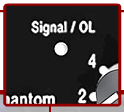
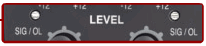
R1 Remote LED indicatorsAt this point the R1 Remote Channel LED should be doing the same thing as the PS1 Powerstand Signal O/L LED. Solid green, occasional red flickers.
On the R1 Remote
Bring up the Master Level to 12 o'clock (straight up)
If everything is working, you are probably hearing the System at very close to its volume limit.
Test: On the Mixer, set the master output all the way down:
If you are hearing a low frequency hum, check for a ground loops.
If you are hearing a buzz, check for sources of line noise.