Template:S1 Pro System Updates: Difference between revisions
mNo edit summary |
|||
| (5 intermediate revisions by the same user not shown) | |||
| Line 6: | Line 6: | ||
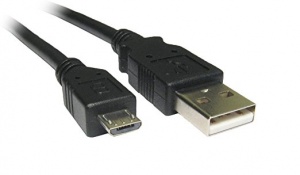
[[File:USB A to Micro USB.jpg|link=https://www.google.com/search?q=usb+a+to+micro+usb|300px|USB A to Micro USB cable]] | [[File:USB A to Micro USB.jpg|link=https://www.google.com/search?q=usb+a+to+micro+usb|300px|USB A to Micro USB cable]] | ||
[[File:S1 Pro Micro USB Port Service Port.jpg|480px|Connect USB Micro USB cable to the Service port]] | |||
If you purchased your S1 Pro System prior to May 10, 2018 (North America/Europe) or July 2, 2018 (other regions), you must update your firmware using the [http://btu.bose.com Bose Updater]. Then you can connect to the Bose Connect App. | If you purchased your S1 Pro System prior to May 10, 2018 (North America/Europe) or July 2, 2018 (other regions), you must update your firmware using the [http://btu.bose.com Bose Updater]. Then you can connect to the Bose Connect App. | ||
* On your computer, open a web browser and go to btu.bose.com. Keep your web browser open throughout this process | |||
* Review the Bose Updater terms of use, then click "Accept and Continue" if you'd like to run the updater | |||
* Click "Download" to download the updater | |||
* If the web browser gives download options, choose "Run." Otherwise, once the file is downloaded, open it and install the updater | |||
* Connect a USB cable from the computer to the SERVICE jack on your product | |||
* Click "Apply Changes." (Note: If no update is available, the updater shows your product is up to date) | |||
* Once the system has been successfully updated, disconnect your product from the computer | |||
===== Trouble Shooting ===== | |||
We have had [https://www.bosepro.community/g/portable/topic/bose-connect-app-version-6-1-0-is-available-now-for-the-s1-pro-system-may-31-2018?reply=38188486748735734#38188486748735734 one report] where the [http://btu.bose.com Bose Updater] tool would not install correctly from the website. The customer had to temporarily disable Avast Antivirus Software to allow the software to run. | |||
==== Bose Connect App ==== | ==== Bose Connect App ==== | ||
| Line 18: | Line 33: | ||
</html> | </html> | ||
=== S1 Pro Firmware History === | |||
{{S1 Pro Firmware History}} | |||
Latest revision as of 15:59, 9 January 2020

Please ensure that your S1 Pro System is fully charged and connected to AC power when you do the firmware update.
Bose Updater PC/MAC
S1 Pro System updates can be obtained by using your PC or MAC computer. Navigate to the Bose Updater. The update requires a USB cable.

If you purchased your S1 Pro System prior to May 10, 2018 (North America/Europe) or July 2, 2018 (other regions), you must update your firmware using the Bose Updater. Then you can connect to the Bose Connect App.
- On your computer, open a web browser and go to btu.bose.com. Keep your web browser open throughout this process
- Review the Bose Updater terms of use, then click "Accept and Continue" if you'd like to run the updater
- Click "Download" to download the updater
- If the web browser gives download options, choose "Run." Otherwise, once the file is downloaded, open it and install the updater
- Connect a USB cable from the computer to the SERVICE jack on your product
- Click "Apply Changes." (Note: If no update is available, the updater shows your product is up to date)
- Once the system has been successfully updated, disconnect your product from the computer
Trouble Shooting
We have had one report where the Bose Updater tool would not install correctly from the website. The customer had to temporarily disable Avast Antivirus Software to allow the software to run.
Bose Connect App
The Bose Connect App adds enhancements to streaming Bluetooth to the S1 Pro Channel 3.


S1 Pro Firmware History
| Firmware version | Date | Notes |
|---|---|---|
| 7.1.8 | April 13, 2020 |
|
| 7.1.7 | March 12, 2020 |
|
| 7.1.5 | January 6, 2020 |
|
| 7.1.1 | 2019 | Minor updates for compatibility with the Bose Connect App Version 9.x |
| 7.1.0 | June 3, 2018 |
New features of v7.0.10 and Bose Connect App Version 6.1.0
|
| 6.x.x | January 2018 | Factory installed |
If you have difficulty updating your firmware, please contact Bose Support.