(One intermediate revision by the same user not shown)
Line 9:
Line 9:
[[File:T8S ToneMatch Port to L1 Pro32.jpg]]
[[File:T8S ToneMatch Port to L1 Pro32.jpg]]
To run stereo, connect the second powered loudspeaker to one of the {{T8S}} RIGHT Outputs (XLR or 1/4 inch (6.3 mm) Tip-Ring-Sleeve) to the second L1 Pro Input three. DO NOT USE an XLR to XLR cable. The output of the {{T8S}} outputs is too hot for the L1 Pro XLR inputs.
To run stereo, connect the second powered loudspeaker to one of the {{T8S}} RIGHT Outputs (XLR or 1/4 inch (6.3 mm) Tip-Ring-Sleeve) to the second L1 Pro Input three. You can use an XLR to XLR cable. However, you may need to turn down the channel volume level to match the input sensitivity to the signal level.
[[File:XLR Female to TRS.jpg|200px]]
[[File:XLR Female to TRS.jpg|200px]]
Line 26:
Line 26:
==== 1/4 inch (6.3 mm) Tip-Ring-Sleeve ====
==== 1/4 inch (6.3 mm) Tip-Ring-Sleeve ====
{{:T8S to 2 L1 Pro 1/4}}
{{:T8S to 2 L1 Pro 1/4}}
==== XLR ====
#Connect your audio sources (instruments or microphones) to the inputs on the ToneMatch mixer
#Connect the T8S power supply from the Power port of the T8S to a power outlet
#Connect an XLR cable from the Main Out R port of the mixer to the right-side L1 system
#*Tip: If connecting to channels 1 or 2 on the second system, set the ToneMatch selector for that channel to OFF
#Connect an XLR cable from the Main Out L port of the mixer to the left-side L1 system.
#*Tip: If connecting to channels 1 or 2 on the second system, set the ToneMatch selector for that channel to OFF.
<ref>[https://support.bose.com/s/display-articles?productId=01t8c00000OydHYAAZ&articleId=ka08c000001gBWrAAM&language=en_US Bose Support Article]</ref>
=== {{T8S}} to Two Single {{L1P}} Mono Daisy Chain ===
=== {{T8S}} to Two Single {{L1P}} Mono Daisy Chain ===
There is a single ToneMatch port on the T8S ToneMatch mixer. You can use this
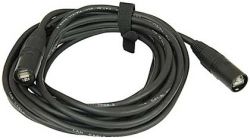
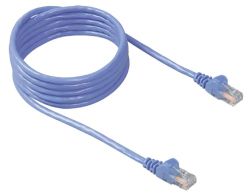
To connect to an L1 Pro[1] ToneMatch Port using a ToneMatch CableToneMatch cable or Network Cable Network cable
Note: The maximum length of the network cable is 50 feet.
Note: This is the mixer LEFT output. Anything panned hard RIGHT will not be heard.
All of the Analog outputs (XLR or 1/4 inch (6.3 mm) Tip-Ring-Sleeve) still function while using the ToneMatch Port.
To run stereo, connect the second powered loudspeaker to one of the T8S ToneMatch mixer RIGHT Outputs (XLR or 1/4 inch (6.3 mm) Tip-Ring-Sleeve) to the second L1 Pro Input three. You can use an XLR to XLR cable. However, you may need to turn down the channel volume level to match the input sensitivity to the signal level.
Alternate connection
ToneMatch port on the T8S ToneMatch mixer to ToneMatch Power Supply for power and use the Analog Outputs (XLR or 1/4 inch (6.3 mm) Tip-Ring-Sleeve) to the L1 Pro Input three. DO NOT USE an XLR to XLR cable. The output of the T8S ToneMatch mixer outputs is too hot for the L1 Pro XLR inputs.
To connect two L1 Pro systems (daisy chain) to use the second system as an extension of the first
Use an XLR Female → ¼″ (6.3 mm) Tip‑Ring‑Sleeve to connect the L1 Pro Line Out to a second L1 Pro (any model) channel three
Turn down the volume on the second L1 Pro
Set the level you want on the first L1 Pro
Set the volume on the second L1 Pro to suit the application
Note: Running two L1 Pros daisy-chained in close proximity offer little tangible benefit and can cause issues with multiple source interference. See Dual Mono for details.
Note
The Line Out is post-fader. That is, it is the combined signal of all inputs and ToneMatch processing, EQ and Reverb. That includes inputs, 1, 2, 3, Bluetooth, and ToneMatch Port (used for T4S/T8S ToneMatch® Mixers).
The Line Out is pre-System EQ. That is, the signal at the Line Out is flat. It is not affected by the setting of the System EQ switch. [3]
This applies to any two L1 Pro systems (L1 Pro8, L1 Pro16, L1 Pro32).
Second L1 Pro Louder than the First
Because the output level of the first L1 Pro Line Out is post-fader (see above) is higher than the original source. If you set the volume controls on the second L1 Pro to the same settings as the first L1 Pro, the second one will be louder. To get the levels the same,
Turn down the volume on the second L1 Pro
Set the level you want on the first L1 Pro
Set the volume on the second L1 Pro to suit the application. Do that by ear.
Wireless solutions
You can use a third-party wireless solution The Sennheiser XSW-D XLR Base Set is known to work reliably, but there are many other options.
Dual Mono
When you run the same sound through two L1 systems, you should consider the consequences, both good and bad. See Dual Mono for details.